Contents 7 sections
As one of Türkiye’s leading e-commerce platforms, Hepsiburada offers its users a fast and reliable shopping experience with a wide range of products. Founded in 1998, the company serves many categories, from electronics, fashion, home and lifestyle to supermarket needs. Making a difference in the sector with its strong logistics infrastructure and innovative solutions, Hepsiburada leads the development of digital commerce by offering fast delivery with HepsiJet, secure payment with HepsiPay and cross-border shopping with HepsiGlobal.
Hepsiburada Seller Panel
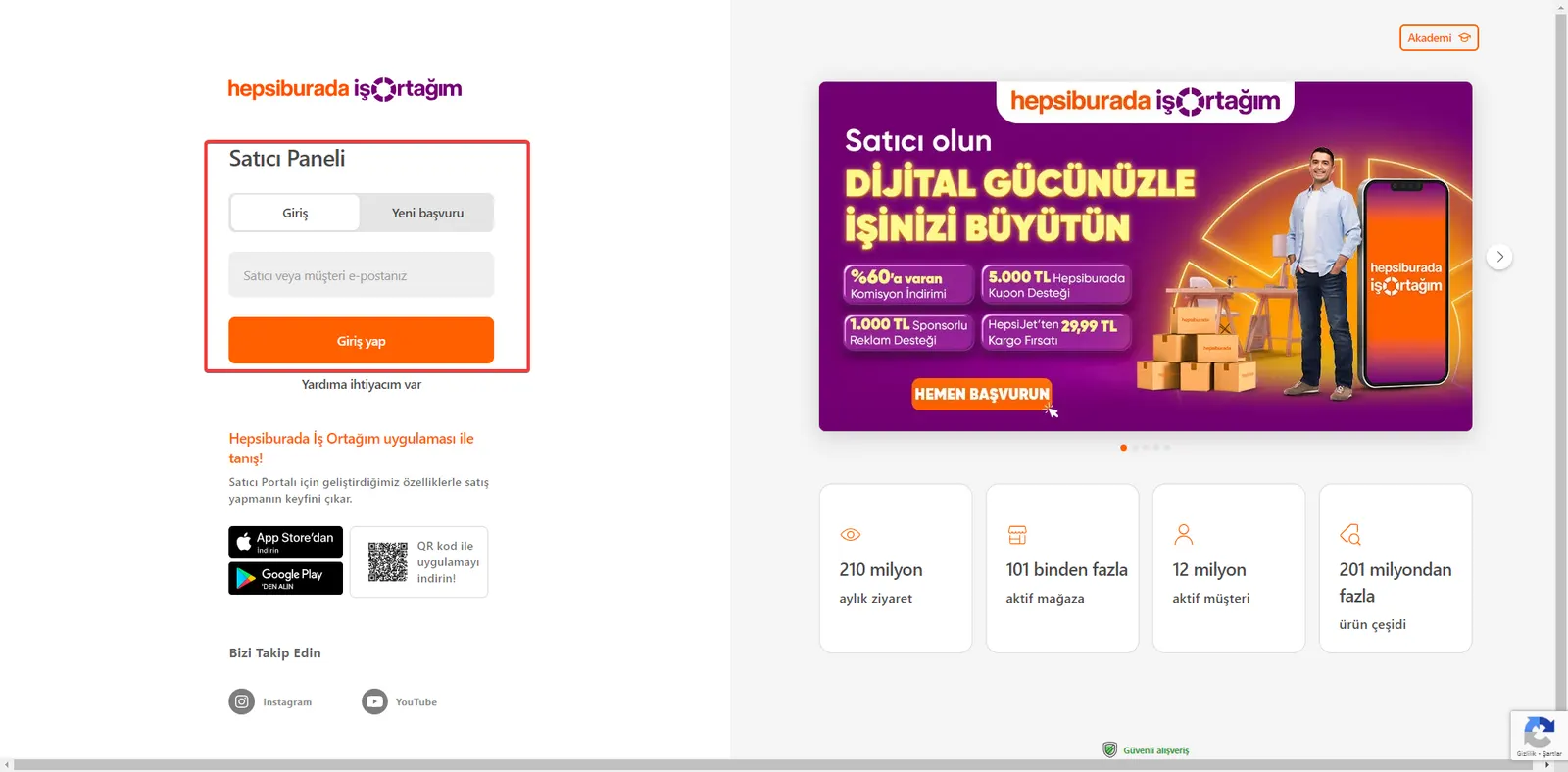
To promote your store better and attract customers on the Hepsiburada marketplace, you can add a Detailed Banner. To do this, you first need to log in to your seller panel. You can reach the Hepsiburada seller panel at the following link: https://merchant.hepsiburada.com/
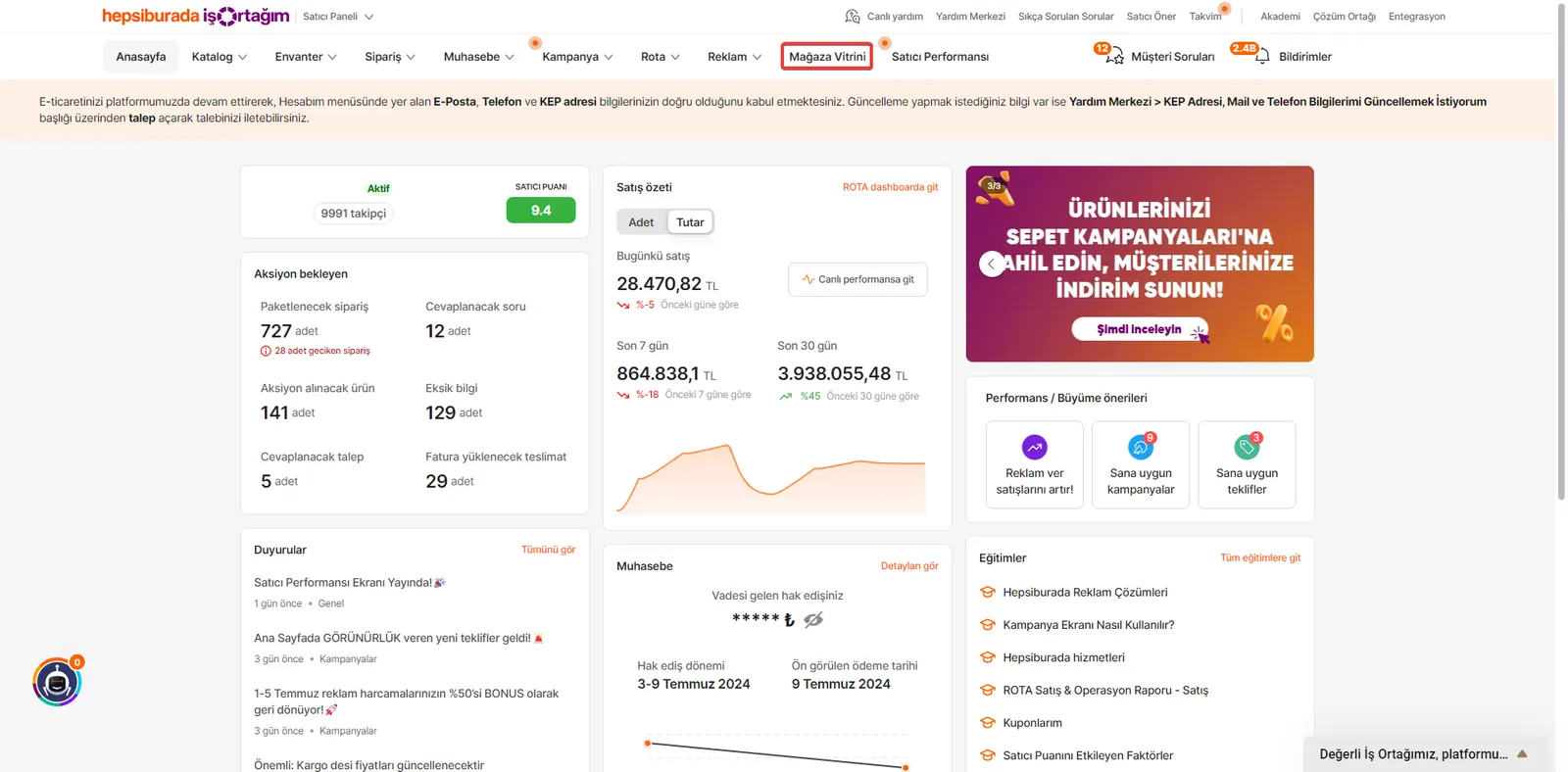
Go to the Store Showcase Area
After logging in to your seller panel, click the “Store Showcase” button in the top menu to access your store’s showcase.
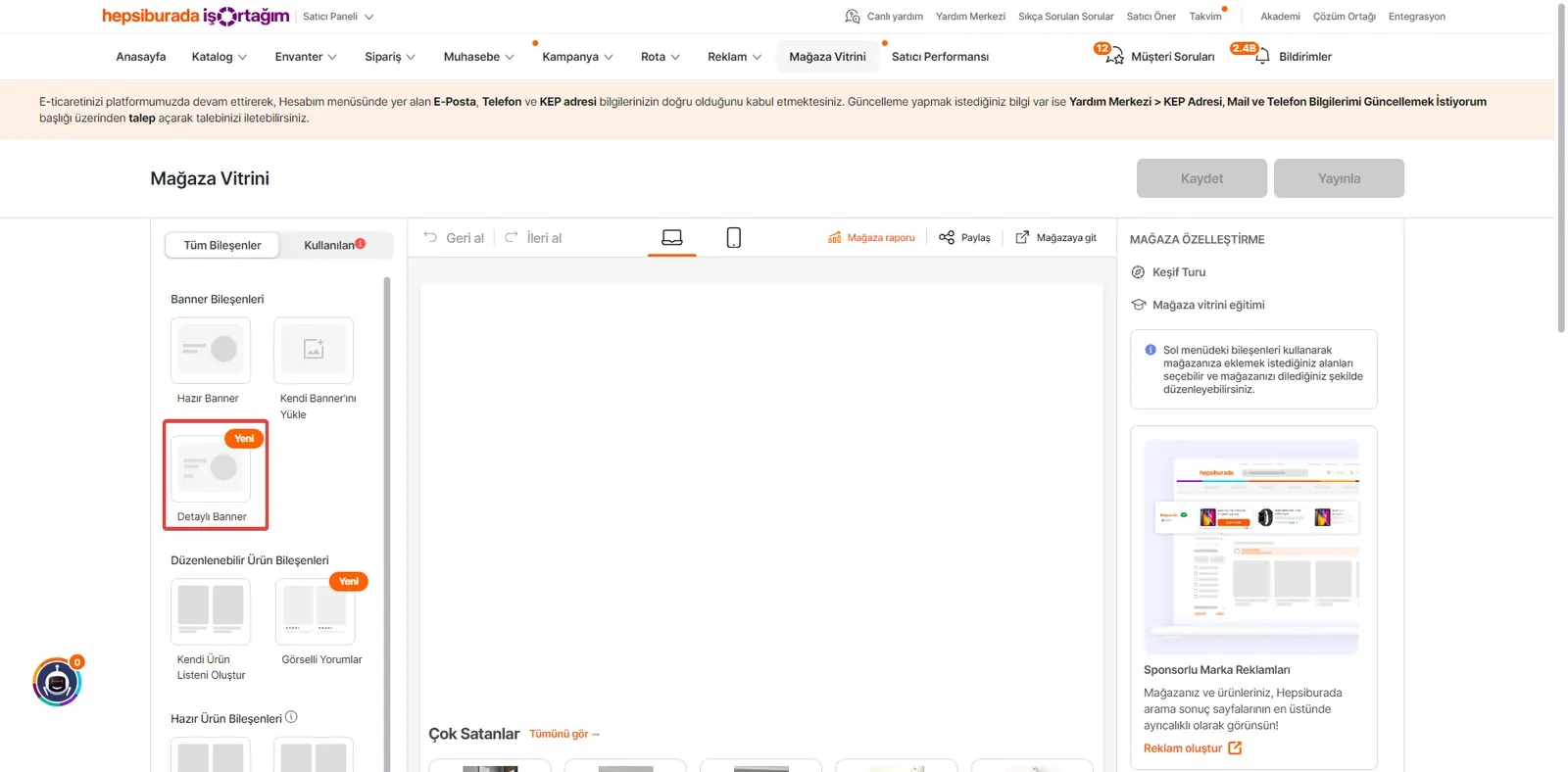
Go to the Detailed Banner Area
Once you reach the Store Showcase page, click the “Detailed Banner” button in the left menu.
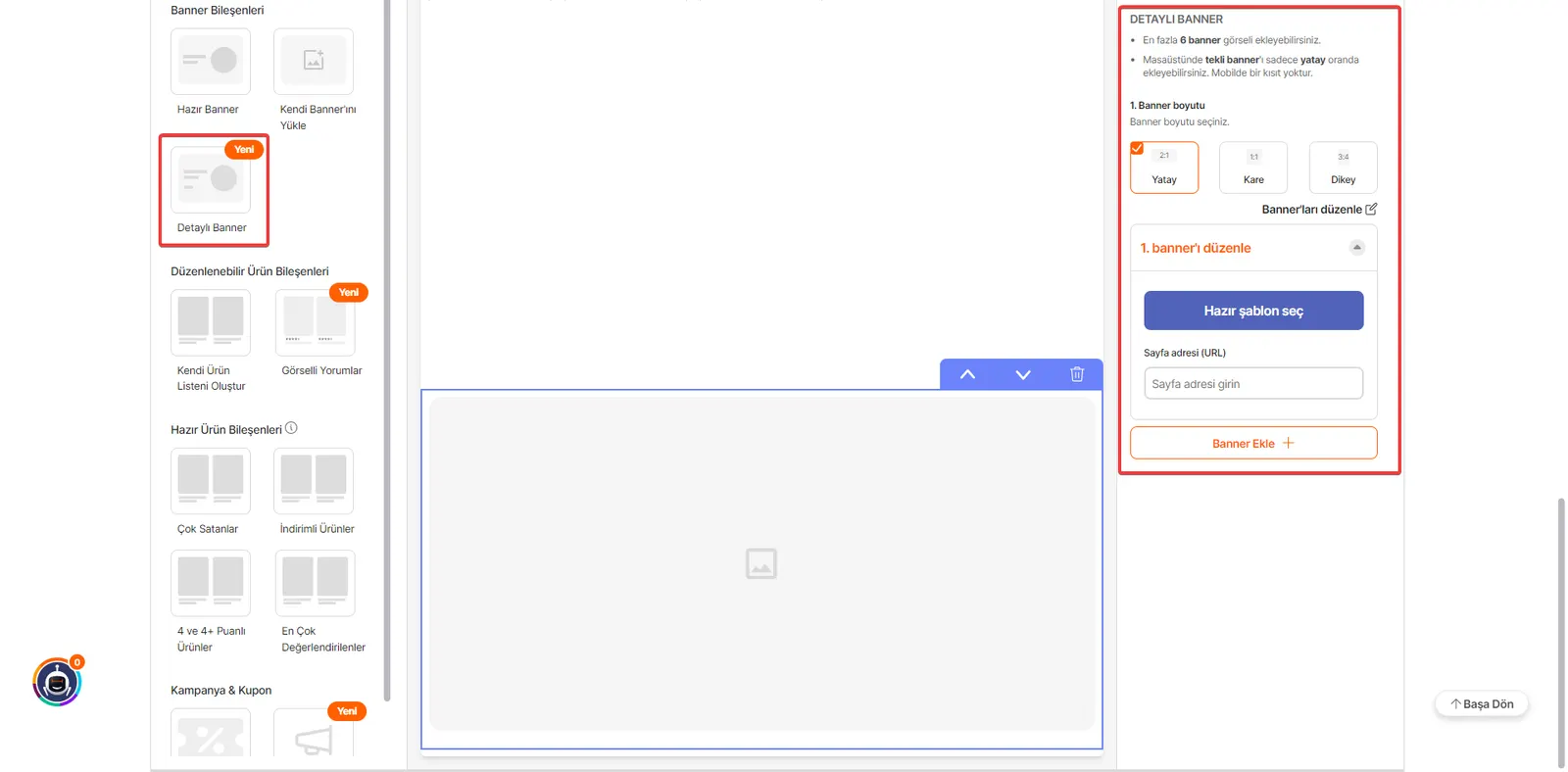
Edit the Banner Settings
On the screen that opens, you can view the Detailed Banner settings. Here, you need to set the banner size and fill in required fields such as the Page Address (URL).
Choose a Ready-Made Template (Optional)
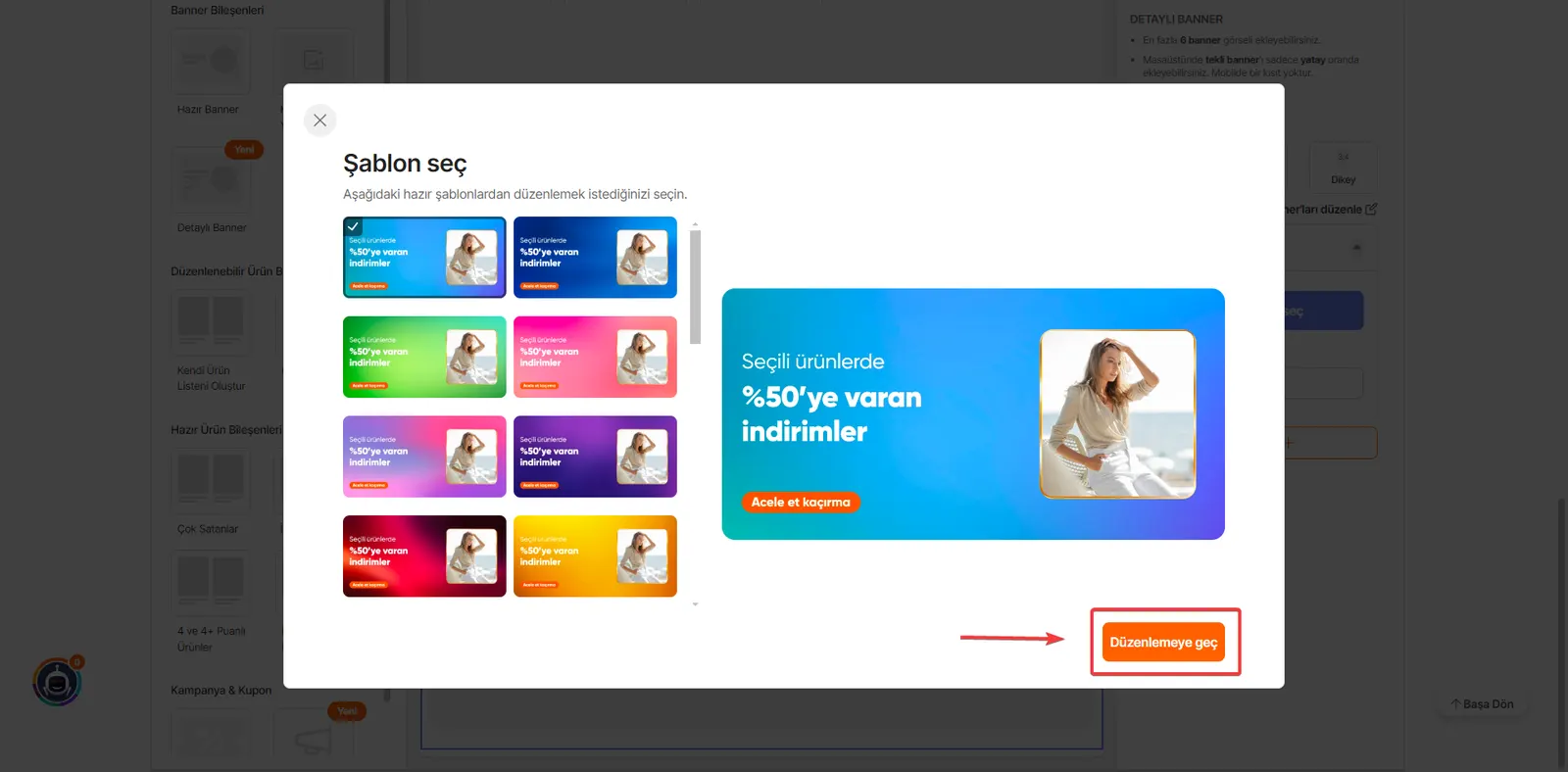
If you wish, you can use the ready-made templates offered by Hepsiburada. To do so, click the “Choose Template” button and select a template. After making your selection, you can move to the editing area with the “Proceed to Edit” button.
Customize the Banner Content
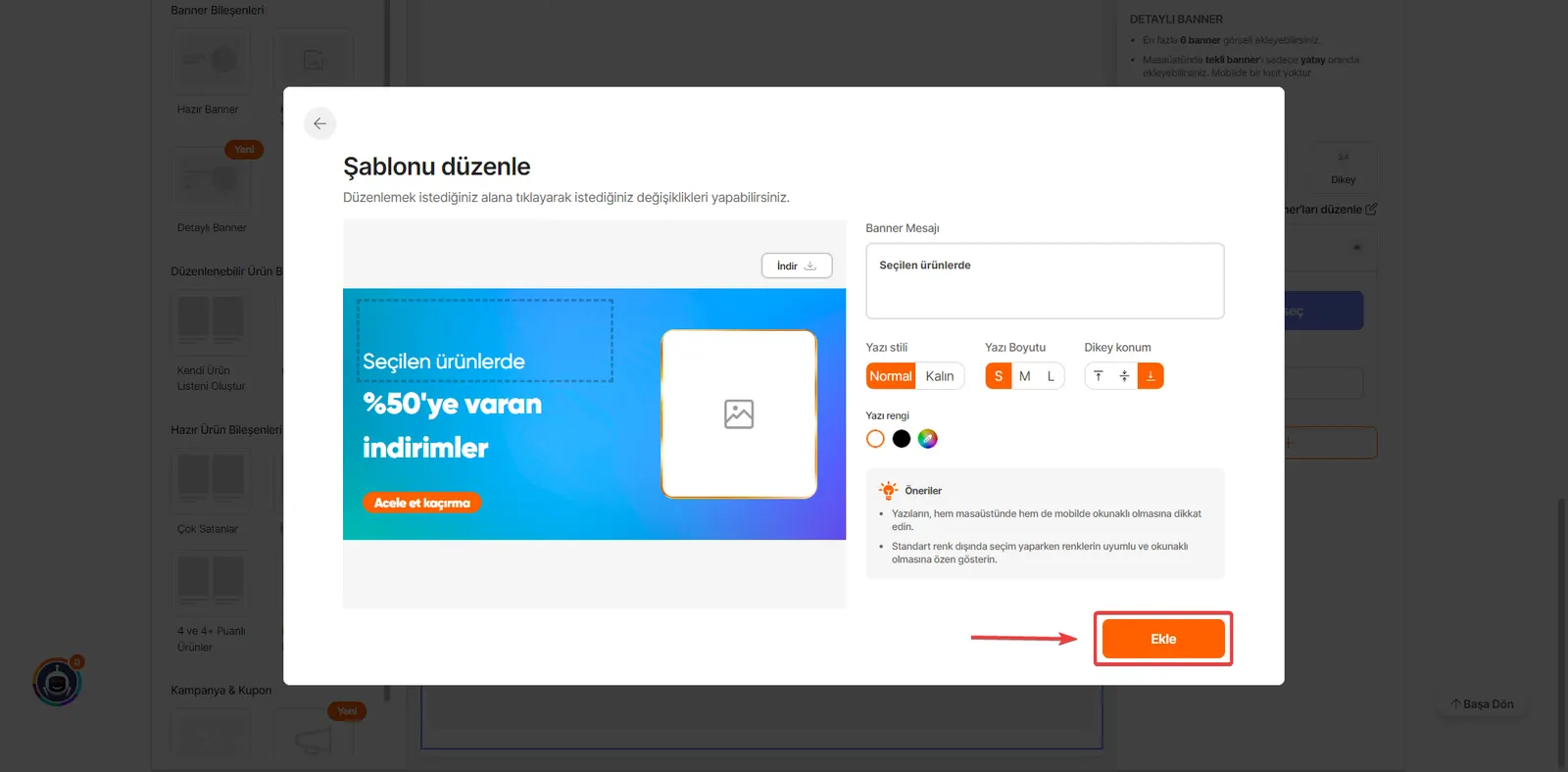
On the editing screen, you can customize the template content using the following options:
Font Style: Choose the text font.
Font Size: Adjust the size of the text.
Position: Set where the text is placed on the banner.
Color: Change the text color to your preference.
Once you have finished your banner design, you can complete the Detailed Banner process by clicking the “Add” button.
By following these steps, you can create an eye-catching and effective Detailed Banner for your store.
Frequently Asked Questions (FAQ)
What Is Hepsiburada Detailed Banner Usage and How Does It Work?
Using the Hepsiburada detailed banner means that brands or sellers take advantage of various visual advertising spaces to promote their products or services on the Hepsiburada platform. These banners are usually placed on Hepsiburada's home page, category pages and product detail pages. Sellers can create banners in different sizes and designs to reach the target audience more effectively and attract attention. Banner use works by providing impressions for a set period of time in return for a set budget.
How Does Detailed Banner Usage Affect Sales and Customer Reach?
Used with the right strategies, detailed banners can play an important role in increasing sales and expanding customer reach. Visually appealing banners catch the attention of potential customers and let them learn about a product or service. Banners are also an effective way to announce campaigns such as special promotions, discounts or new product launches. As a result, more users visit the site and the likelihood of purchases increases.
How to Design Distinctive, Eye-Catching Detailed Banners
To stand out from the competition, you can use unconventional visuals, emphasize value with a clear and concise message, encourage engagement with questions that spark curiosity, and try innovative designs by following current trends. It is also important to develop original ideas that speak to your target audience’s interests.