Contents 3 sections
Trendyol's video center represents an important transformation in the digital retail world. In an age when today's consumer habits are becoming increasingly digital, the ways brands and retailers engage with their target audiences are changing too. At this point, Trendyol's video center, with an innovative approach, enables brands to convey their products and stories to consumers more effectively. It does not merely showcase products; it also allows brands to create personalized content, connect with consumers and understand their needs directly. Trendyol's video center offers brands an important competitive advantage in the digital retail world, because it has become a powerful tool for capturing consumers' attention and influencing their purchasing decisions. In this blog post, we will explore step by step how Trendyol's video center is used and how brands can make the best of this platform.
About Using Video Center
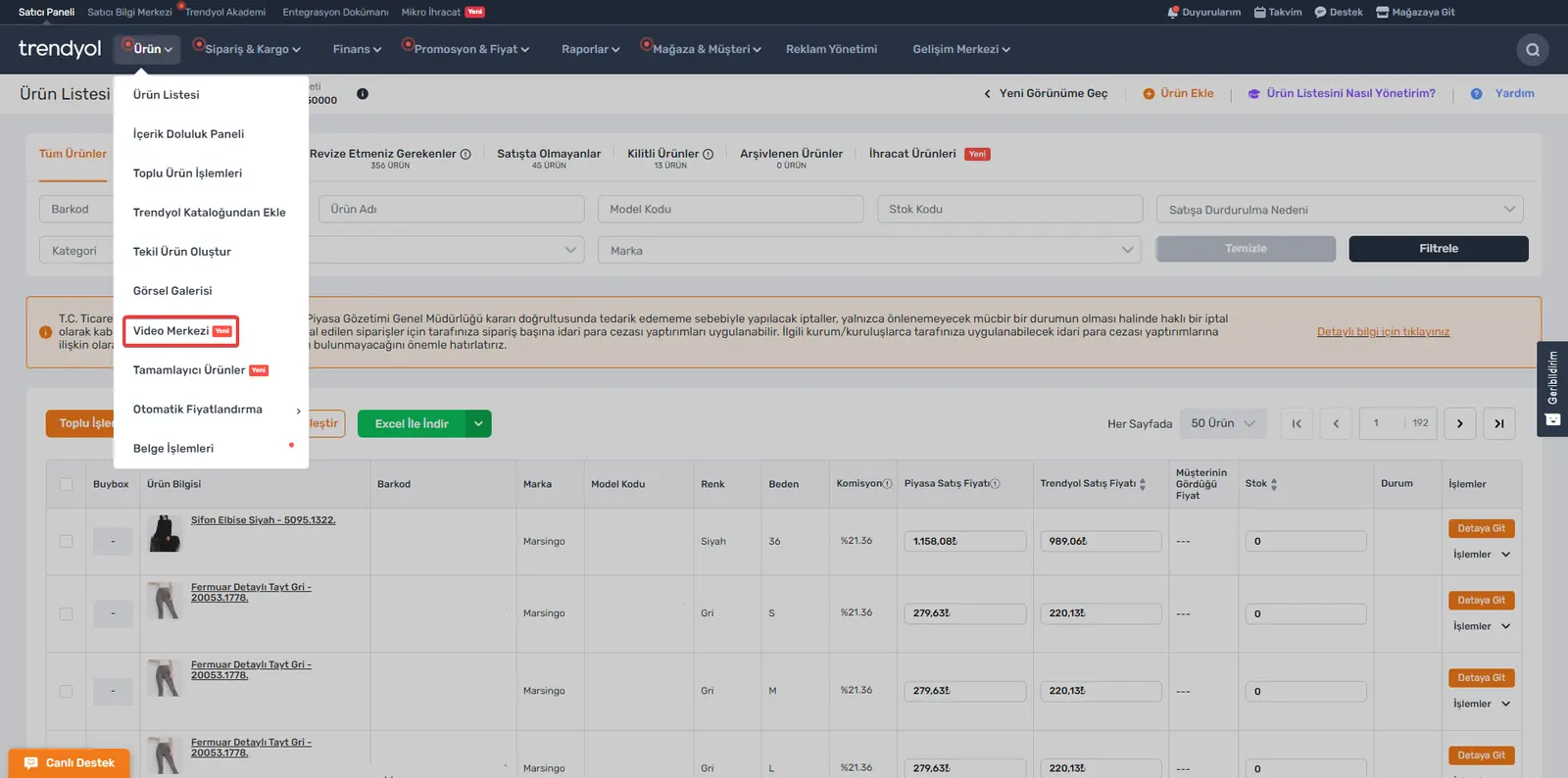
1. Seller Panel: To access the Video Center area, click the Product >> Video Center button in your Trendyol Seller Panel.
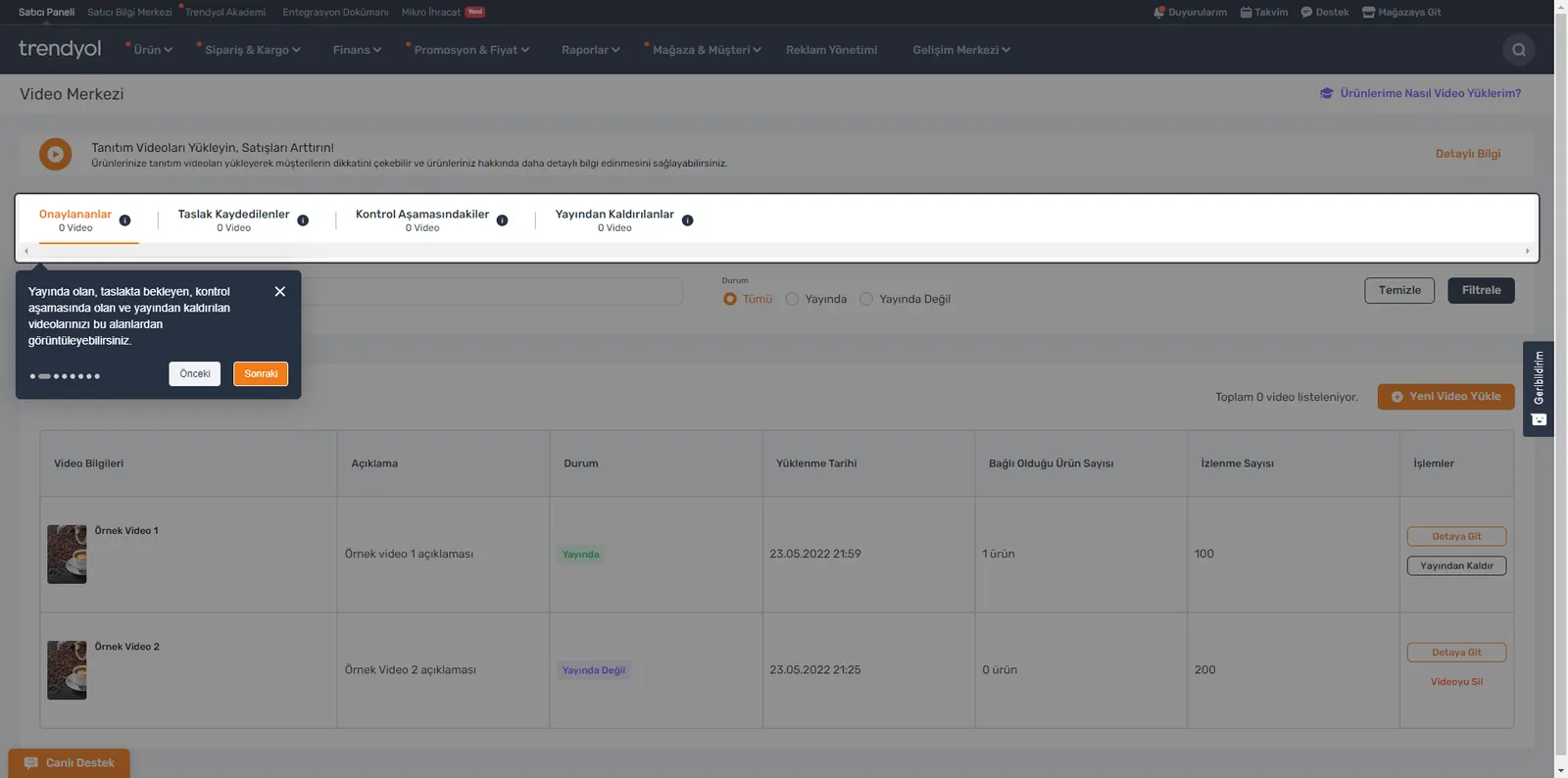
2. Video Center: You can view your videos that are live, pending as drafts, under review and unpublished.
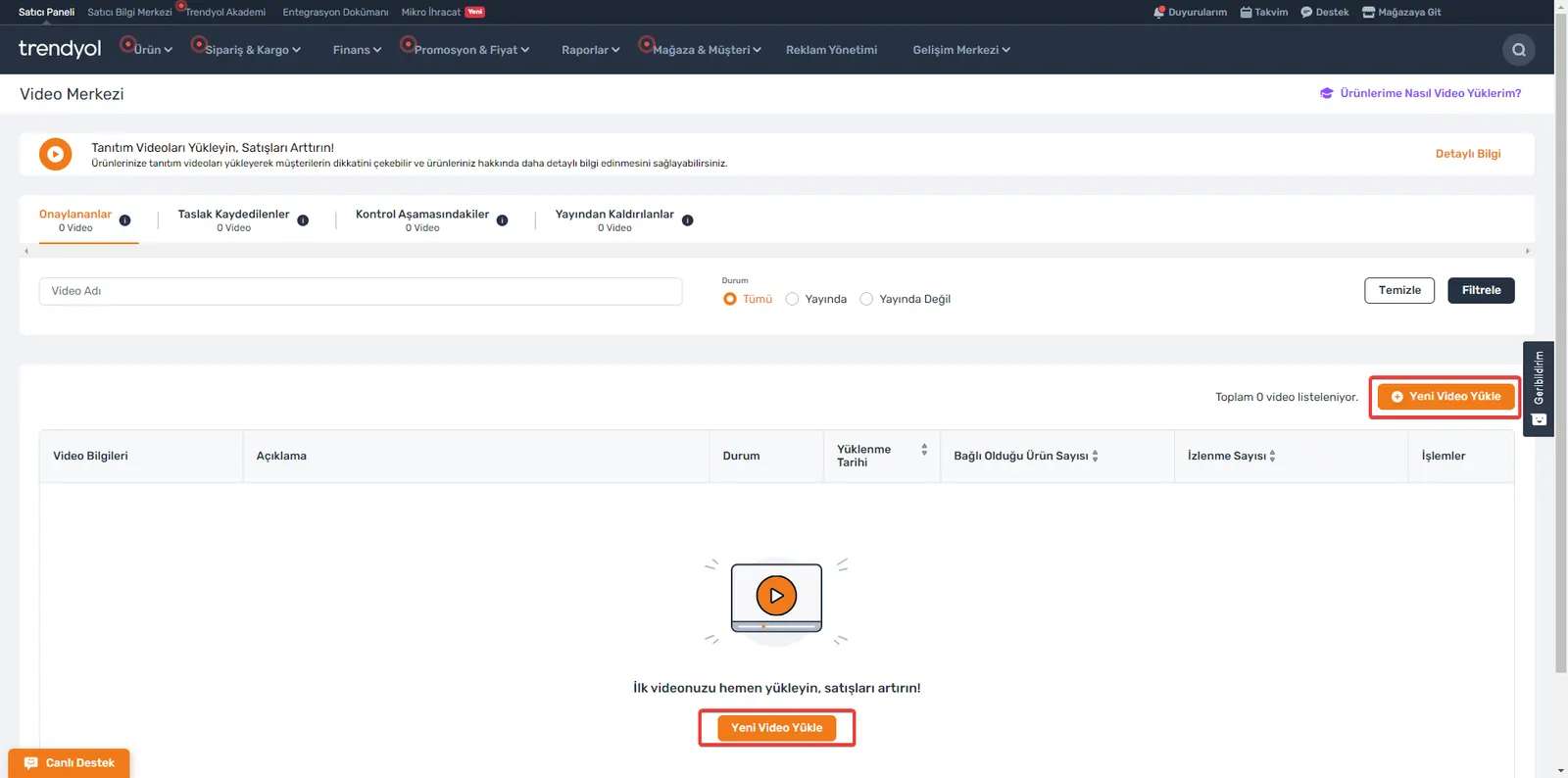
3. Add a New Video: After arriving at Video Center, click the “Upload New Video” button to add a new video.
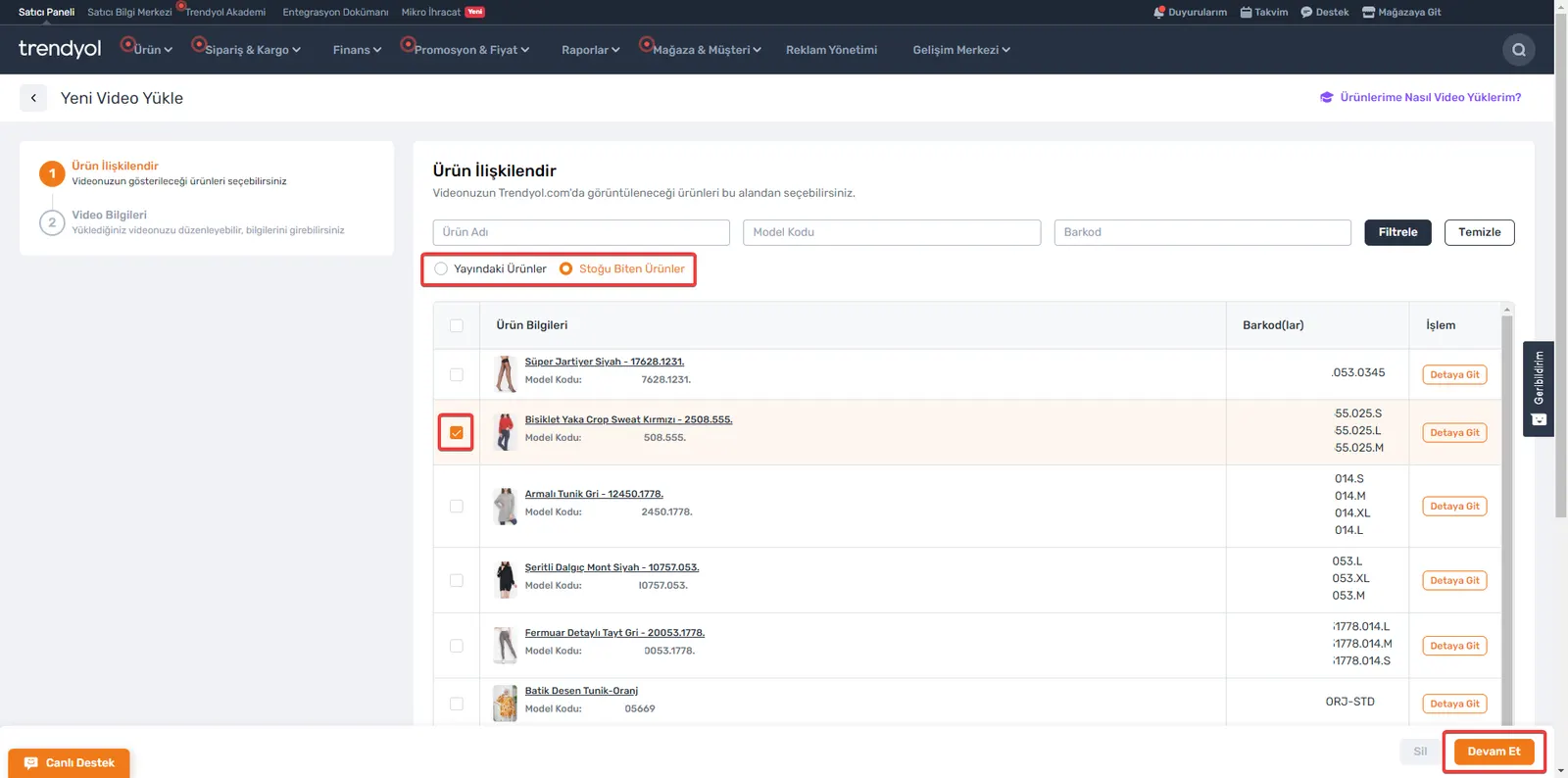
4. Associate a Product: When you upload your video, you must associate the product in which you want it to be published. After selecting the product, click the “Continue” button at the bottom right.
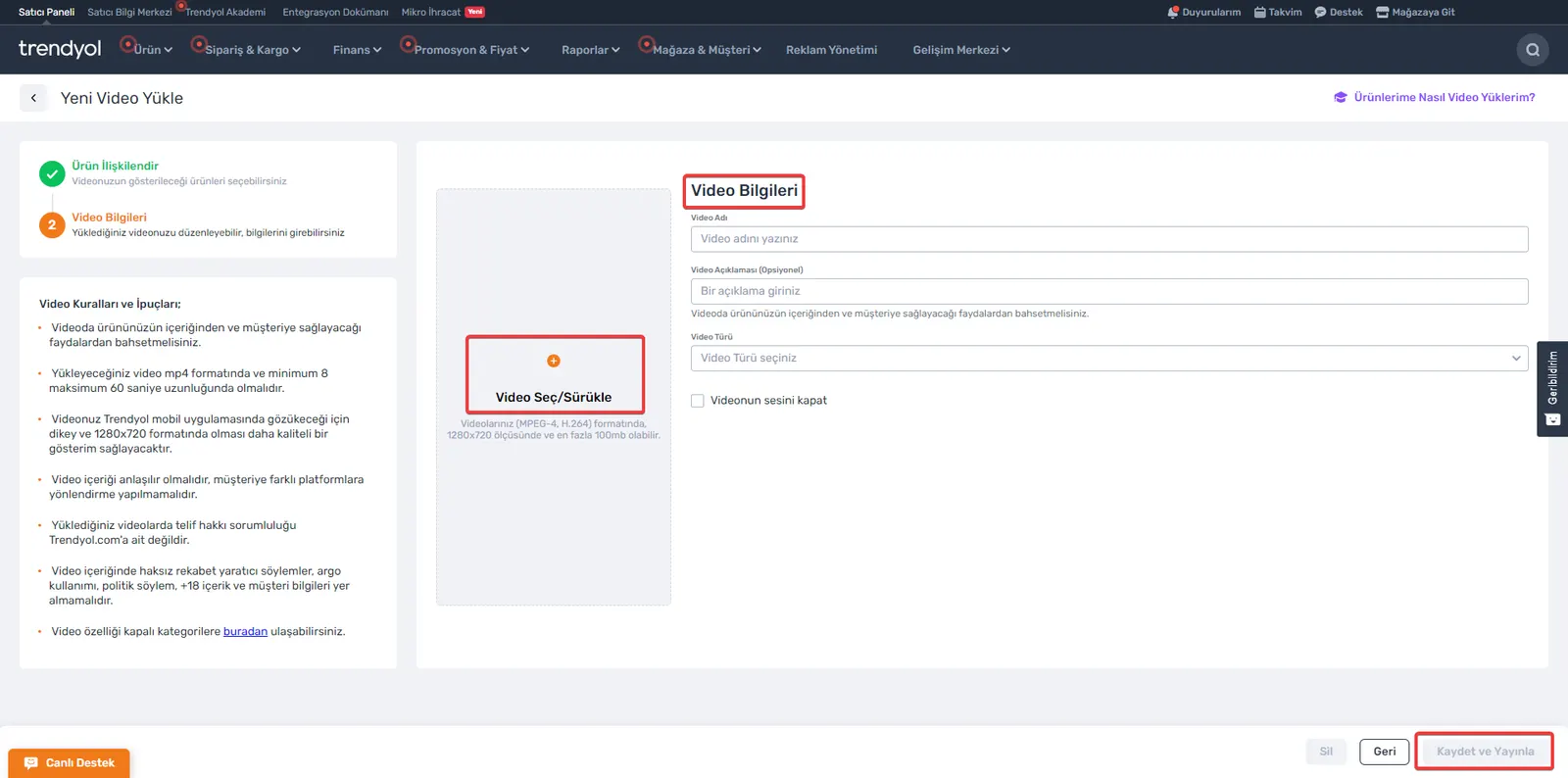
5. Video Information: You must fill in the fields required for the video:
- Video Name: Enter the name of your video.
- Video Description: If you wish, you can enter a description for your video.
- Video Type: Select the appropriate type for your video.
- Video Sound: If you choose to mute the video, it will be published with the sound off.
After filling in the specified fields and making your selections, you can send your video to review by clicking the "Save and Publish" button in the bottom right corner.
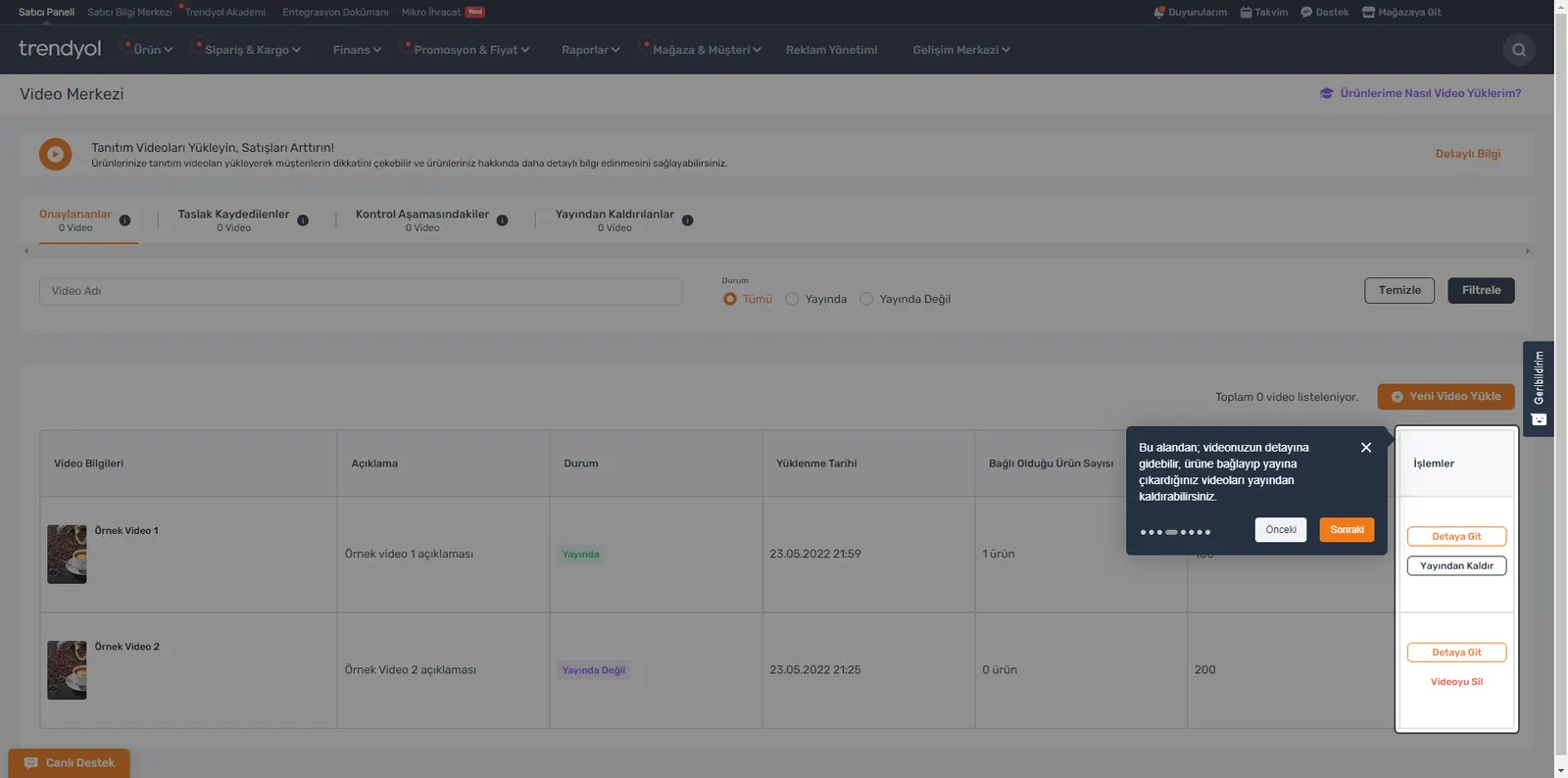
6. Video Details and Unpublishing: In this area where you view your videos, you can go to the details of your videos and unpublish videos that you linked to a product and published.
A Powerful Marketing Tool: A New Era for Brands with Trendyol's Video Center
Trendyol's video center brings a breath of fresh air for brands in the digital retail world. In an age when consumer habits are rapidly going digital, this platform lets brands convey their products and stories to consumers more effectively. By allowing brands to create personalized content and connect directly with consumers, Trendyol's video center does not merely showcase products; it also has the potential to increase sales. Statistics emphasizing the importance of adding videos to products support this. By following the steps for using this platform, brands can make the best of this powerful tool offered by Trendyol.
Frequently Asked Questions (FAQ)
What Is the Function of Video Center?
Video Center lets you add videos to promote your products. The more products you add videos to, the higher your chance of increasing your sales.
What Should You Pay Attention to When Uploading Videos to Products?
In your videos, you should make sure to include detailed information that can capture customers' interest, use a vertical 1280x720 format for better picture quality, keep the video length no shorter than 8 seconds and no longer than 1 minute, and follow Trendyol platform rules when presenting the product.
Why Should Videos Be Uploaded to Products?
83% of sellers using Video Center expressed their satisfaction, 32% observed an increase in their sales, and 27% said their products gained more visibility.