Contents 2 sections
The Ozon marketplace is a great platform for connecting your products with a wide customer base and increasing your sales. However, before you start, you need to activate your seller account. This guide explains step by step how to activate a seller account on Ozon Global.
To step into the world of online sales, follow these key steps and start growing by taking your business to the marketplace. Here is the Guide to Seller Account Activation on Ozon Global!
Guide to Seller Account Activation on Ozon Global
After creating your seller account on the Ozon marketplace, follow the 6 steps below to start your business:
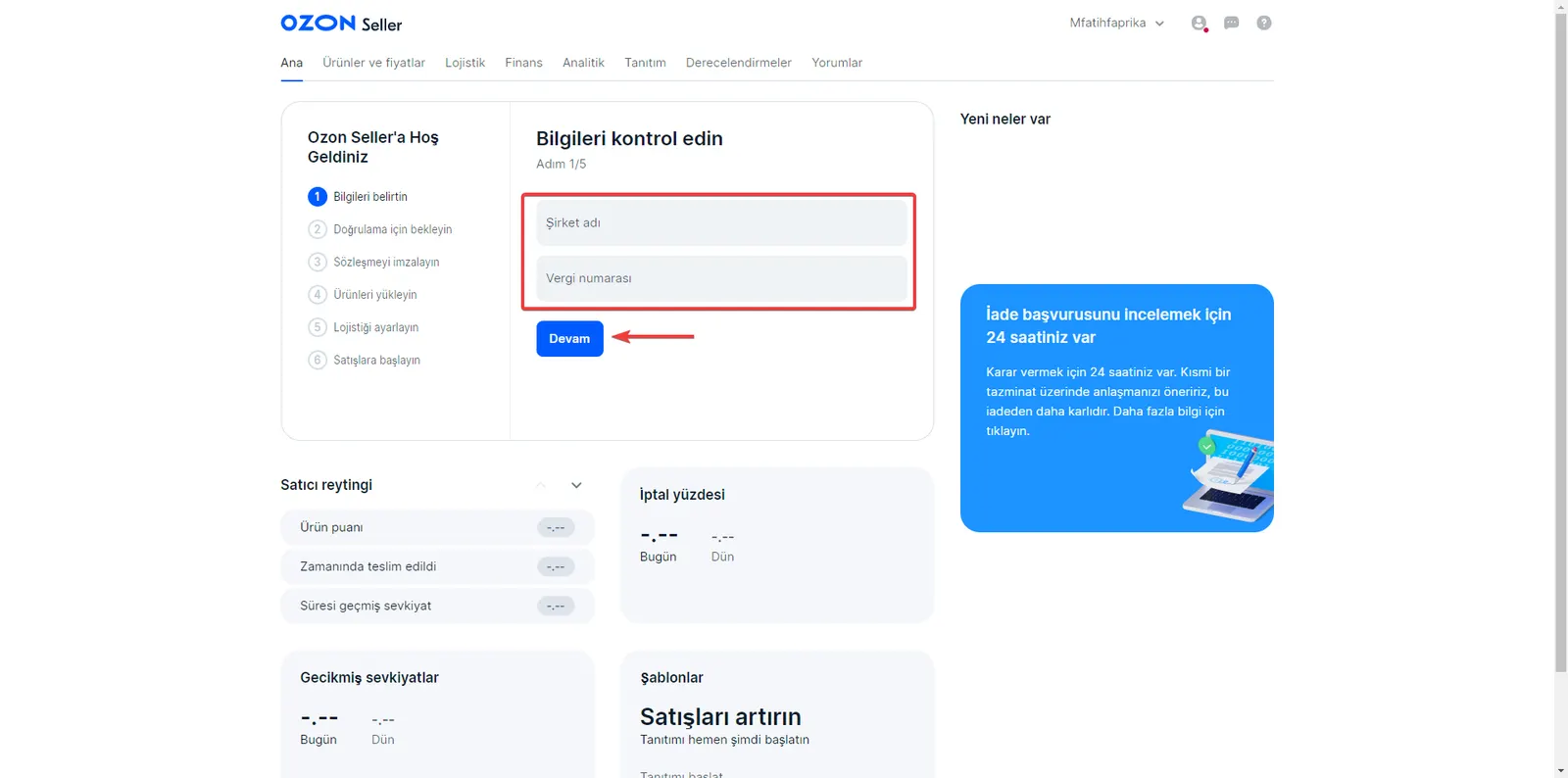
Step 1: Login and Account Activation
- Log in to the Ozon marketplace and access the store management panel.
- Company Name: Enter your company name as it appears in your registration documents.
- Tax Number: Add the tax number found in your registration documents to the system.
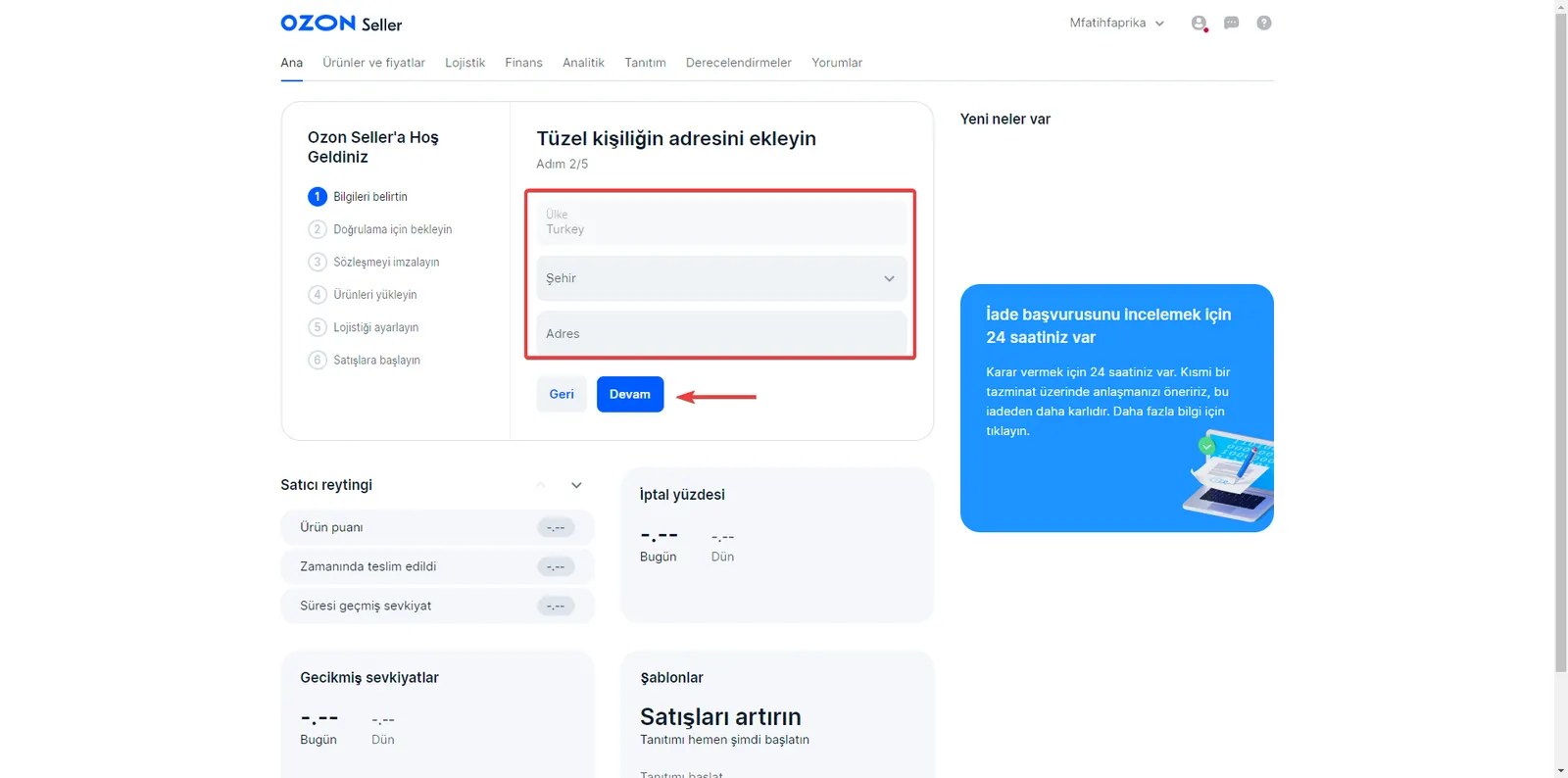
Step 2: Address Details
- Address Details: Add your address details by selecting a city. Add only street, avenue, or building information. You cannot change the country. If you want to select a different country, create a new account.
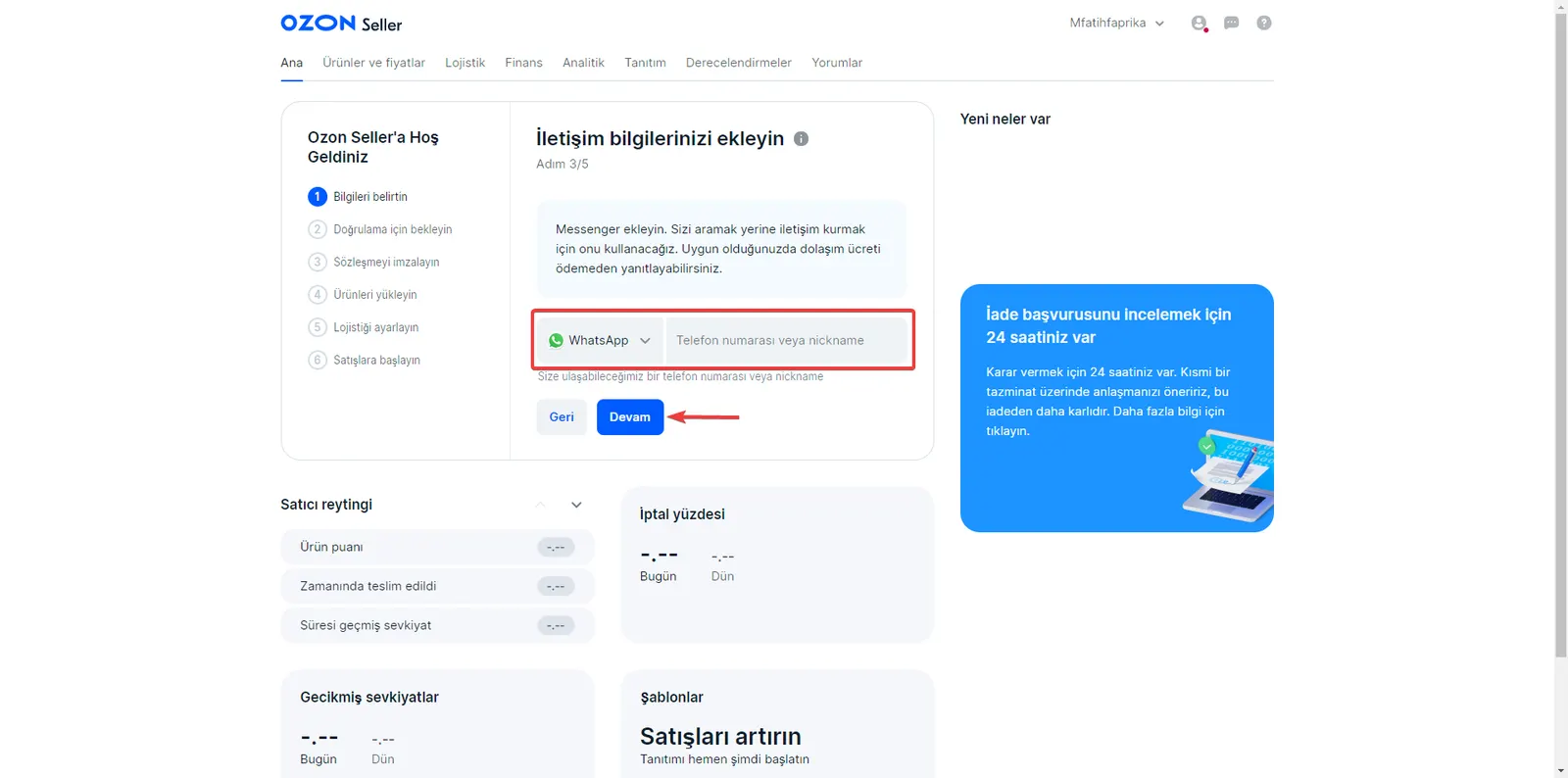
Step 3: Contact Information
- Contact Information: Add a phone number where you can be reached.
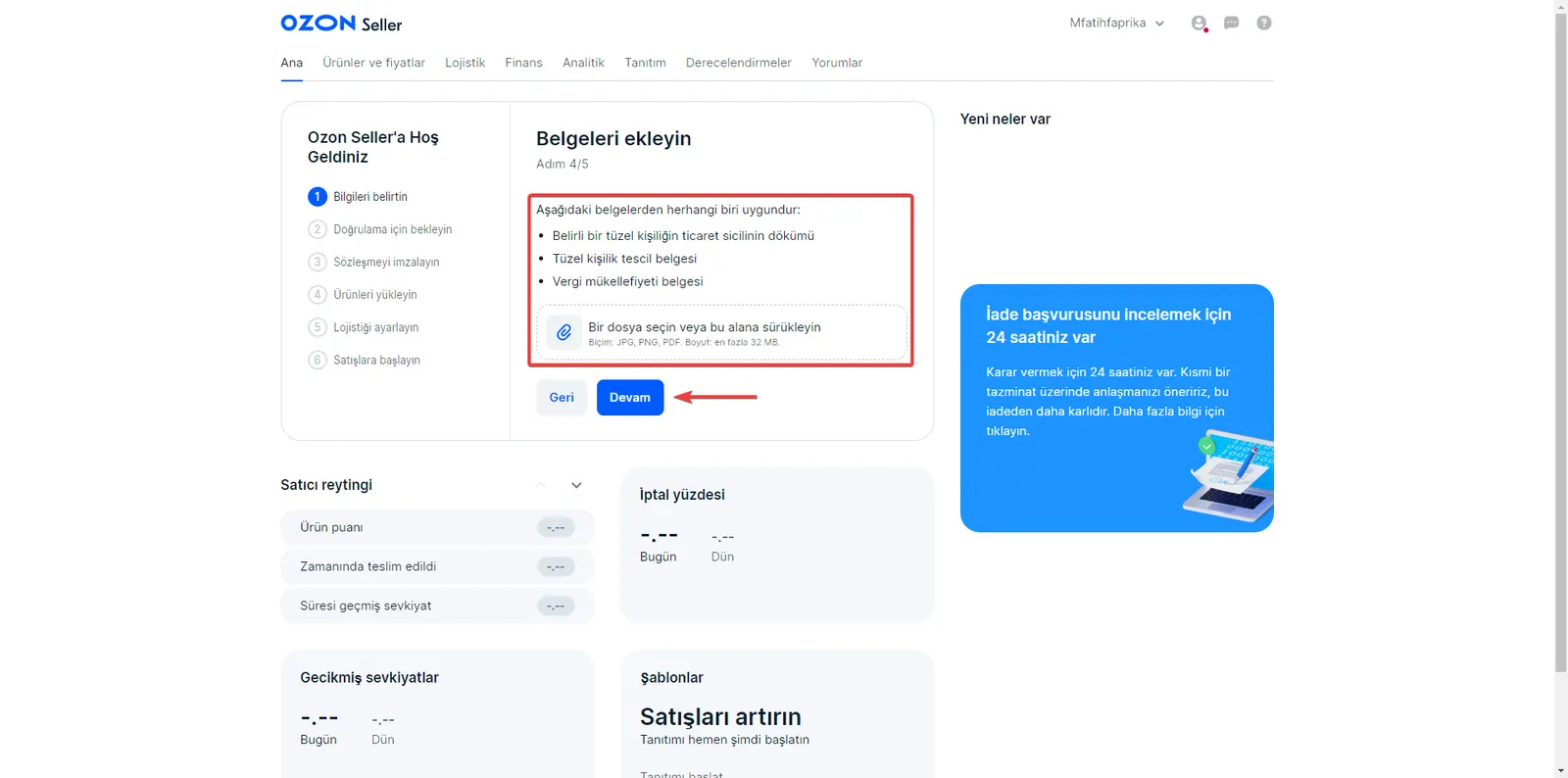
Step 4: Uploading Documents
- Documents: To have your trade registry record approved, upload your official documents containing your company's information. The document format must be PDF, JPEG, or PNG, and the maximum size must not exceed 32 MB.
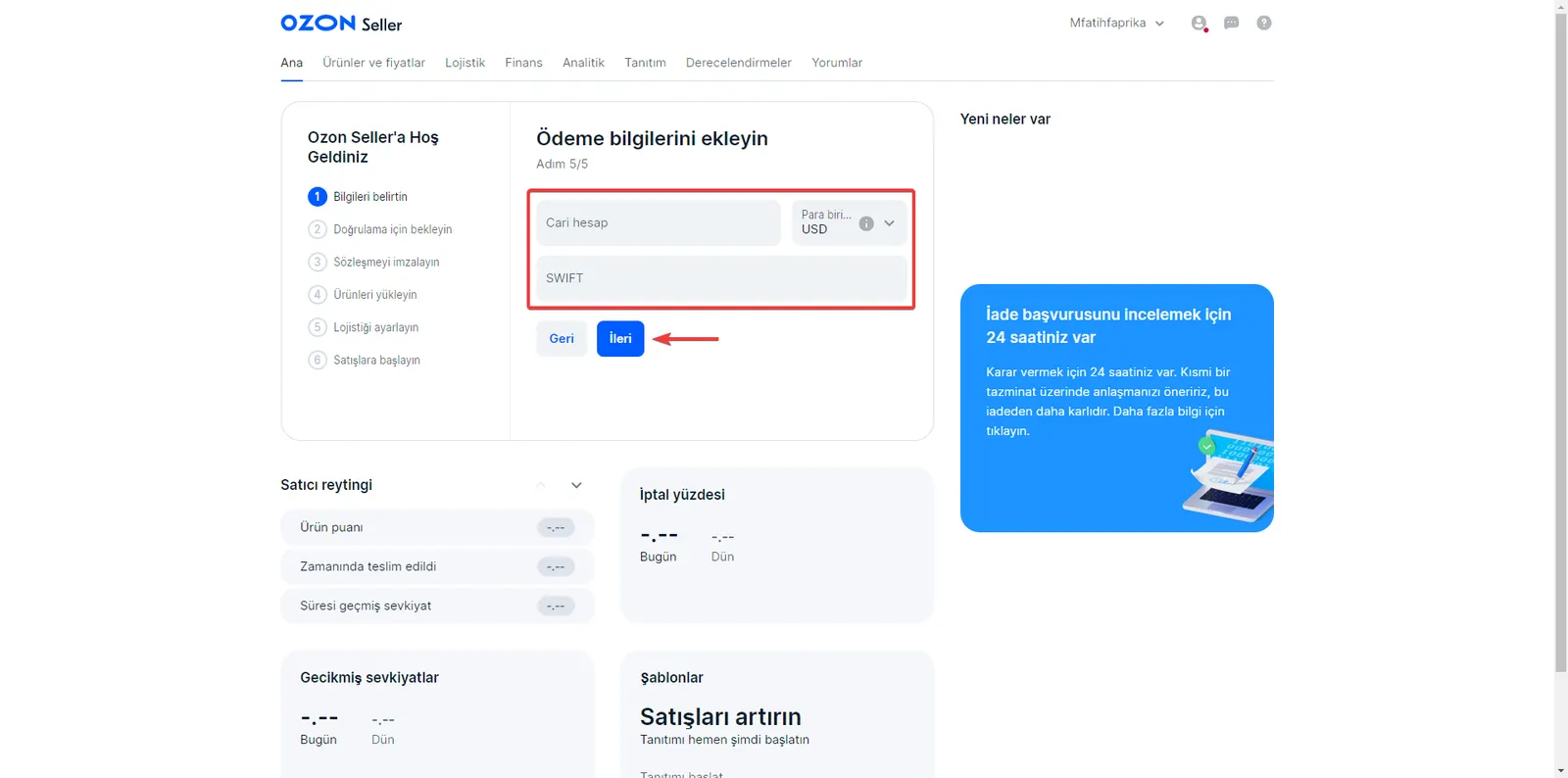
Step 5: Payment Details
- Current Account: Enter the account number of the bank that will receive payments. Do not use special characters (>?/.,-), spaces, or the Cyrillic alphabet. The minimum number of characters must be 6 and the maximum 34. For accounts in IBAN format, the limit is a minimum of 13 and a maximum of 34 characters.
- Currency: You can choose USD or RUB as the currency.
- SWIFT: Enter the identification code of the bank that will receive payments. After you enter the SWIFT code, the bank details will be filled in automatically.
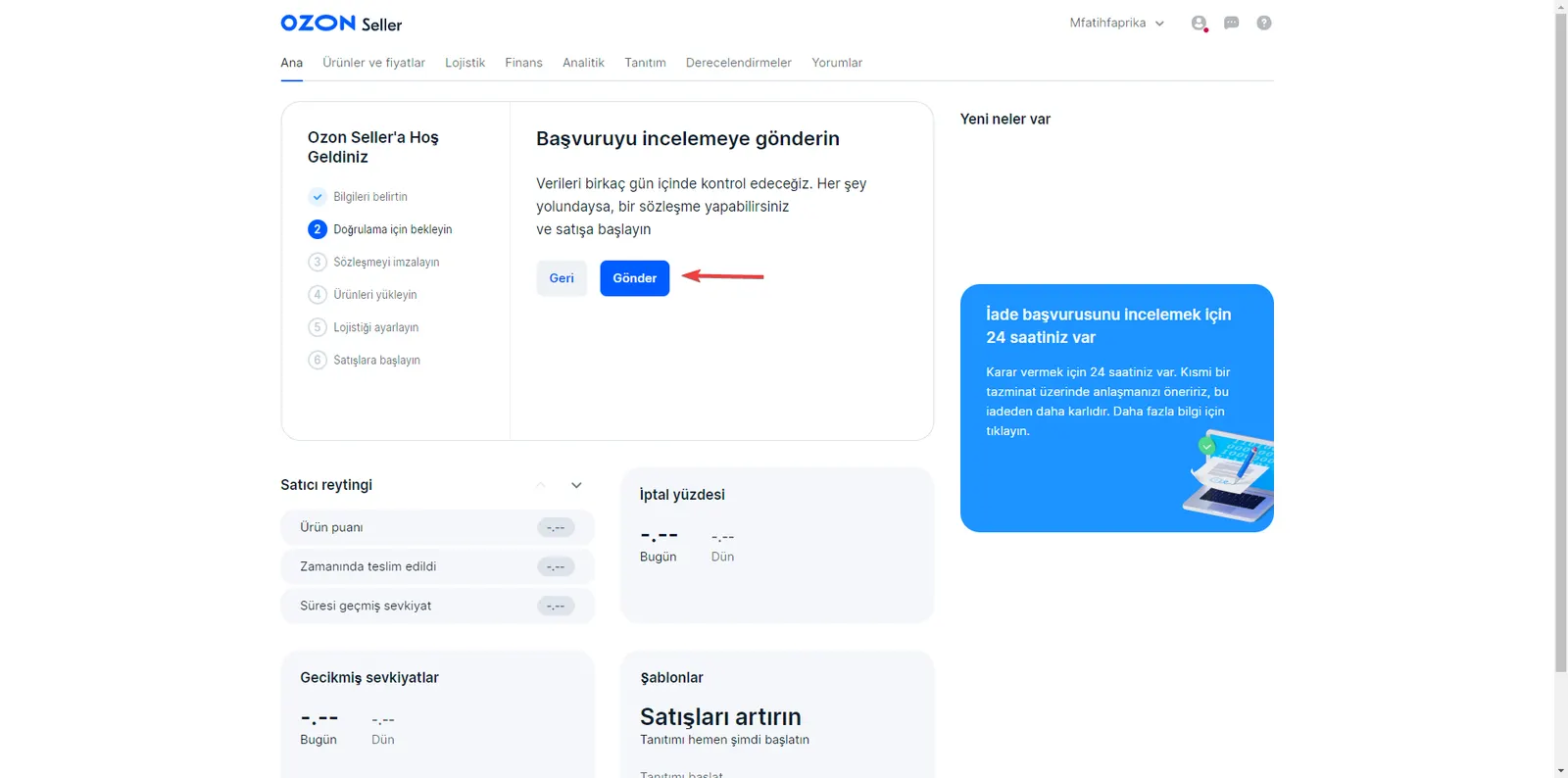
Step 6: Application Review and Activation
- After you enter the information required for the activation process, you will reach the final step. You will receive an informative email about the activation of your account.
Start Selling on Ozon Global
Activating your seller account on the Ozon marketplace is now easier! This guide shows you step by step how to create and activate your seller account on Ozon Global. Follow the steps you need to offer your original products to millions of customers and grow your business.
The application process begins by uploading your company information, address, contact details, and official documents. Then, by adding your payment details, you become ready to fully start your business. Wait for your application to be reviewed for the activation of your account, receive approval shortly, and start selling.
Ozon Global is a platform that will help you reach a large customer base. Make your products stand out with SEO-friendly product descriptions and eye-catching images. By promoting your products in the best possible way, you will have taken an important step on the road to success.
By following this guide carefully, you can take the steps needed to become a successful seller on Ozon Global. Grow your business, expand your customer base, and succeed in the world of online sales!
Integrate with Ozon Global Through Faprika
Faprika helps you integrate easily with the Ozon Global Marketplace. Thanks to Faprika's powerful e-commerce infrastructure, you can quickly list your products on Ozon Global and manage your sales. The full integration solutions Faprika offers are an excellent choice for growing your business and reaching more customers.
Frequently Asked Questions (FAQ)
How Can I Create a Seller Account on Ozon Global?
To create a seller account on Ozon Global, follow these steps: Log in to the Ozon marketplace and access the store management panel. Add your company name and tax number. Enter your address details and add your contact information. Upload your trade registry documents. Add your payment details. Wait for your application to be reviewed and receive the activation email.
Which Documents Do I Need to Upload?
To activate your seller account, you need to upload the following documents: an official document containing your trade registry record. A document proving your tax number. An official document containing your company information.
How Can I Add Payment Details?
To add your payment details: Add the account number of the bank where you will enter your current account information. Choose USD or RUB as the currency. Enter the SWIFT code and your bank details will be filled in automatically.
How Do I Write SEO-Friendly Product Descriptions on Ozon Global?
To make your product descriptions SEO-friendly, you can do the following: Use keywords related to the product. Describe the product's features in detail. Create original and appealing content. Include images in the descriptions by tagging them.
How Does Faprika Make the Ozon Global Integration Easier?
Faprika makes the Ozon Global integration easier, helping you list your products quickly and manage your sales. With full integration solutions, you can use Faprika to grow your business and reach more customers.