
Correcting spelling errors
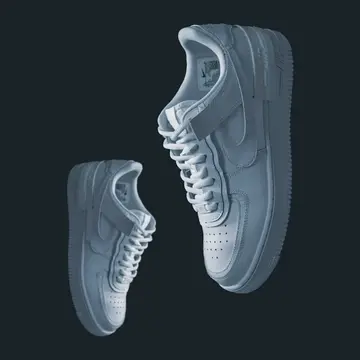
Matches searches with missing, extra or swapped letters, such as “sneakrs”, “jackt” or “shampo”, to the right product.
AI search
Faprika AI search corrects typos, understands synonyms and everyday language, and suggests the right product while the customer types. The “No results found” page is no longer a lost sale.
In brief
AI search does not limit your e-commerce site's search box to exact word matches; it corrects typos, understands synonyms and sentences, and ranks the best-fitting products by stock status.
Why does classic search lose sales?
A classic search box only finds exact word matches. When a visitor mistypes a letter or describes the product in their own words, they land on an empty page and often leave the store. Pick an example:
Classic search
Faprika AI search
Classic search
Faprika AI search

Classic search
Faprika AI search

Classic search
Faprika AI search

Classic search
Faprika AI search

The examples in the table are for illustration; actual results vary with your store's catalog.
What does it do?
Each one is useful on its own; together they turn your search box into your store's hardest-working sales assistant.
Matches searches with missing, extra or swapped letters, such as “sneakrs”, “jackt” or “shampo”, to the right product.
Singular and plural, compound and separate spellings, and searches with or without special characters count as the same search.
Jeans and denim, coat and parka, trainers and sneakers are the same need. You can add your own dictionary too.
Breaks a sentence like “navy dress for a wedding size 8” into category, color, size and occasion, and filters the results.
From the first letter, suggests queries, categories and products based on your catalog and the search behavior in your store.
When a query is ambiguous, it suggests the most likely meaning; the visitor moves to the right search with a single tap.
If a product is unavailable, it does not show an empty page; it lists the closest alternatives, similar categories and in-stock equivalents.
Orders results not only by word similarity but also by stock status and popularity; sold-out products move down.
If your store is published in multiple languages, each visitor searches in their own language and is matched with product content in that language.
Query understanding
Every search is processed in three steps. However messy the input, the results page opens organized and filtered.
What the visitor typed
navy dres for wedding size 8
Corrected query
navy dress for wedding size 8
Applied filters
Autocomplete
Suggestions open the moment the search box is tapped. Most of the time, the first few letters are enough to reach the right product.
You are in control
Manage search behavior from your store admin panel. You don't need to write code or wait for a developer to add a rule.
Search report
The search box is the most honest signal of demand in your store. See what people search for, what they can't find and how search affects sales, all on one screen.
Frequently asked questions
AI search is the Faprika feature that makes your store's site search typo-tolerant and meaning-driven. It corrects typos, understands synonyms and everyday language, suggests products as shoppers start typing, and shows alternatives when a product cannot be found.
Yes. Missing, extra or swapped letters are corrected; a search for “sneakrs” returns sneaker results and “shampo” returns shampoo products. When a query is ambiguous, a “Did you mean?” suggestion appears.
Yes. Everyday variants such as jeans and denim, or coat and parka, are treated as the same need. For terms specific to your industry, you can add your own synonym dictionary from the panel.
Yes. A sentence typed in the search box is broken into parts such as category, color, size and occasion, and the results page opens with these filters applied.
Visitors never see an empty “no results” page. Zero-result recovery lists the closest alternatives, similar categories and in-stock equivalents.
Yes. The synonym dictionary, pinning and boosting, redirect and exclusion rules are defined in the store admin panel; no developer is needed.
In the search report in the admin panel, you see the most searched words, searches with no results, and the add-to-cart and order behavior of visitors who use search.
Yes. If your store is published in multiple languages, each visitor searches in their own language and is matched with product content in that language.
A visitor who cannot find what they are looking for may leave the store. AI search is designed to reduce this loss; results vary with your product catalog and visitor behavior.
Request a demo; our specialist will plan your store with you and show AI search with your own catalog.
Related pages
Our specialist will show AI search with your catalog and plan the right setup for your store.