Contents 14 sections
- What Is an E-Commerce Blog?
- What Are the Benefits of Adding a Blog to an E-Commerce Site?
- What Topics Should a Blog Cover?
- How to Prepare a Good Blog Article?
- How to Estimate the Return on Your Blog Effort?
- How Often Should a Blog Article Be Published?
- How to Enable the Blog in Faprika?
- How to Manage a Blog in a Multilingual Store?
- What Checks Are Made Before Publishing a Blog Article?
- How to Promote Blog Articles?
- What Are Common Mistakes on an E-Commerce Blog?
- E-Commerce Blog Checklist
- How to Manage the Blog and Content with Faprika?
- Frequently Asked Questions
Your store has its products ready, prices set and campaigns planned. Yet the number of visitors coming from search engines is stuck. That is because people do not search for product names, they search for their problems: “which shoe size is right”, “how to choose a gift”, “how to care for this product”. A site whose blog answers these questions has one of the most lasting channels for bringing new customers to the store.
This guide explains step by step how to add a blog to an e-commerce site, what a blog brings to a store, what topics to write about, how to plan and publish an article, and how to turn on the blog setting and add an article in Faprika. It also includes a tool that estimates the return on your blog effort and a checklist.
What Is an E-Commerce Blog?
An e-commerce blog is the section within a store's site that publishes guides, tips, news and comparison articles related to customers' interests. Unlike the short, sales-focused descriptions on product pages, a blog covers a topic in depth and in an informative way.
A blog does two jobs at once. It brings new visitors from search engines to the store as people looking for information, even if they do not yet intend to buy, and it shows the store's expertise to build trust. A well-managed blog reduces dependence on ad spend over time.
What Is the Difference Between a Blog and a Product Page?
A product page targets a customer who is ready to buy; a blog targets a customer who has not yet decided and is looking for information. The two complement each other: the blog article informs the customer, and product and category links take them on to purchase.
| Feature | Product page | Blog post |
|---|---|---|
| Target Audience | Customer close to buying | Customer looking for information, not yet decided |
| Search intent | Find the product, buy it | Learn, compare |
| Content length | Short and clear | Detailed and explanatory |
| Purpose | Convert to an order | Gain trust and traffic |
What Are the Benefits of Adding a Blog to an E-Commerce Site?
A blog adds value to a store in four ways: search traffic, trust, internal linking and customer relationships. Each meets a different need.
- Search traffic: Articles that answer customers' questions make the store visible in searches that are not made with a product name.
- Trust and expertise: A store that knows its subject well looks more trustworthy than a store that only sells.
- Internal linking: Blog articles link to product and category pages, increasing the value of those pages and moving the visitor closer to a sale.
- Customer relationships: Articles can be reused in newsletters, announcements and social posts; each article creates value across multiple channels.
How Does a Blog Turn into Sales?
A blog does not sell directly; it catches the customer in the information-gathering stage of the buying journey. The reader finds the answer in the article, clicks the product or category link in it, and moves on to the buying stage. That is why every article should have a natural link to a product or category related to its topic. For ways to turn blog visitors into customers, see Blog Ziyaretçilerini Nasıl Müşterilere Dönüştürebilirsiniz? for more.
What Topics Should a Blog Cover?
The right topic is the question the customer actually asks, not everything the store wants to say. To find topics, review the questions that reach your support team, the words searched in the search box and the curiosities repeated in product reviews. Six article types work for most stores.
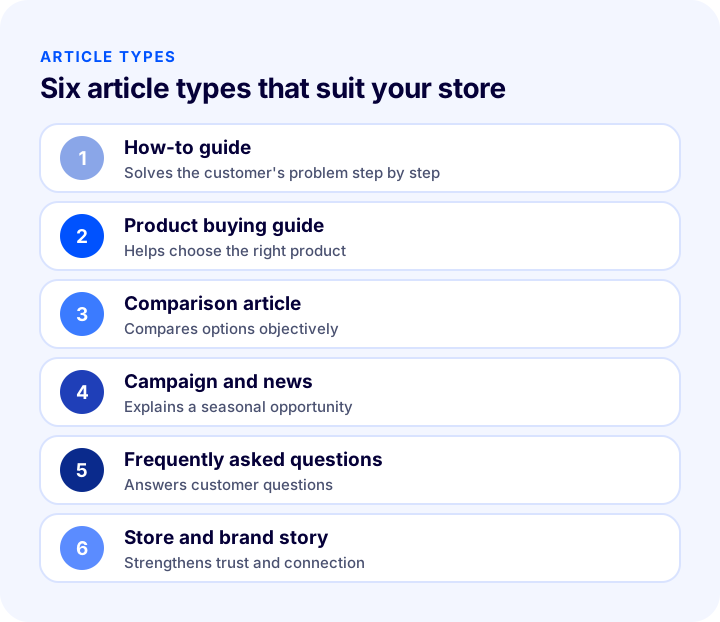
| Article type | Example | Which question does it answer? |
|---|---|---|
| How-to guide | How do I care for leather shoes? | How do I solve the customer's problem? |
| Product buying guide | How do I choose the right shoe size? | Which one should I buy? |
| Comparison article | Differences between two materials | Which one suits me? |
| Campaign and news | New season collection | What's new in the store? |
| Frequently asked questions | How do returns and exchanges work? | How does the shopping process work? |
| Store and brand story | Our store's story | Can I trust this store? |
Which Topics Should Be Avoided?
Topics chosen because they bring traffic even though they are unrelated to the store attract the wrong audience and do not convert to sales. Content written only to stuff keywords, which gives the reader nothing useful, disappoints both the customer and the search engine. The measure of a blog is not traffic but relevant readers.
How to Prepare a Good Blog Article?
A good blog article gives a clear answer to a single question, proceeds with understandable headings and guides the reader to the next step. Six steps make most articles strong.
1. Focus on a Single Keyword
Each article is written for a single phrase that customers search for. Squeezing multiple topics into one article means being strong in none of them. Use the keyword naturally in the title, the first paragraph and at least one subheading.
2. Write the Title as a Question or Keep It Clear
The title should say clearly what the article is about. Question patterns such as “how” and “what is” match search intent exactly and also suit quoting by AI assistants.
3. Answer Right Away
Right below the question heading, give a clear answer in a sentence or two, then expand on the details. If readers find what they are looking for quickly, they stay on the page; if they cannot, they go back.
4. Organize with Headings, Lists and Tables
A wall of plain text goes unread. Subheadings, bullet lists and comparison tables make reading easier and keep the information scannable.
5. Add Images
Suitable, high-quality images with no copyright issues support the reading. Add each image with a descriptive alternative text (alt); the content stays understandable even if the image does not load or a screen reader is used.
6. Link to Products and Categories
Add a natural link to a relevant product or category page. The link should not be a hard-sell call, it should be the reader's next step. You can find how to build an internal linking structure in the article How to Build an Internal Linking System That Drives Traffic from Blog to Product?.
Recommended readingHow to Do Category Page SEO? 12 Steps to Rank Your E-Commerce Category Pages HigherHow to Estimate the Return on Your Blog Effort?
A blog investment does not pay off immediately; articles accumulate and search traffic grows over time. Still, a simple estimate helps keep expectations realistic. The tool below takes the number of articles per month, the duration, the average organic visits per article, the conversion rate and the cart value, and gives an estimate of monthly visits, orders and revenue.
The numbers the tool gives are for setting a target, not a promise. Visits per article vary greatly with the topic, the competition and the quality of the article. Calculate the real per-article average from your own site's analytics and run the tool with it; you can find which indicators to watch in the guide E-Commerce Metrics: 15 KPIs You Should Track and Their Calculation Formulas.
| Indicator | What does it tell you? | When to check |
|---|---|---|
| Organic visits per article | The article's power to attract search traffic | A few months after publication |
| Click-through from blog to product | How well the article leads to a sale | Per article, monthly |
| Time on page | Whether the article keeps the reader | Per article |
| Orders from the blog | The real commercial return | In three-month periods |
How Often Should a Blog Article Be Published?
Publishing frequency should be as much as you can sustain. Keeping up two articles a month regularly for years is worth more than giving up a weekly article after three months. Both search engines and readers reward consistency. Creating a publishing schedule and planning articles in advance spares the team from looking for topics at the last minute.
It is also important for articles to fit the store's calendar: before busy periods such as holidays, the sale season or the school term, the relevant guide should already be live. For seasonal planning, see the article E-Commerce Campaign Calendar: How to Prepare a Campaign Plan That Drives Sales All Year Round?.
How to Enable the Blog in Faprika?
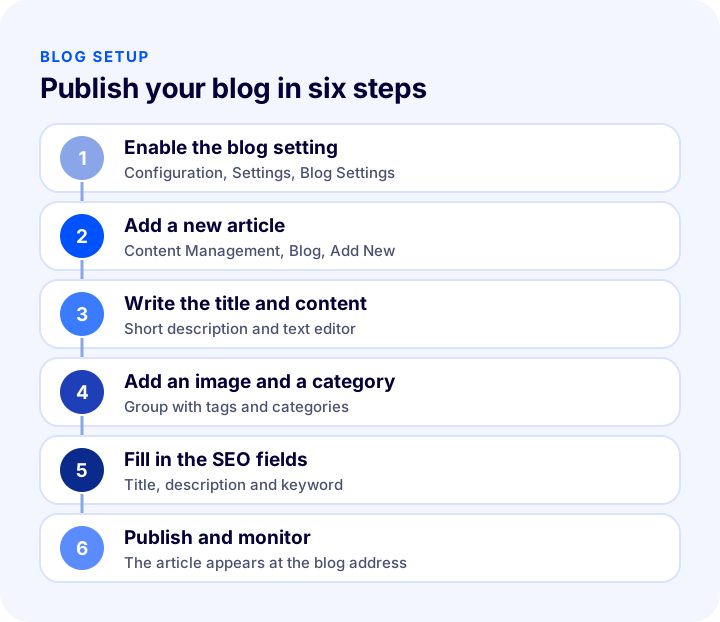
In Faprika you first turn on the blog feature in the settings. Go to the “Configuration >> Settings >> Blog Settings” tab in the control panel and tick the “Active” box. After that, your blog articles are shared with visitors from your site's blog address.
How to Add a New Blog Article?
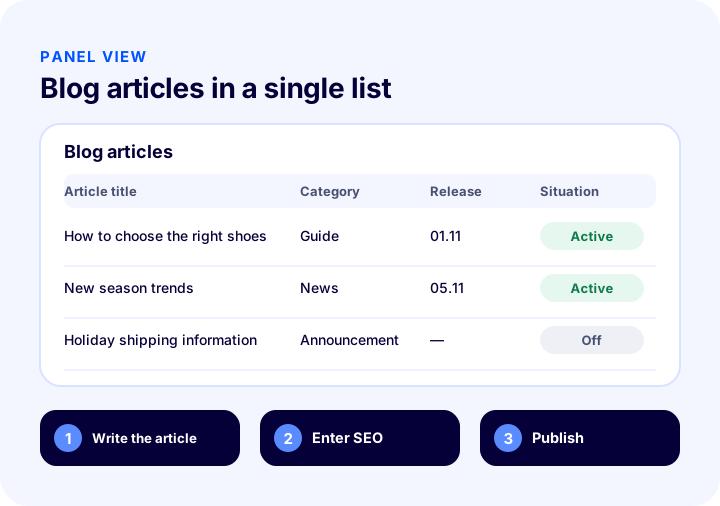
Existing articles are listed in the “Content Management >> Blog >> Blog” tab. To add a new article, click the “Add New” button. The page that opens contains these fields:
- Language: In a multilingual store, lets you create a separate article for each language.
- Blog title: An eye-catching, search-engine-friendly title that reflects the main idea of the article.
- Short description: The summary shown in the blog list; it affects whether the reader clicks the article.
- Description and details: You prepare the main content of the article with the text editor; you also add images, video and other media here.
- Image: You add the article's image with the “Upload” button.
- Allow comments: Enables readers to comment below the article; comments are published with your approval.
- Tags and category: Groups the article by topic and makes it easier for readers to find similar articles.
- Start and end date: Determines when the article is published and when it is removed; useful for time-limited articles such as campaigns or events.
How to Set Up Blog SEO Settings?
Each blog article has four SEO fields: meta keywords (the core words describing the topic of the content), meta description (the short summary shown in search results), page title (the text in the search result and the browser tab) and the article's address. The address should, where possible, contain the keyword and be meaningful and readable. If these fields are not filled in, the article looks less clear to search engines.
How to Manage Blog Comments?
If you allow comments, you manage incoming comments from the “Content Management >> Blog >> Blog Comments” section. Comments you approve appear below the relevant article. Checking comments regularly both prevents spam and keeps engagement with readers lively. For the general management of customer reviews, see the guide How to Manage Product Reviews? A Guide to Collecting, Approving, Responding to and Dealing with Negative Customer Reviews in E-Commerce, Review Target Calculator and Management Audit.
For step-by-step usage, see the Blog Management training page.
How to Manage a Blog in a Multilingual Store?
If you sell in more than one language, you can publish the blog in each language too. Since a language can be selected for a blog article in Faprika, a separate article is created for each language. Instead of translating word for word, writing in each language based on the question customers search for in that language gives better results. For the general framework of building a multilingual store, see the guide How to Build a Multilingual E-Commerce Site? Language and Country Selection, URL Structure, Translation Methods, hreflang, Pricing and Shipping Guide, Translation Cost Calculator and Readiness Audit.
What Checks Are Made Before Publishing a Blog Article?
Reviewing the article once more through the reader's eyes before publishing prevents mistakes that are hard to fix later. A typo in the title, a broken link, a missing image or a wrong category left live affects both the reader and the search engine negatively.
- Spelling and style: Are the title, subheadings and text free of errors and fluent?
- Links: Do product and category links go to the right page?
- Image and alternative text: Does the image load, and does it have a descriptive alternative text?
- SEO fields: Are the page title, meta description and address filled in?
- Preview: Does the article look right on phone and desktop?
- Date: Are the publication date and, if needed, the end date entered correctly?
How to Promote Blog Articles?
Publishing the article is only half the job; for it to be read, it has to be promoted on the right channels. Search traffic takes time; in the first weeks, reaching existing customers and followers with the article brings the first readers.
- Newsletter: Tell subscribers about the new article and why it is worth reading.
- On-site announcement: Highlight the important guide in the site's announcement area.
- Product pages: Link to the article from the relevant product page; the customer gets useful information while deciding.
- Social sharing: Share short tips drawn from the article and direct people to the full article.
For newsletters, see What Is a Newsletter? How to Set Up Newsletter Subscription in E-Commerce? Subscriber Sign-up Field and Consent, Content Types, Sending Frequency, Segments, Subject and Sender Name, Permission and Unsubscribe, List Cleaning, Measurement, Common Mistakes, Subscriber Value Calculator and Setup Audit; for on-site announcements, see What Is Announcement Management? How to Announce Campaigns and Notices on an E-Commerce Site?.
What Are Common Mistakes on an E-Commerce Blog?
- Publishing irregularly: A blog that is busy for a month and silent for three does not build trust or accumulate traffic.
- Choosing topics unrelated to the store: Writing off-topic articles because they bring traffic attracts the wrong audience.
- Leaving SEO fields empty: An article whose title and description are not filled in looks weak in search results.
- Not linking to products: If the article is not connected to the sales journey, traffic arrives but orders do not.
- Using duplicate content: Text taken from other sites gets no value in search engines and damages reputation.
- Not updating old articles: Old articles whose price, condition or process has changed give wrong information.
- Not measuring results: If you do not know which article brings traffic and sales, you cannot invest in the right topics.
E-Commerce Blog Checklist
The list below summarizes the building blocks of your blog setup.
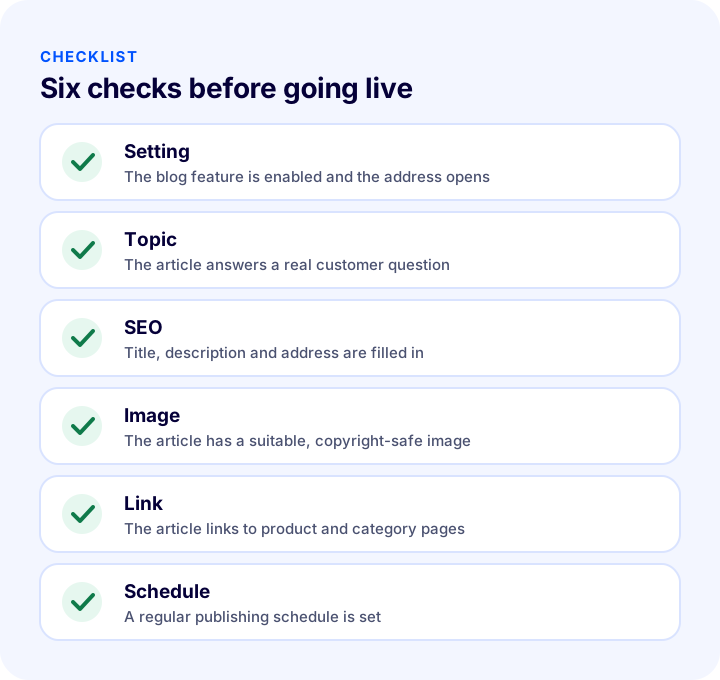
| Stage | Check | Done? |
|---|---|---|
| Setting | The blog is enabled, its address opens, and it is linked in the menu or footer | Yes / No |
| Topic | Articles answer real customer questions | Yes / No |
| SEO | Title, description, keyword and address are filled in | Yes / No |
| Image | Every article has a suitable, copyright-safe image | Yes / No |
| Link | Articles link to the relevant product and category pages | Yes / No |
| Schedule | A sustainable publishing routine is set | Yes / No |
| Measurement | Each article's contribution to traffic and orders is tracked | Yes / No |
How to Manage the Blog and Content with Faprika?
Faprika lets you manage the blog as a natural part of the store. The main options are:
- Blog setting: With a single tick you enable the blog and publish articles at the blog address.
- Text editor: You prepare the article by adding headings, bold and underlined text, links, images and video.
- Language selection: You can create a separate article for each language.
- Tags, category and date: You group articles and set the publication and removal dates.
- SEO fields: Meta keywords, meta description, page title and address are edited.
- Comment management: You approve incoming comments to publish them below the article.
You can see which features are included in which plan in the e-commerce plans comparison.
Recommended readingWhat Is Structured Data (Schema)? How to Add, Test and Validate Product Schema in E-commerce? A Practical GuideFrequently Asked Questions
How to add a blog to an e-commerce site?
First you enable the blog feature in the settings, then you add a new article under content management and fill in the title, content, image, category and SEO fields. In Faprika this is done from the Configuration, Settings and Blog Settings tabs and the Blog tab under Content Management.
Why is a blog important on an e-commerce site?
By answering the questions customers ask, a blog brings new visitors from search engines, shows the store's expertise to build trust, and provides internal links to product and category pages. Over time, dependence on advertising decreases.
What topics should a blog cover?
The questions customers actually ask: how-to guides, product buying guides, comparisons, campaign news, frequently asked questions and the store story. Support questions and product reviews are the best source of topics.
How often should blog articles be published?
At a pace you can sustain. Publishing two articles a month for years is worth more than giving up a weekly article after three months. Consistency matters to both readers and search engines.
How does a blog turn into sales?
A blog does not sell directly; it catches customers who are looking for information. The reader finds the answer, clicks the product or category link in the article, and moves on to the buying stage. That is why every article should link to a relevant page.
How are blog comments managed in Faprika?
If you allow comments, from the Blog Comments section under Content Management. Comments you approve appear below the relevant article. Checking comments regularly prevents spam and keeps engagement lively.
You May Also Like
- Blog Ziyaretçilerini Nasıl Müşterilere Dönüştürebilirsiniz?
- How to Do Category Page SEO: 12 Steps to Move E-Commerce Category Pages Up the Rankings
- What Is a Newsletter? How to Set Up a Newsletter Subscription in E-Commerce? Subscriber Sign-Up Field and Consent, Content Types, Sending Frequency, Segments, Subject and Sender Name, Consent and Opt-Out, List Cleaning, Measurement, Common Mistakes, Subscriber Value Calculator and Setup Audit
- E-commerce Metrics: 15 KPIs You Should Track and Their Calculation Formulas