Content Management
Blog Management
Learn Faprika’s blog management features step by step. Get detailed information on content creation, SEO settings, comment management and much more for your e-commerce site.
In This Tutorial
- Configuration and Blog Settings
- Blog Management and Adding New Content
- Blog Management with Multi-Language Support
- Blog Title, Short Description and Content Details
- Adding Images: The Aesthetic and Functional Side of Your Blog
- User Engagement and Content Management: Details and Tips
- SEO Settings: Tips for a Search-Engine-Friendly Blog
- Comment Management: Make Engagement Easier
We know how important Blog Management is for e-commerce sites. A blog is not only for promoting your products and services but also a key to search engine optimization (SEO). Faprika’s user-friendly platform is designed so that you can manage your blog easily and effectively. In this training content, we will examine in detail the steps for creating, managing and optimizing a blog on Faprika.
Configuration and Blog Settings
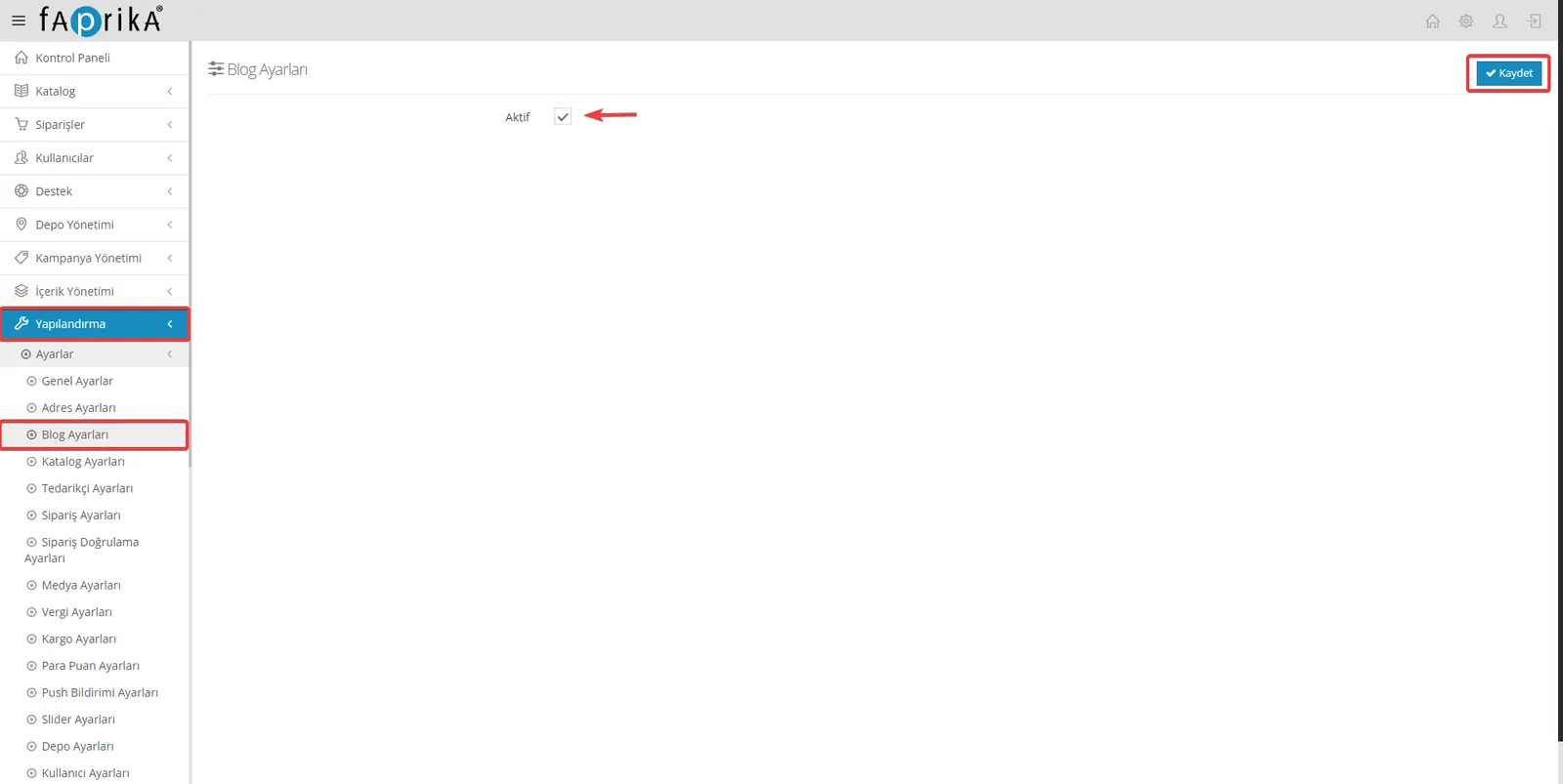
For your blog posts to appear on your website, you first need to visit the “Configuration >> Settings >> Blog Settings” tab. In this area, you can enable the blog feature by ticking the “Active” checkbox. After doing this, you can share your blog posts with your visitors at yoursite.com/blog.
Blog Management and Adding New Content
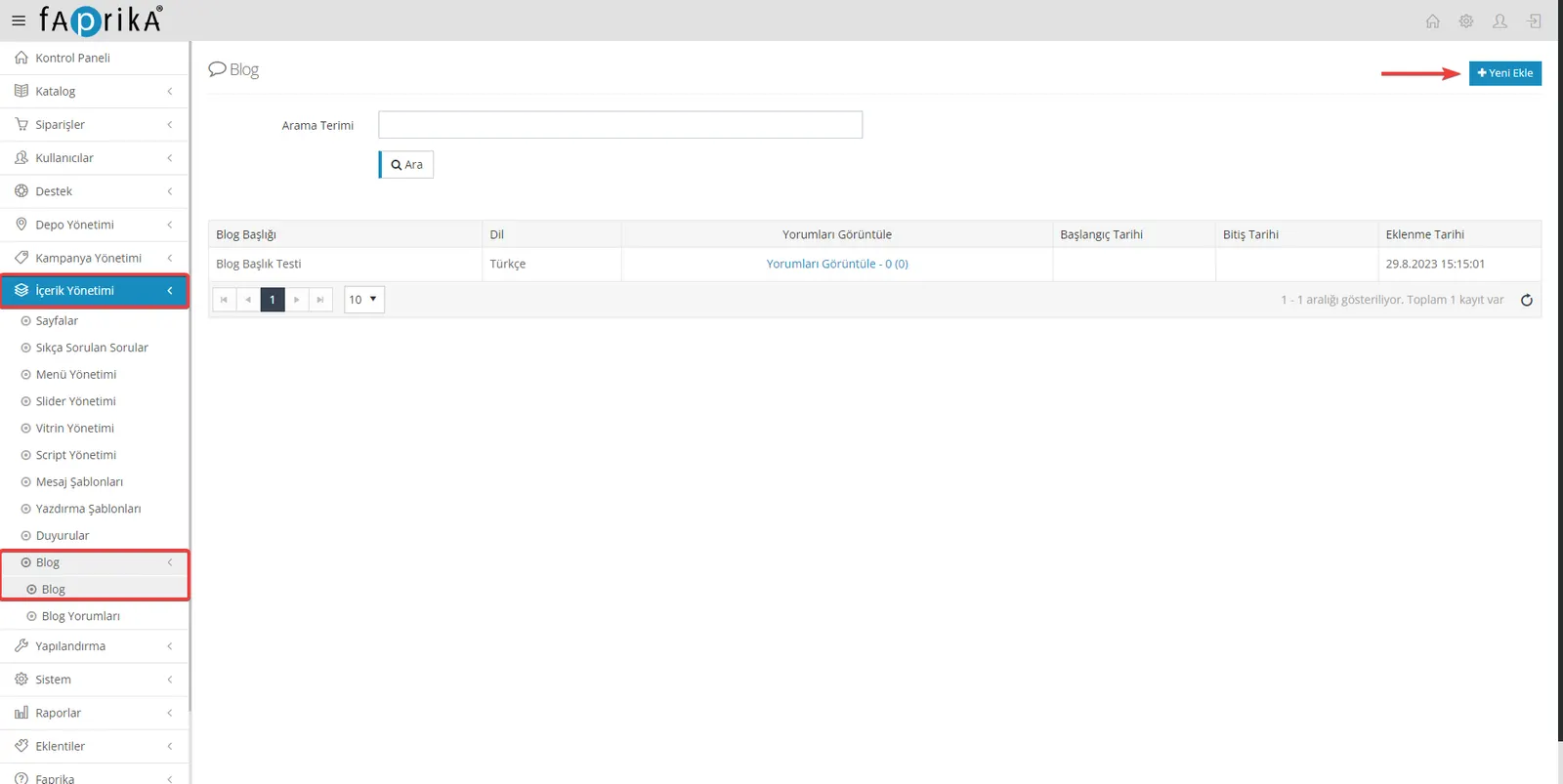
By going to the “Content Management >> Blog >> Blog” tab, you can review and edit the blog posts you have created or add new ones. If you want to add a new blog post, you can easily do so by clicking the “Add New” button in this tab.
Blog Management with Multi-Language Support
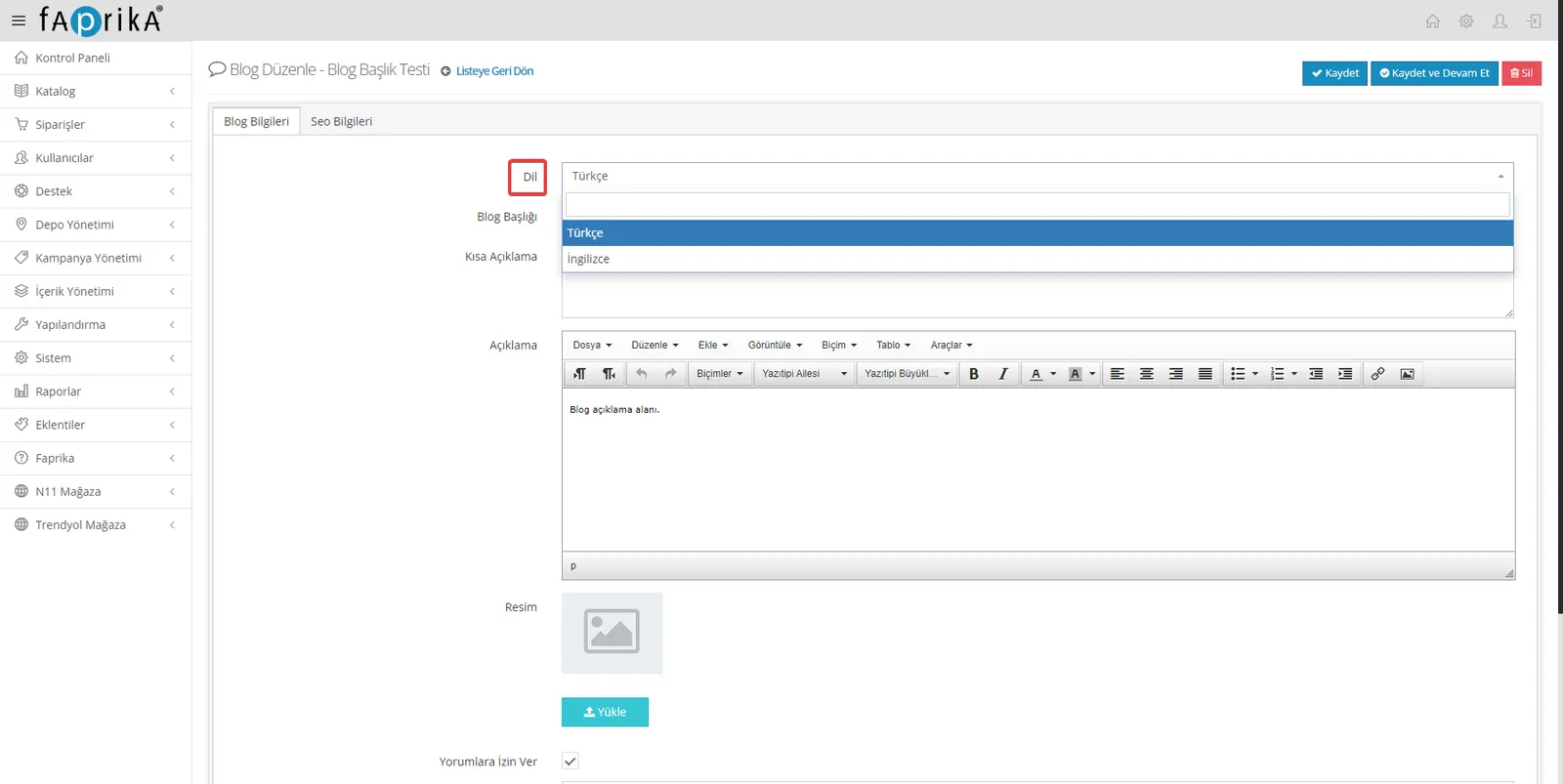
If you offer multi-language support on your e-commerce platform, you can manage your blogs within that scope too. Thanks to the “Language” option, you can create separate blog posts for each language. This feature can attract customers who speak different languages and increase your site’s overall accessibility. By using the language options, you can prepare content suited to the languages your customers prefer.
Blog Title, Short Description and Content Details
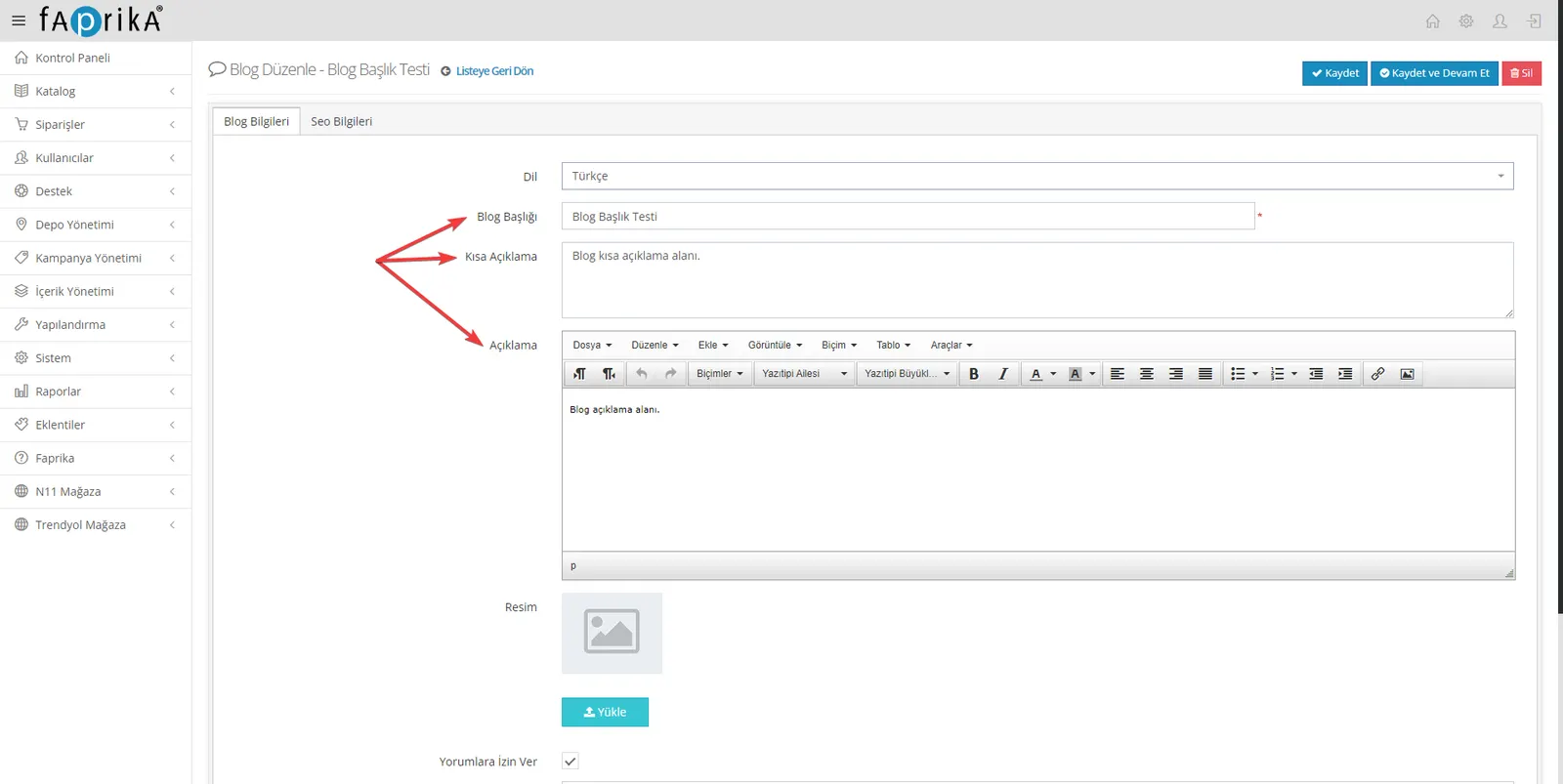
Blog Title: Choosing an eye-catching, SEO-friendly title that reflects the main idea of your blog post is important for attracting potential readers. You have a field where you can set your blog title.
Short Description: The short description that appears in your blog list can increase the likelihood that customers click on your post. Preparing this text effectively helps attract readers’ interest.
Description and Details: In this section, which makes up the main content of your blog post, you can prepare detailed content using the text editor. You can also easily add images, videos and other media elements here.
This way, you can create and edit your blog post comprehensively, from choosing the title to adding images.
Adding Images: The Aesthetic and Functional Side of Your Blog
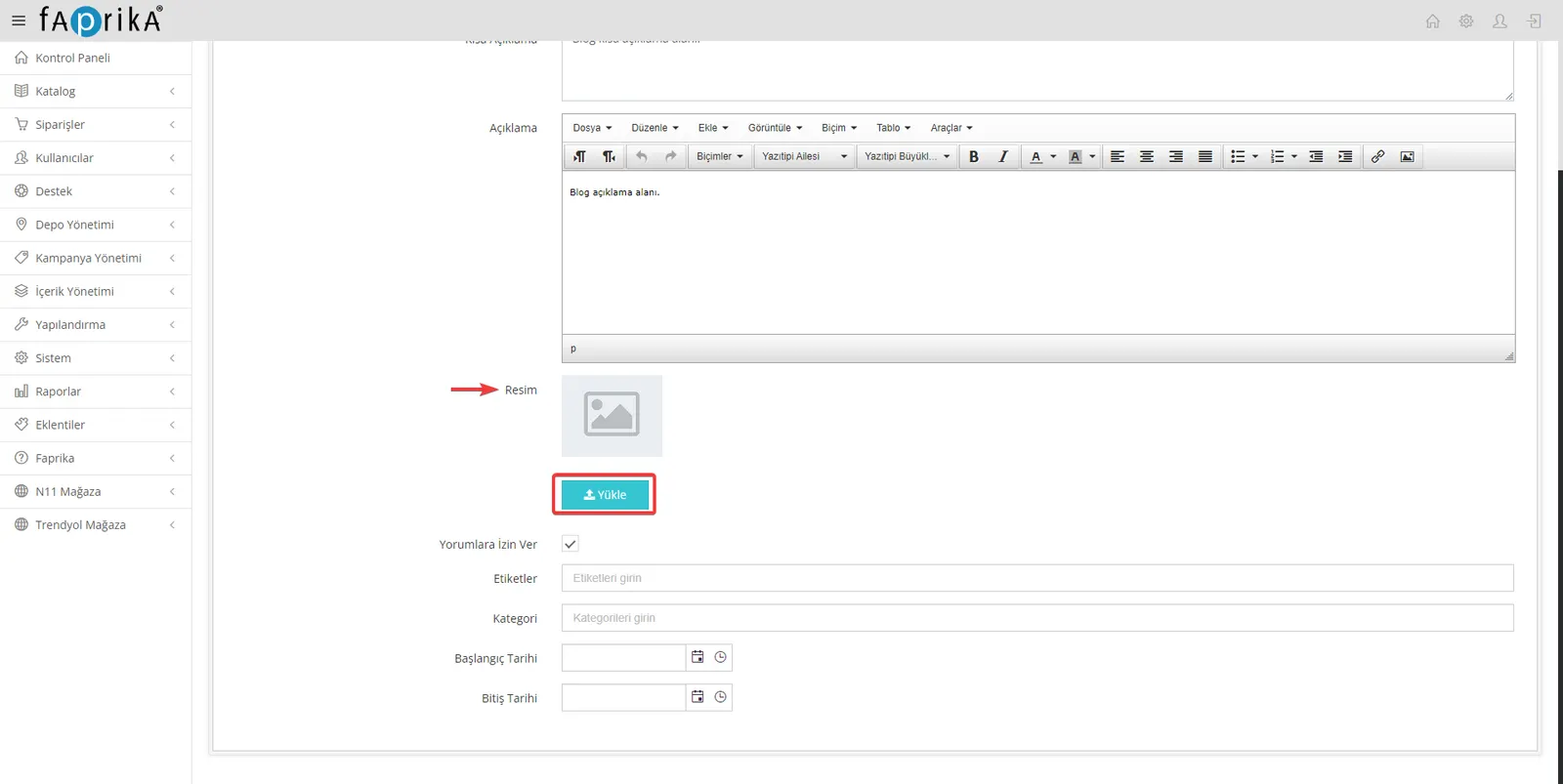
Adding Images: You can use suitable images to make your blog post more impressive and to draw the reader's attention. The interface you use to add images lets you do this easily with the "Upload" button.
When choosing images, it is important for professionalism to prefer high-quality images that suit the theme of your post and have no copyright issues.
To add an image successfully, simply click the "Upload" button, select your image and confirm.
User Engagement and Content Management: Details and Tips
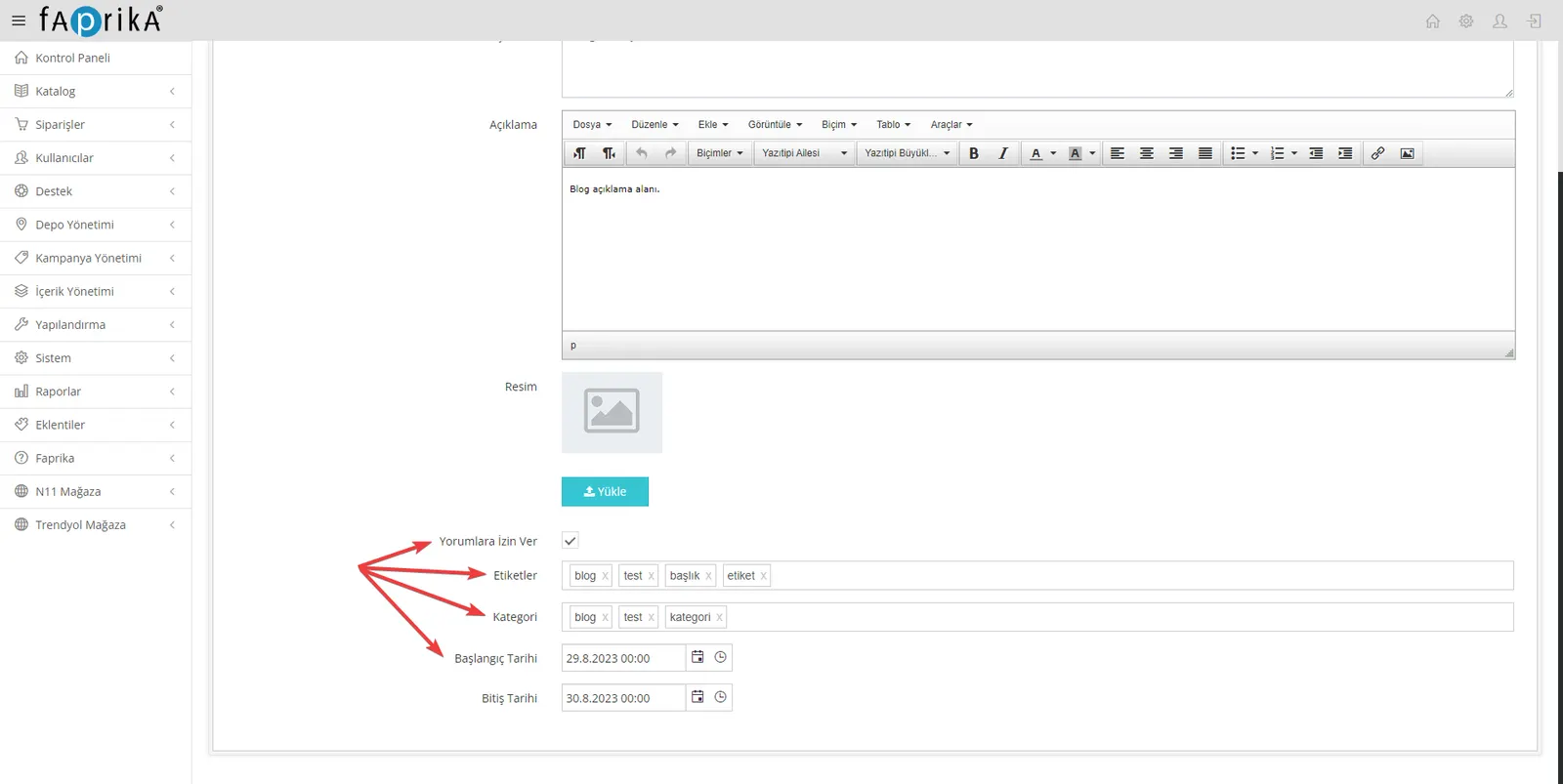
Allow Comments: If you want to create an interactive blog page, enabling user comments will be useful. You can tick the relevant box so that your users can share their opinions about your blog posts. Comments will be shown below the blog post once you approve them.
Tags: By using your keywords effectively, you can make your blog content easier to find. Tags help you rank better in search engines and reach potential customers.
Category: Grouping your posts by theme helps your users find the information they are looking for faster. Categories both make your content easier to organize and let readers discover posts according to their interests.
Start and End Date: This feature lets you set when your blog content will be published and when it will be removed. This function is especially useful for time-limited posts such as campaigns or events.
These settings and features let you manage your content more effectively and improve the user experience.
SEO Settings: Tips for a Search-Engine-Friendly Blog
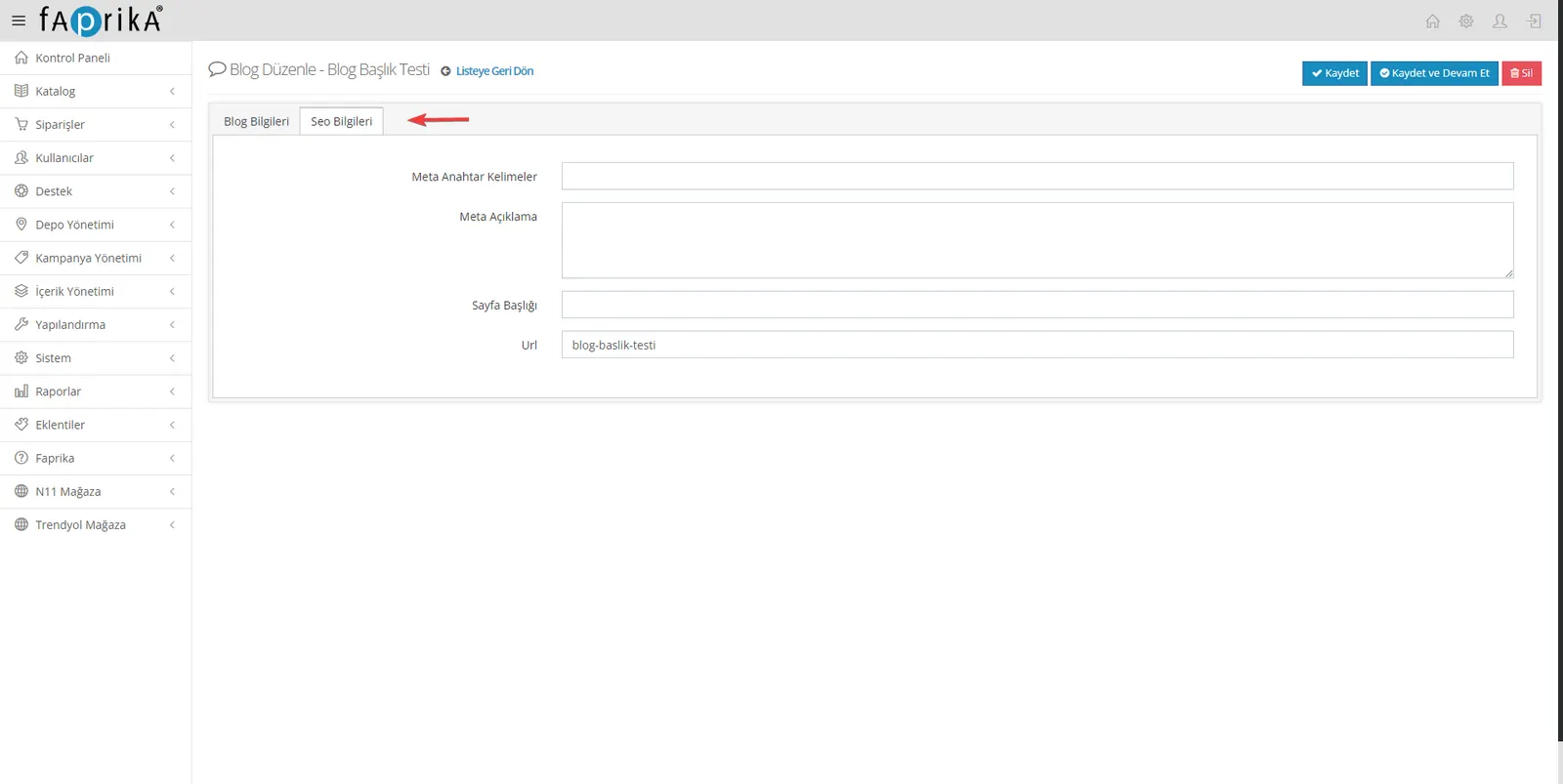
SEO (Search Engine Optimization) settings help make your blog content more visible on the internet. Good SEO practice helps your blog posts rank high in search engines. In your Faprika e-commerce system, you can customize the following SEO settings:
Meta Keywords: Keywords tell search engines what your content is about. Select the most important words or word groups and add them to the meta keywords field.
Meta Description: This description will be the short summary shown in search results. It should clearly tell potential visitors what your blog post is about.
Page Title: This title is the text shown in search engine results and in the browser tab. A clear and concise title grabs the user's attention.
URL Update: The URL of your blog post should contain keywords if possible. A meaningful and readable URL makes it easier for users to find the content.
Configuring SEO settings correctly allows your content to reach a wider audience and helps your website perform better in search engines.
Comment Management: Make Engagement Easier
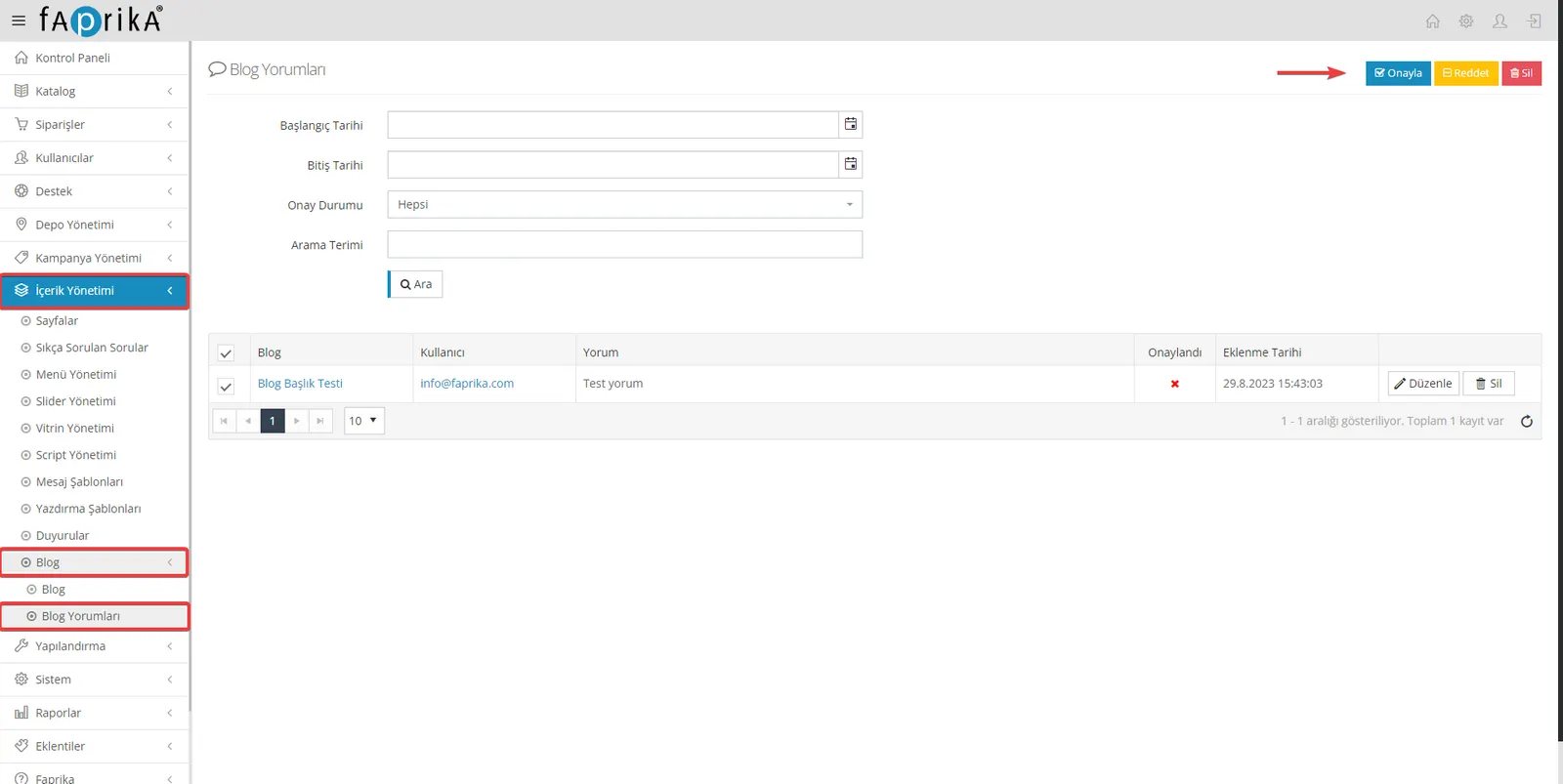
In Faprika, you can easily manage incoming comments from the "Content Management >> Blog >> Blog Comments" section. Approved comments appear below the relevant blog post. This feature increases customer engagement and adds value to your brand.
With Faprika's blog management tools, you can enrich your e-commerce experience and increase customer engagement. Thanks to numerous features such as language options, tags and comment approval that you can use while creating content, you can present your content more effectively. You can also easily configure the necessary SEO settings to strengthen your search engine optimization. For more information on creating and managing content, you can visit the Faprika support pages. For successful blog management, Faprika is by your side!