Order Management
Wishlist Management
What Is a Wishlist? This area is similar to the cart list. It is where the products that registered users or guests on your site added to their "Wishlist" but did not buy are listed and recorded. This way you can see how many users or guests did not complete an order, know which of your products are liked the most, and analyze your site and products.
What Is a Wishlist?
This area is similar to the cart list. It is where the products that registered users or guests on your site added to their "Wishlist" but did not buy are listed and recorded. This way you can see how many users or guests did not complete an order, know which of your products are liked the most, and analyze your site and products.
How Can I Access the Wishlist?
In the Faprika panel, follow " Orders >> Wishlist ". The image below shows the "Wishlist" of 3 guests. The "Total Quantity" field shows how many products this user or guest has added to their favorites. Let's look at the guest who added 4 products.
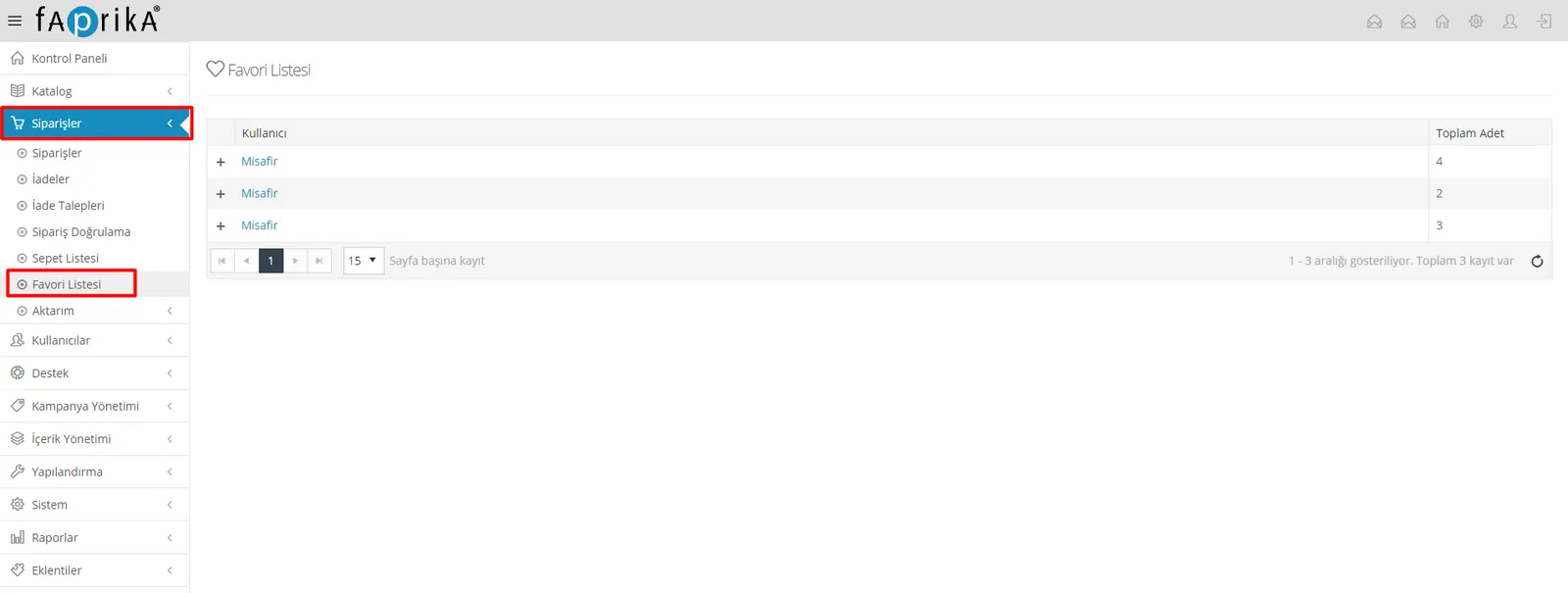
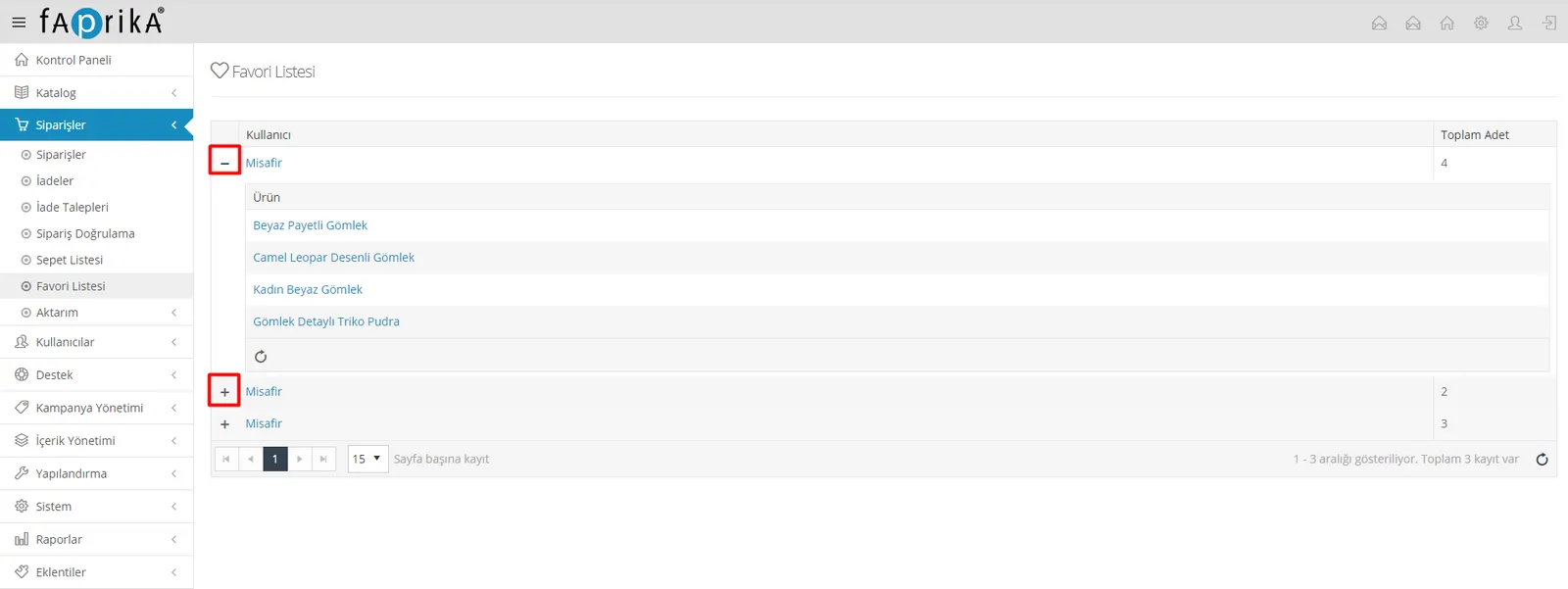
We can do this in 2 different ways: if we wish, we can click the + icon to the left of the guest label to view the product details.
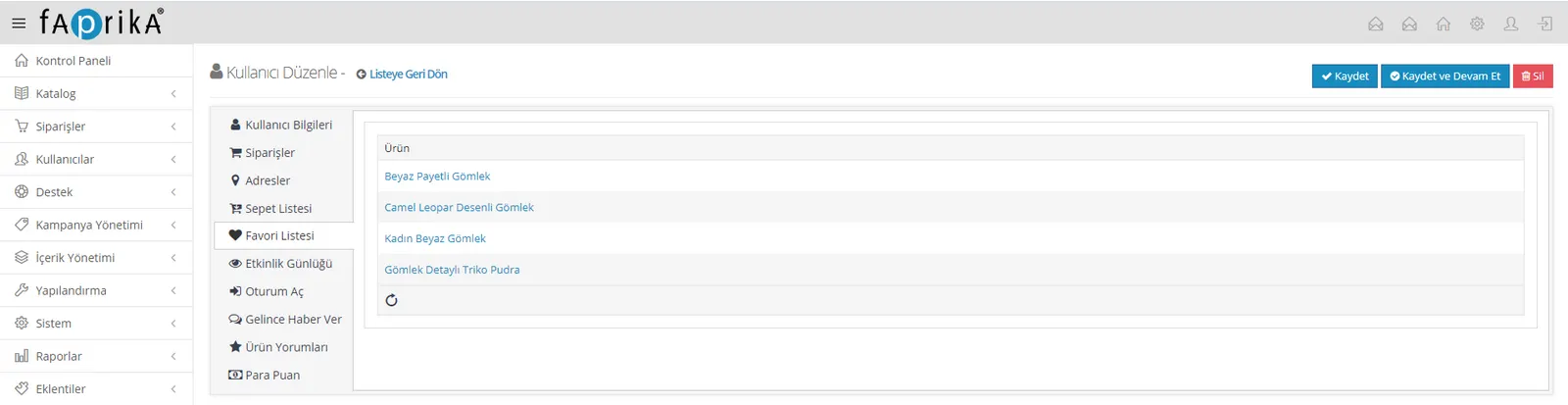
Alternatively, we can click the guest label and then enter the "Wishlist" area to view it.
On this screen, we can see how many products the guest has added to their wishlist. If we wish, we can click a product name to reach the product edit page. This way, we can make edits to whichever products are in demand and display them on our site again.
You can also take a look at our related Cart List content.