Catalog
Bulk Image Upload
One of the areas where you can make bulk changes to your products is images. Products photographed in bulk are coded according to the product's barcode, ID or stock code and uploaded to the system after the separator is selected. This makes it easy to determine which image belongs to which product and in what order it will be published.
One of the areas where you can make bulk changes to your products is images.
Products photographed in bulk are coded according to the product's barcode, ID or stock code and uploaded to the system after the separator is selected. This makes it easy to determine which image belongs to which product and in what order it will be published.
Bulk Image Upload
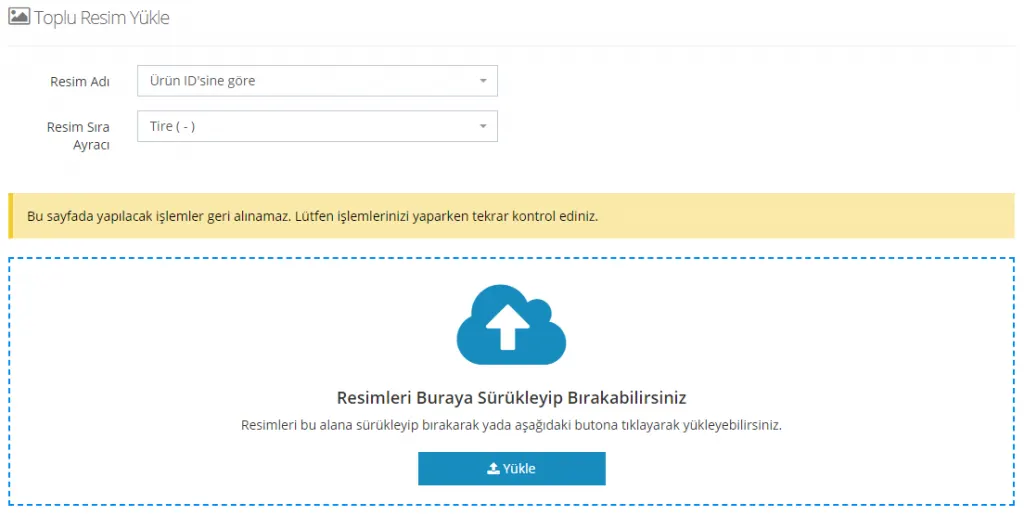
The options under the Image Name heading are as follows:
- By Product ID
- By Stock Code
- By Barcode
- By Variation Stock Code
- Variation by barcode
The options under the Image Order Separator heading are as follows:
- Hyphen (-)
- Underscore (_)
- Asterisk (*)
Let’s explain these options with an example:
For example, suppose photos were shot for 100 products and each product was listed by its barcode. Let’s assume 3 photos were prepared for each product, and these photos will be sent using the underscore separator.
In that case, the photo information can be displayed in the system as follows:
- Barcode information_1
- Barcode information_2
- Barcode information_3
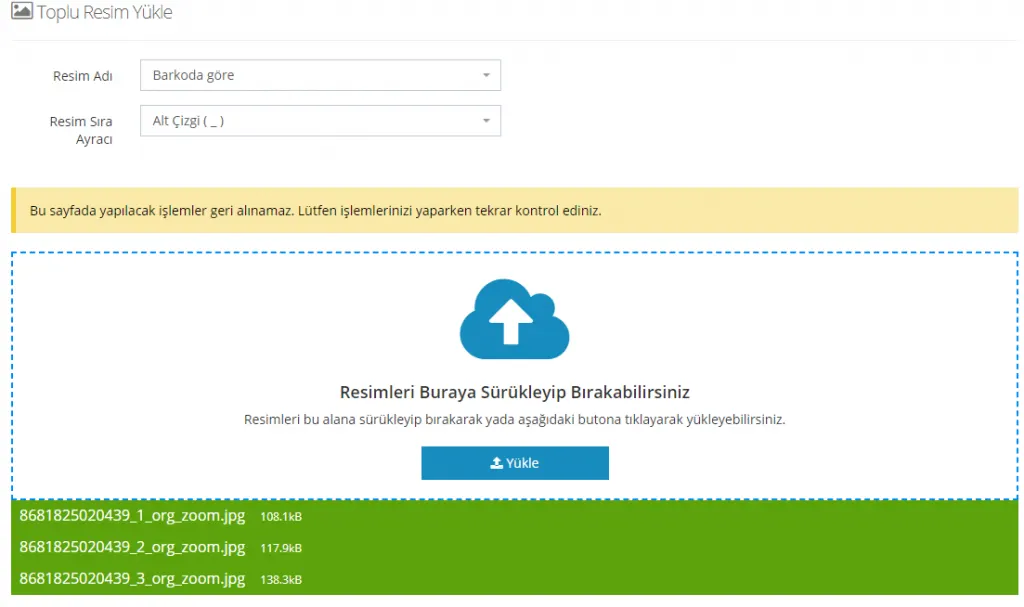
You can also make different choices with combinations of Image Name and Order Separator. This way, you can complete bulk image uploads in seconds and without errors.