Order Management
Order Verification
E-Commerce Order Verification Settings, Usage and Benefits; Verification settings, Picking Staff Active You can track the staff who pick and pack orders individually and use this to measure their performance. If a problem occurs during picking, it also helps your business manage the process better; the more data you provide, the more you can prevent problems from arising.
Order Verification Settings
In e-commerce, order verification is one of the most critical stages and the key to safeguarding customer satisfaction. Shipping the wrong products can damage brand credibility and lead to returns and extra costs. Faprika's Order Verification System is designed specifically to eliminate such errors and speed up your order processes. Here is a detailed guide on how to use this feature. With this guide, you will be able to manage your order operations more efficiently, quickly and reliably.
Configuration >> Settings >> Order Verification Settings
Picking Staff Active
While orders are being picked, you can measure your staff's performance and track their activity in detail. In case of any issues, Faprika's Order Verification System lets your business manage the process faster and more accurately. This saves time and minimizes potential errors.
Picking Staff User Group
To activate order picking staff, you need to do so through a specific user group. For example, by selecting the "Warehouse" user group, you can ensure that only the relevant staff appear on the page where you perform verification. Users included in this group will be able to carry out order verification. This customization helps keep your business processes more organized and efficient.
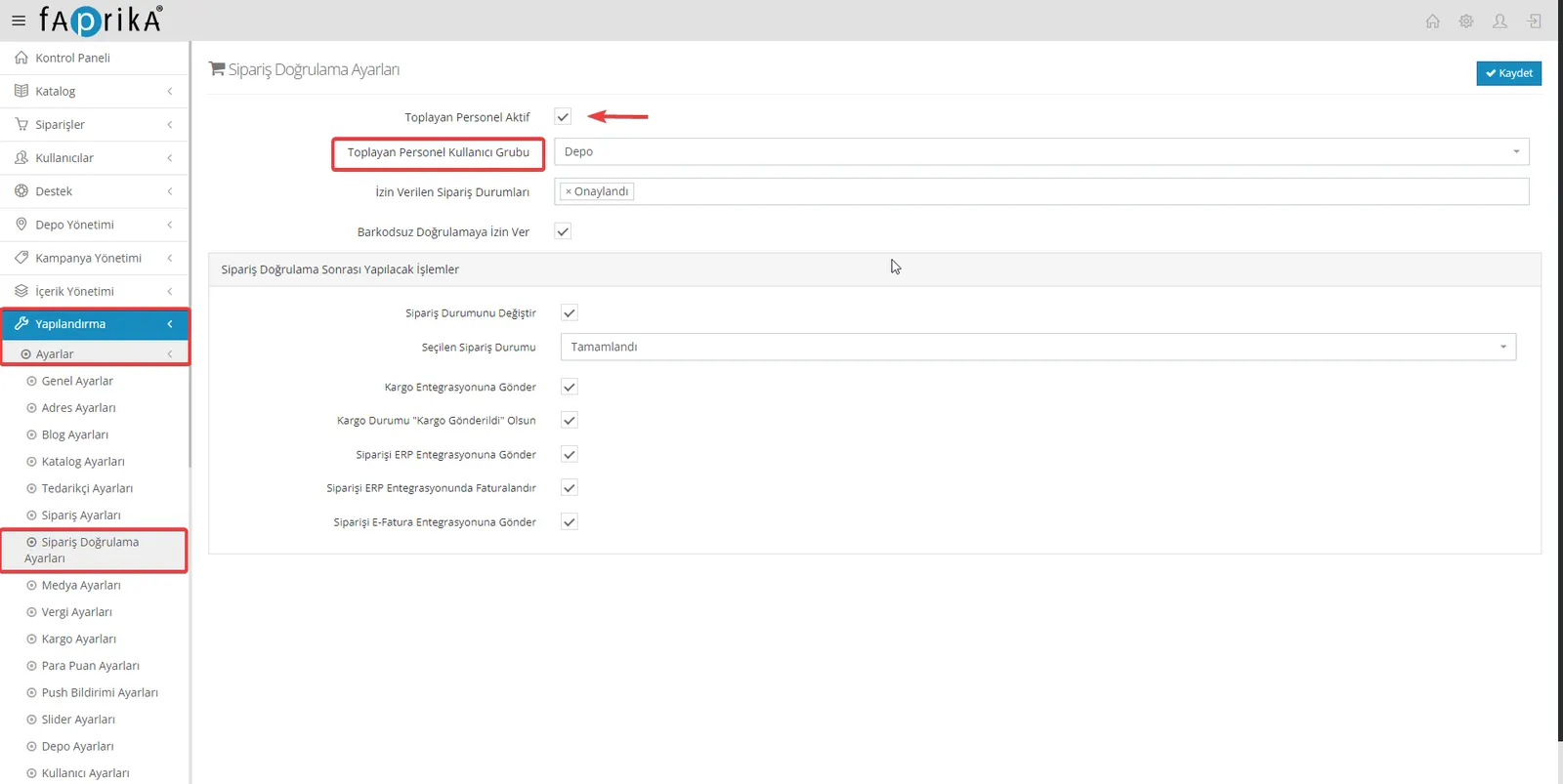
Allowed Order Statuses
In this field you can select specific order statuses. For example, if you select the "Approved" status, the system will not allow verification of a cancelled order. This helps prevent faulty order processes. By selecting as many different order statuses as you like, you can make your verification more controlled and less error-prone.
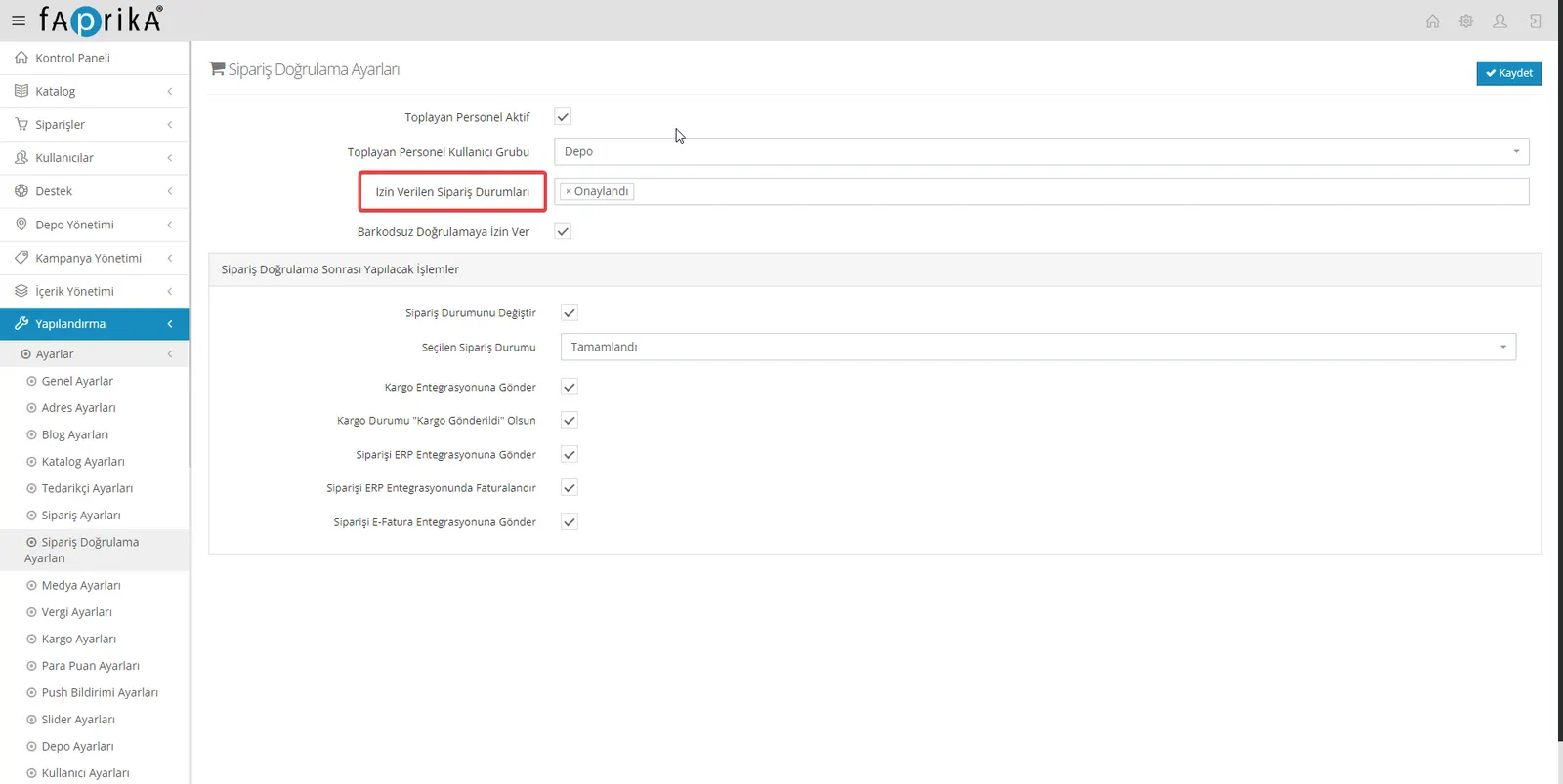
Allow Verification Without Barcode
On this page you can easily carry out your order verification with barcode scanners. If your products have no barcodes, there is no need to worry. You can still manage these operations easily with the mouse. You can run your order verification process efficiently with barcoded or non-barcoded products, without needing a keyboard or mouse.
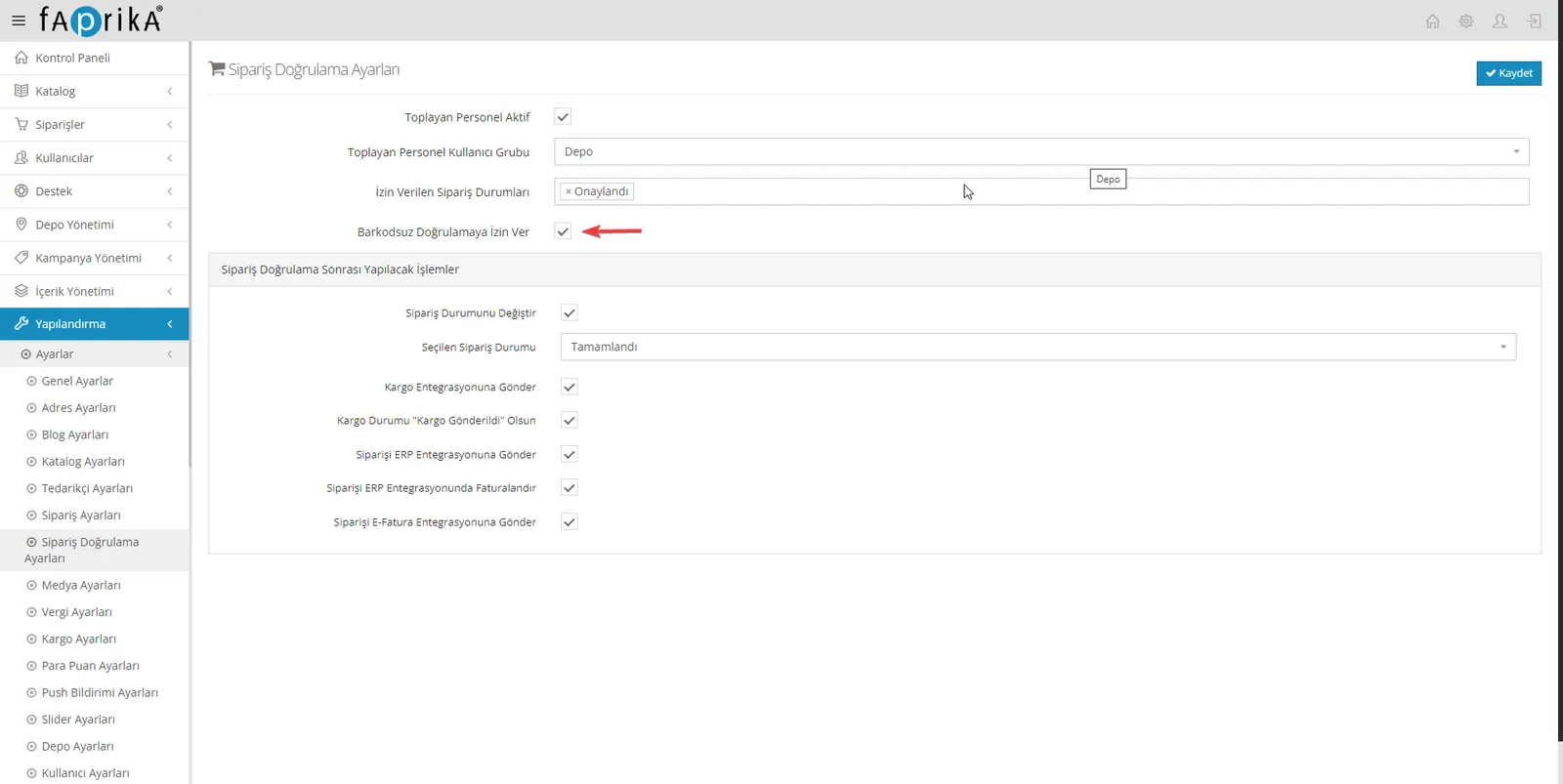
Actions After Order Verification (settings applied if verification is successful)
Change Order Status – Selected Order Status
With the change order status setting, you can have the order status updated automatically after verification. This speeds up your business processes and removes the need for manual intervention. For example, when you verify an order in the "approved" status, the system will automatically update its status to "completed". This feature allows order operations to be tracked and managed in an orderly way.
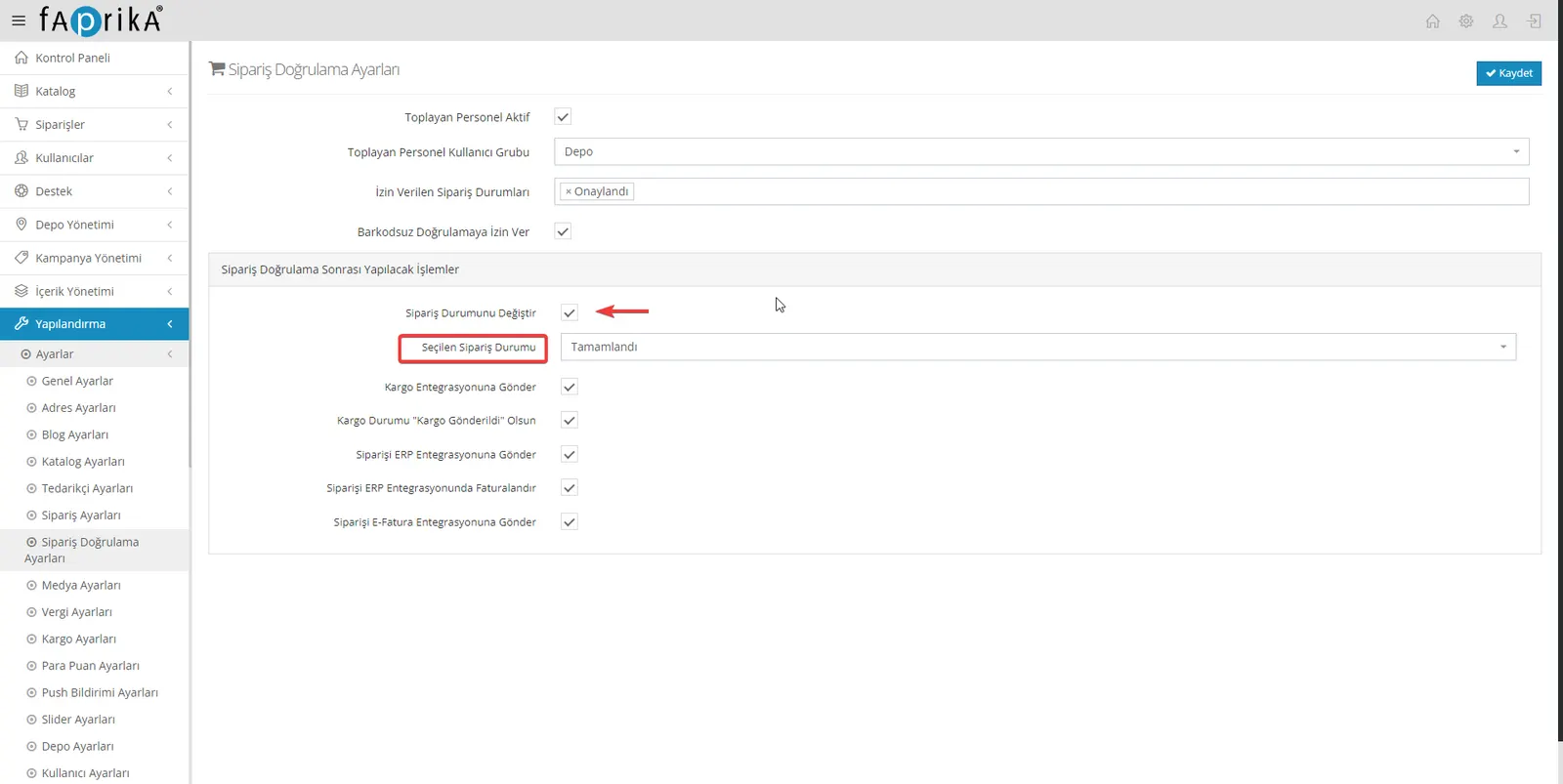
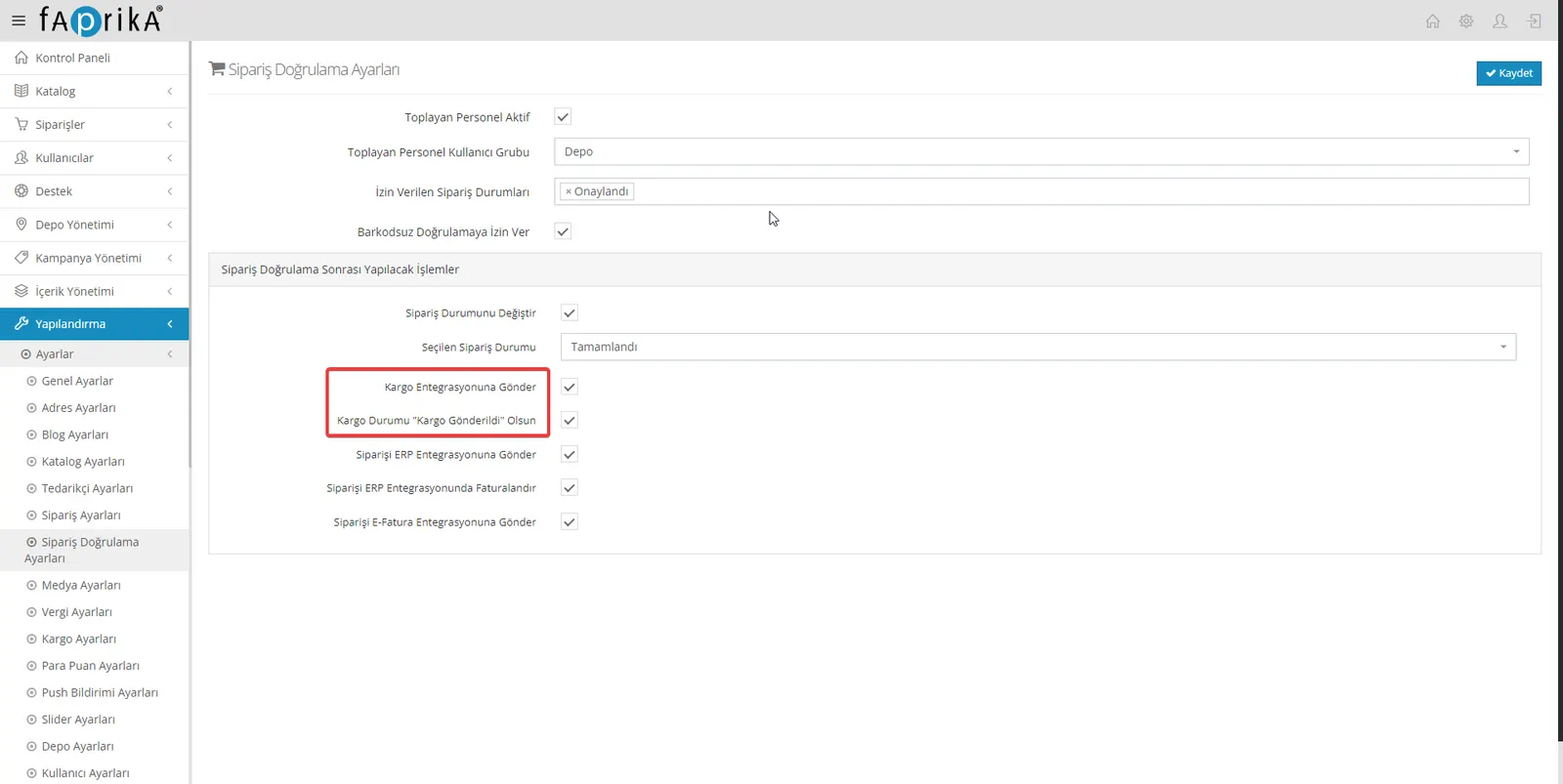
Send to Shipping Integration
This feature automatically notifies the carrier of the verified order and tracks the entire delivery process. When the relevant settings are made on the Shipping Settings page, it manages all operations from the carrier's invoicing to delivery to the door. This makes order operations faster, error-free and more effective, lightening your workload. (It is linked to the options you set on the Shipping Settings page.)
Shipping Status “Shipment Sent” Option
This option is a setting that needs particular care. If this field is selected after order verification and the Faprika SMS and email system is active, this information is sent to the customer automatically. However, this can cause some timing issues. For example, if the verification for a shipment that will be issued and processed in the evening is done in the morning, the customer may ask questions such as "where is the tracking number" or "where is my product". This can lead to many phone calls or messages. Therefore, taking timing into account when using this option can help increase customer satisfaction.
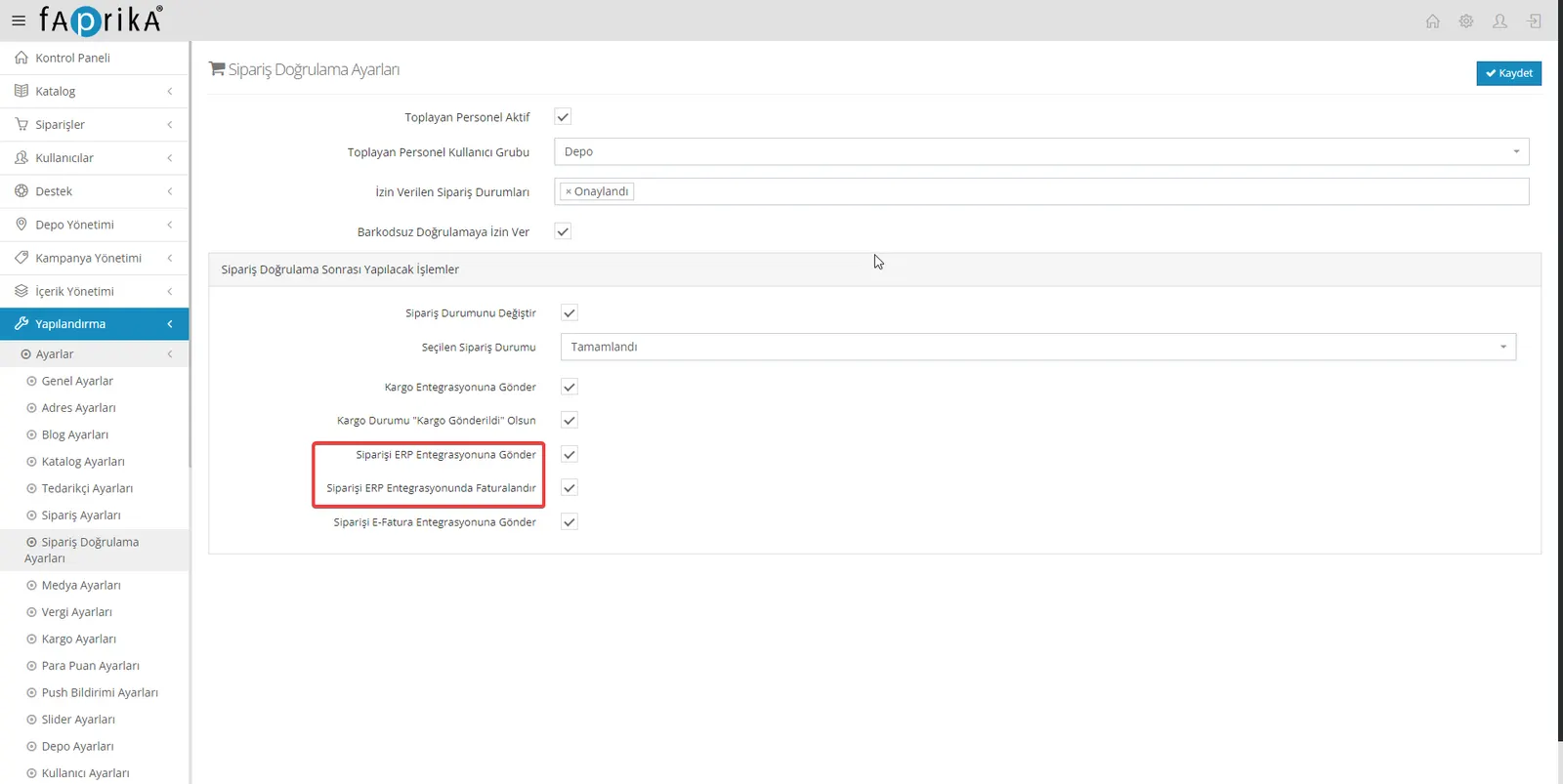
Send to ERP Integration Feature
If your business uses ERP/accounting software, this Faprika feature sends your orders to the ERP system automatically. This removes the need for manual data entry and helps the process run faster and without errors. To keep your workflows organized and the integration running smoothly, the system carries out this complex task for you. This feature plays an important role in increasing the efficiency of your e-commerce operations.
Invoice the Order on the ERP Side Feature
Faprika's order verification system automatically invoices orders through the ERP integration once they have been successfully verified. This feature eliminates the time loss and possible errors that manual invoicing can cause, helping your business processes become more orderly and efficient. Faster order operations also play an effective role in increasing customer satisfaction, thereby raising your business's overall performance.
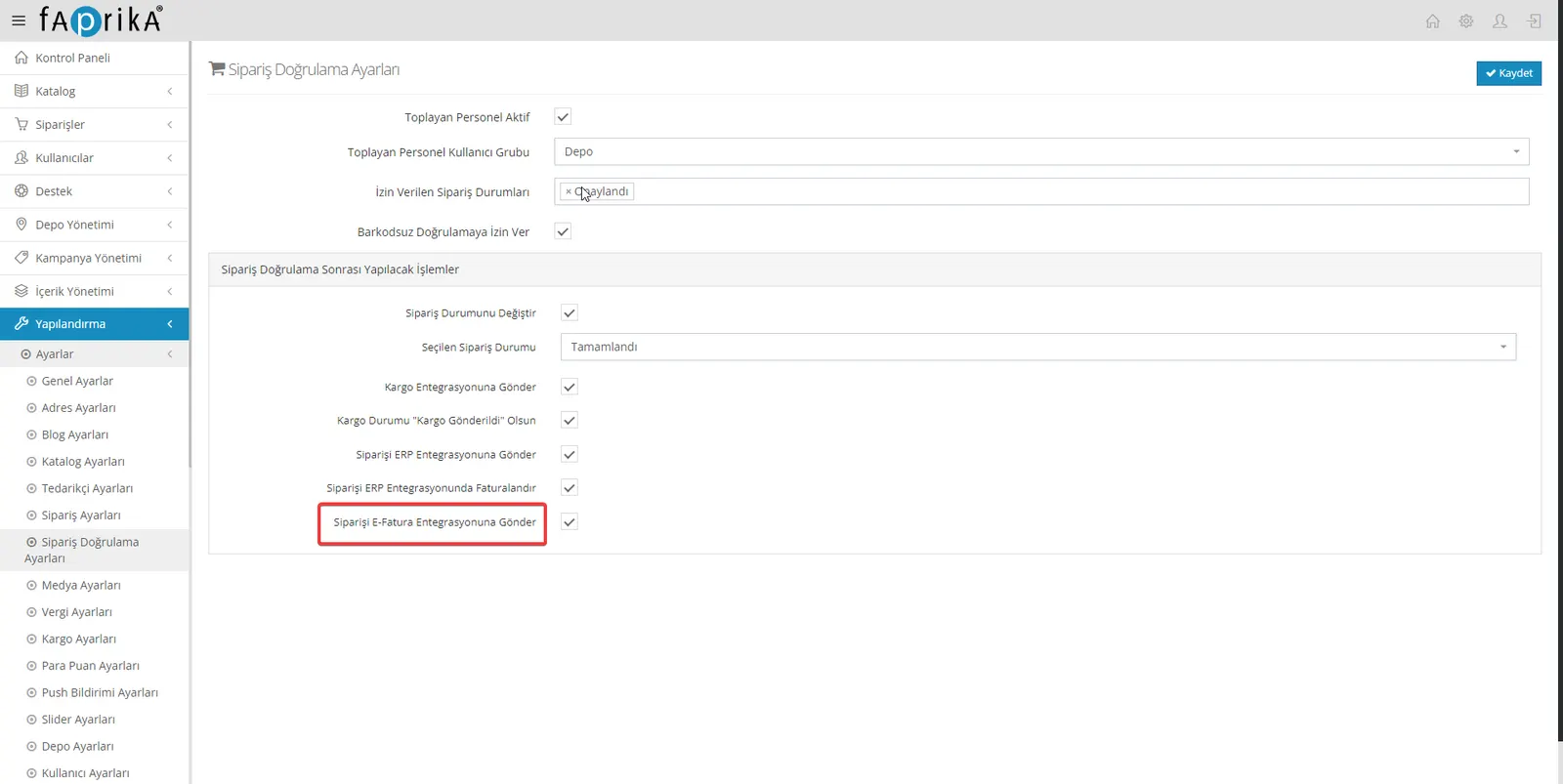
Send Order to e-Invoice Integration Feature
Another important feature of the order verification offered by Faprika is the ability to automatically issue the e-Invoice and send it to the customer right after an order is successfully verified. This is done provided that the Faprika e-Invoice module is installed. Offering a much faster and error-free process than manual invoicing, this automation not only increases customer satisfaction but also significantly raises your business's overall efficiency and operational speed. You too can benefit from this comprehensive and powerful Faprika feature to help your business grow and deliver better service quality.
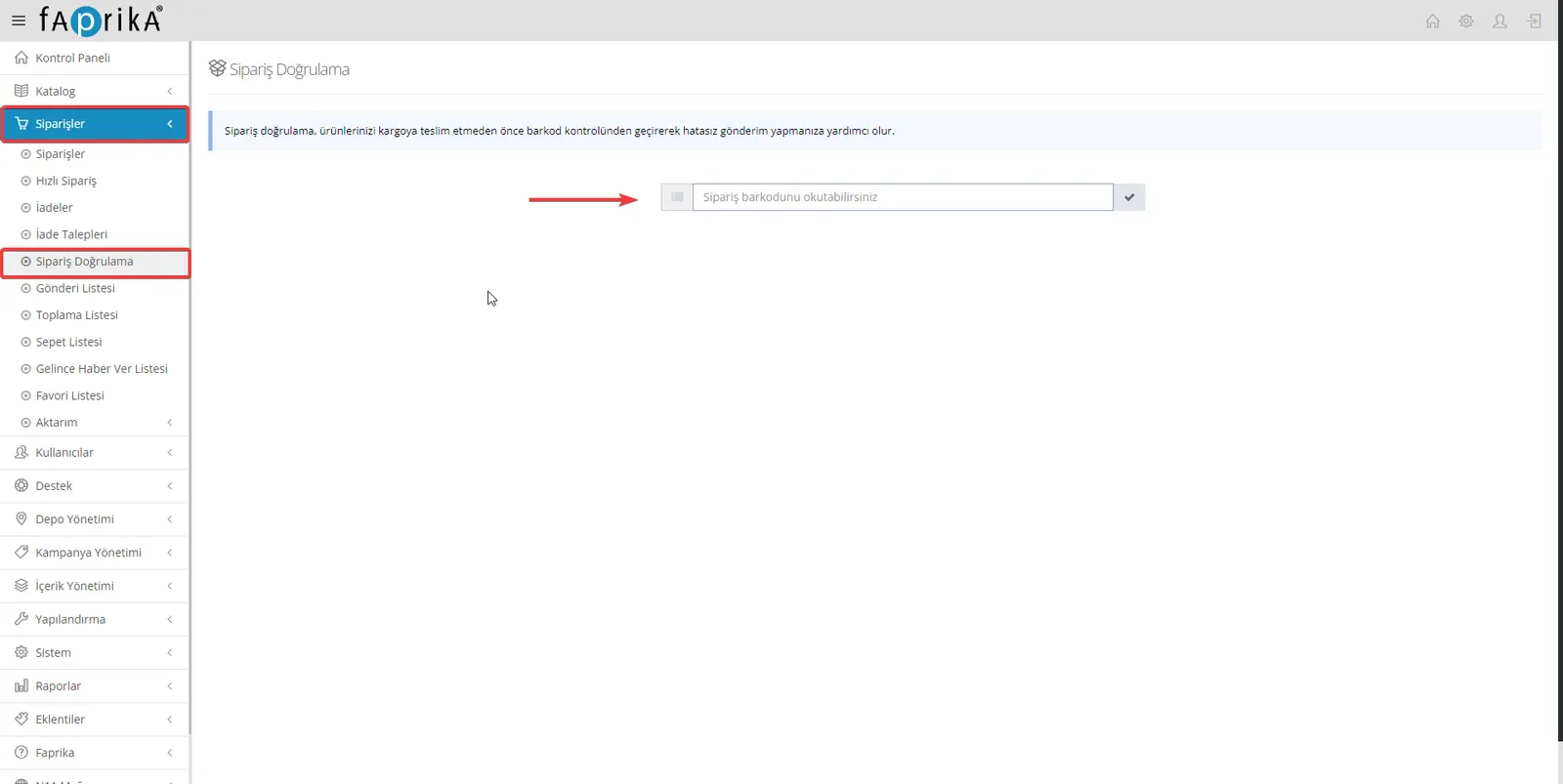
Orders >> Order Verification
Faprika's order verification feature helps you minimize missing or incorrect product shipments in e-commerce operations. To confirm an order's accuracy quickly and without errors, you can scan the order barcode with a barcode reader or enter it manually on the keyboard. This makes your business's operational process smoother and more reliable, increases customer satisfaction and reduces returns. This Faprika feature allows all e-commerce processes to be run in a more controlled and efficient way.
If you want more control and efficiency in your picking process, you can use Faprika's "Warehouse User Group" option. When you set the warehouse user group, only users in this group will be able to perform order verification, making operations more specialized and secure.
By quickly scanning the barcodes of the products in an order with a barcode reader, you can complete order verification in seconds. If you have products without barcodes, don't worry; by enabling the barcodeless reading setting, you can also select products with the keyboard and mouse and complete verification easily. This feature meets your business's need for flexibility and adapts to different products and situations, helping the process run more efficiently and without errors.
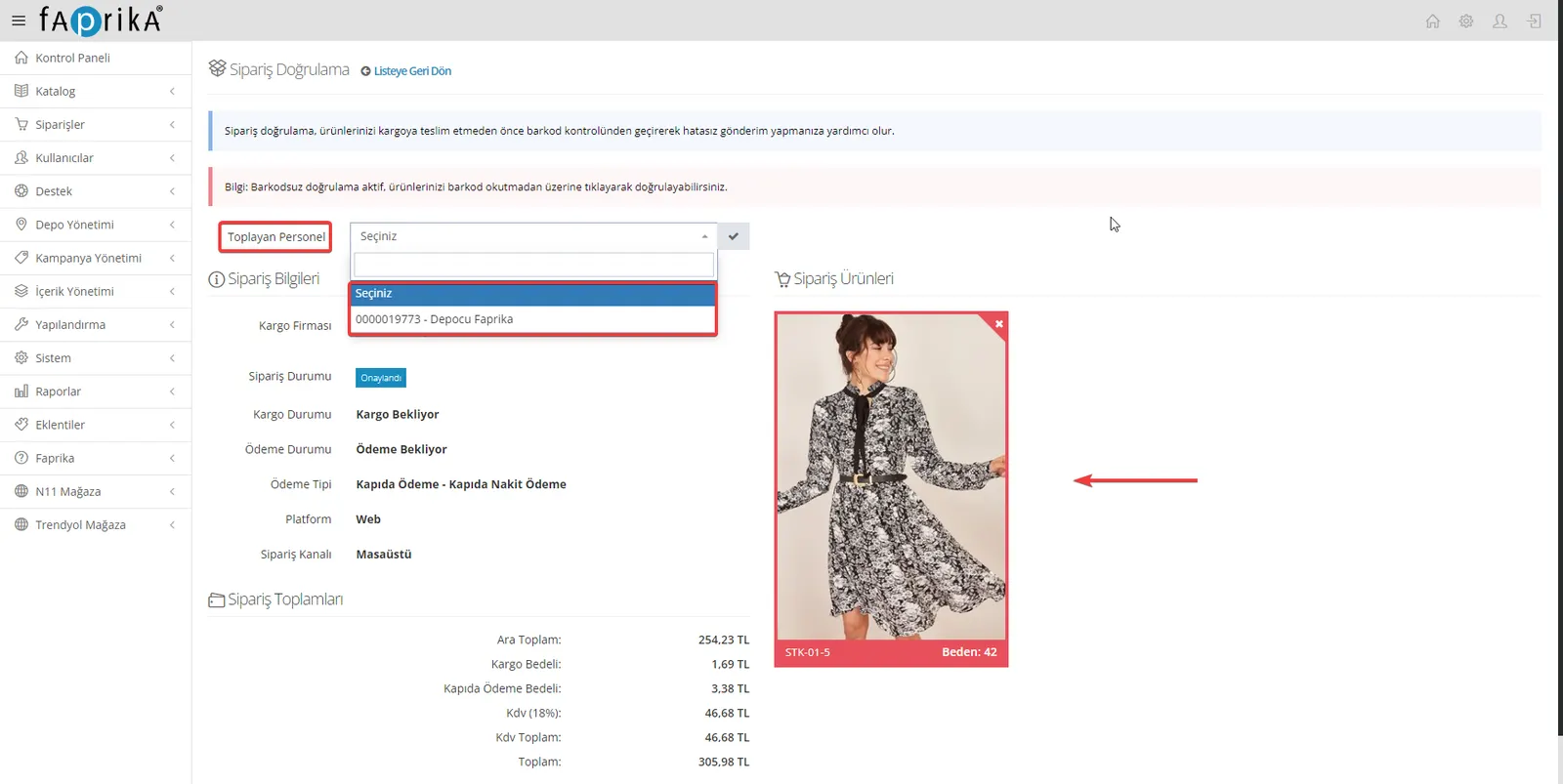
Faprika's order verification feature is a perfect tool for those who want to take their e-commerce operations to the next level. By optimizing your packing and shipping processes, it helps you increase customer satisfaction. Keep in mind that the order verification system may be included as part of your e-commerce plan or purchased separately depending on your needs. In any case, if you have any problem using it, our Faprika support team is always by your side. The high-quality, error-free and fast e-commerce solution you need is just one click away with Faprika.