Order Management
Cart List Management
This page explains in detail how Faprika users can use the Cart List feature. The Cart List lets you monitor the products in the carts of customers and guests who have not completed their purchase, so you can manage your sales strategies more effectively.
What Is the Cart List?
There are many analysis and measurement tools in the e-commerce world, but we have prepared this article to guide you on the "Cart List", a data source that is often overlooked yet very valuable. The cart list is an area that shows the products visitors browsing your site have added to their carts before buying. So what benefits does this list offer? With this data, you can understand which steps to take to improve your site's performance and analyze user behavior better. In this article you will find details on how to access this list from the Faprika panel, how to run analyses and how to define your strategies. Now, let's examine the Cart List step by step.
How Can I Access the Cart List?
To access it, go to the "Orders" tab in your Faprika control panel and then click the "Cart List" option. A new page will open, showing the list of customers who left without completing their purchase. If you want to download this data as an Excel file, you can click the "Export to Excel" button.
The "Total Quantity" column shows how many products are in the carts of users or guests who have added products to their cart but have not completed their purchase. For example, you can use the information in this field to examine in detail a customer who has added 2 products to their cart.
This way you can see which products attract more interest and which are added to carts more often, and shape your strategies in light of this information.
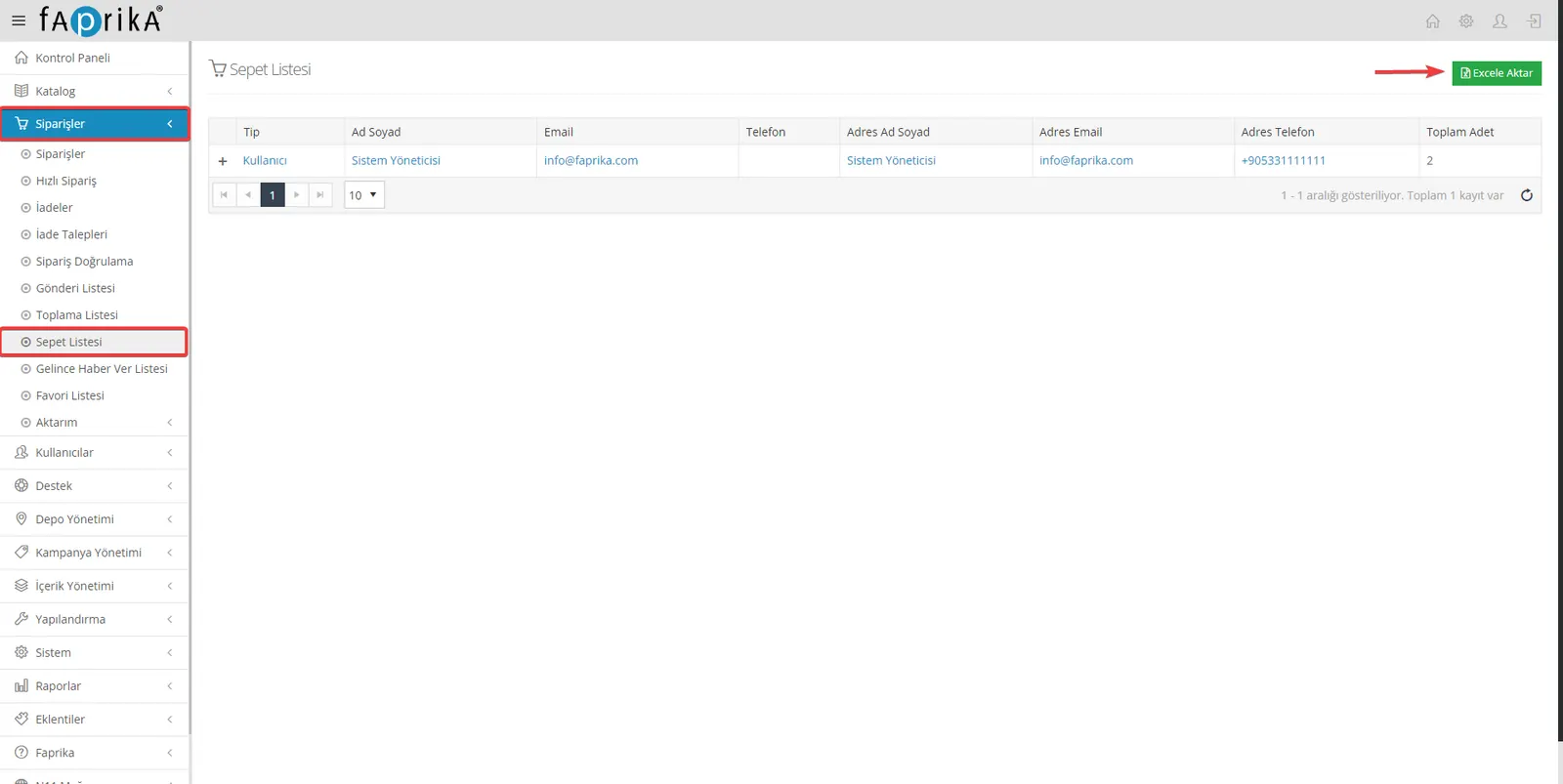
By clicking the "+" icon next to the customer or guest information in the cart list, you can quickly access the details of the products added to the cart. This method lets you quickly review the products in a specific customer's cart. If you have many customers or guests, this feature will make your work easier.
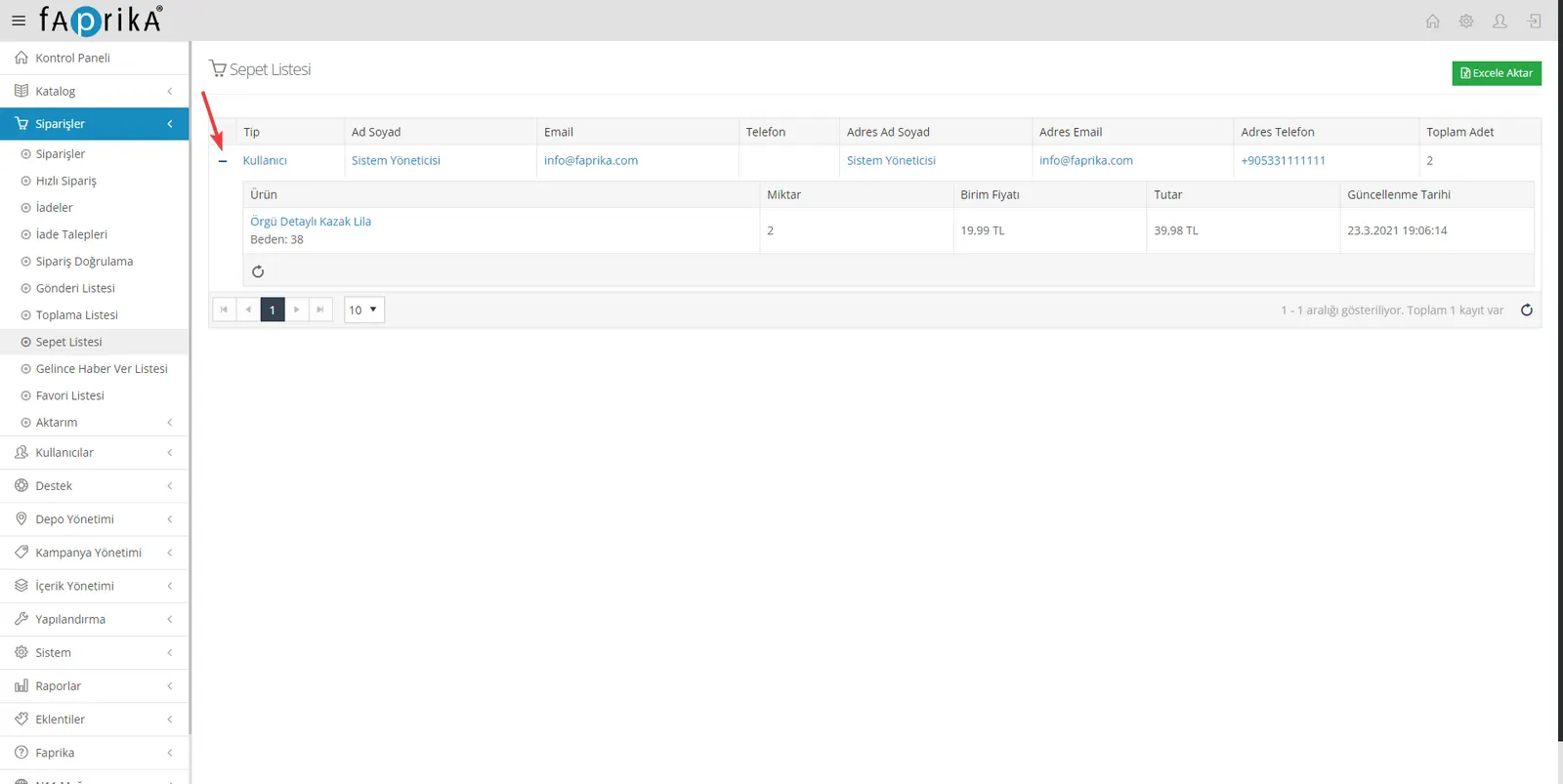
The "Cart List" screen that opens when you click the user's name offers a more detailed review. In this area you will find detailed information such as when and how many products the customer added to the cart, the unit price of the products and their variations. You can also click a product name to reach that product's detailed edit page. This way you can take a closer look at the products that interest customers and make the necessary adjustments.
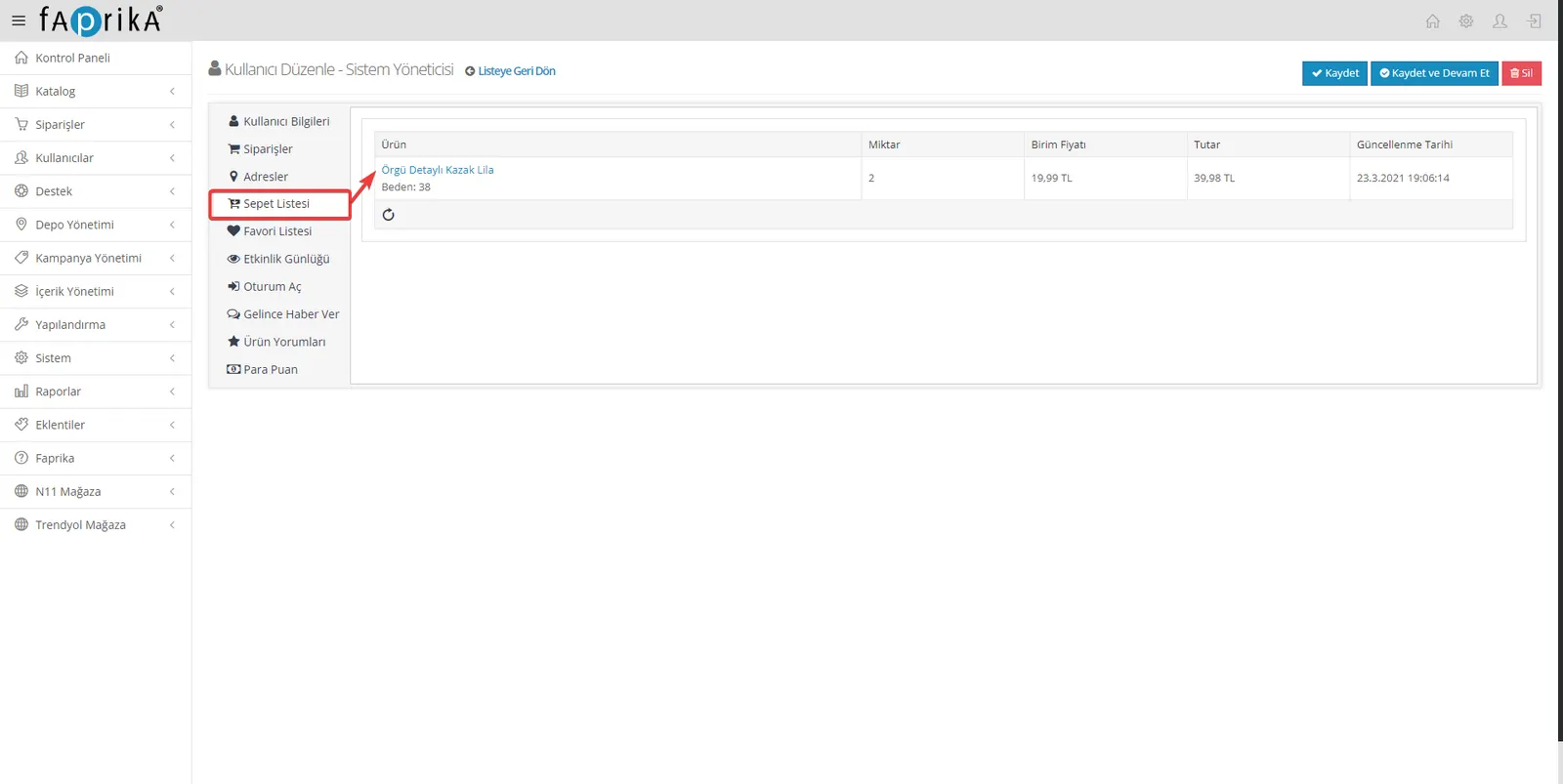
Yes, with this feature you can easily see which products customers have added to their carts but not purchased. By analyzing this data, you can make the necessary adjustments for products that attract interest but do not convert into sales. For example, with tactics such as price discounts, updating the product description or special promotions, you can make the product more attractive and increase your sales rates.
The Cart List feature is a vital tool for improving the performance of your e-commerce site. It gives you insight into the products customers add to their carts but do not buy. This valuable information offers important clues for improving your sales strategies. Easily accessible in the Faprika panel and with a clear interface, this feature has the potential to take your business a step further. We wish you good analyses and successful sales.