Configuration
Captcha V3 Setup
What Is Captcha V3? reCAPTCHA v3 protects your site in the safest way without requiring users to do anything, while its scores let you make various decisions on your website.
In This Tutorial
What Is reCaptcha V3?
reCAPTCHA v3 is a security service developed by Google and designed to protect websites from automated software attacks. As the latest version of reCAPTCHA, which has had several generations, v3 aims to protect websites without disrupting the user experience.
reCAPTCHA v3 monitors users’ behavior and gives them a score. Based on this scoring system, it helps determine whether each user’s actions on the website come from a real person or a bot. In this way, reCAPTCHA v3 can protect websites without the traditional CAPTCHA puzzles or visual verification tests that users encounter.
The system gives website administrators the ability to automatically perform various actions based on users’ scores. For example, additional security checks can be introduced for users with low scores, or they can be blocked automatically when suspicious activity is detected.
The main reasons for using reCAPTCHA v3 include improving the user experience, providing effective protection against spam and malicious automated attacks, and increasing website security. In this way, website owners can free users from annoying CAPTCHA checks and offer a smoother, more user-friendly web experience.
Why Should We Use reCaptcha V3?
Almost every website has a contact form. Malicious visitors who see the contact form on your web page can launch an attack through it to cause you trouble. Imagine the contact form being filled in over and over and the “OK” button being pressed. In such a scenario, you may receive thousands of emails, and these contact requests will be “Spam”, that is, unwanted contact requests. As a result, your website may be taken down instantly, perhaps temporarily. To prevent situations like this, we should use reCaptcha V3.
How Do I Create a reCaptcha V3 Account?
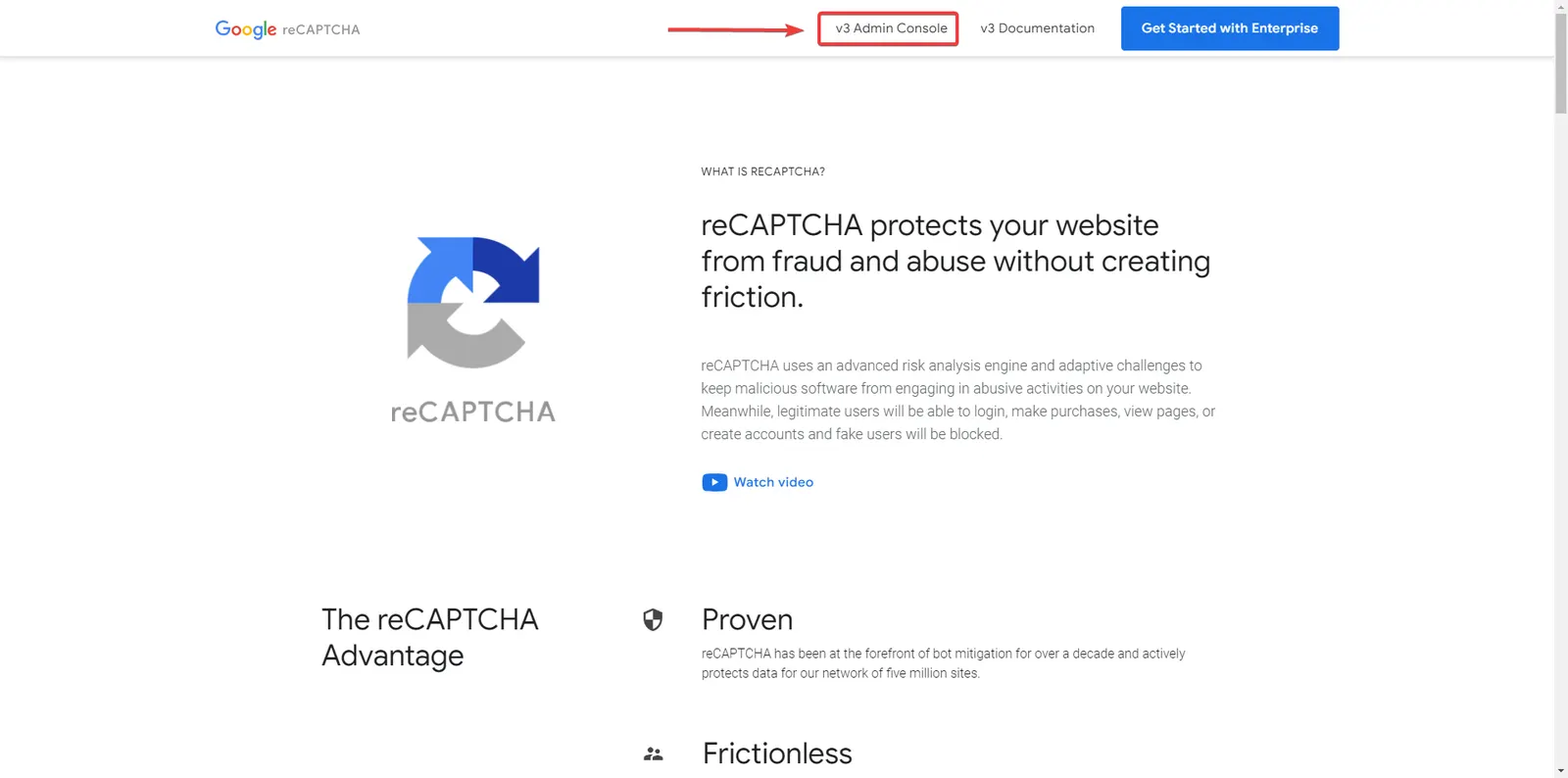
First, open https://www.google.com/recaptcha/about/ in your web browser;
- Click the v3 Admin Console button,
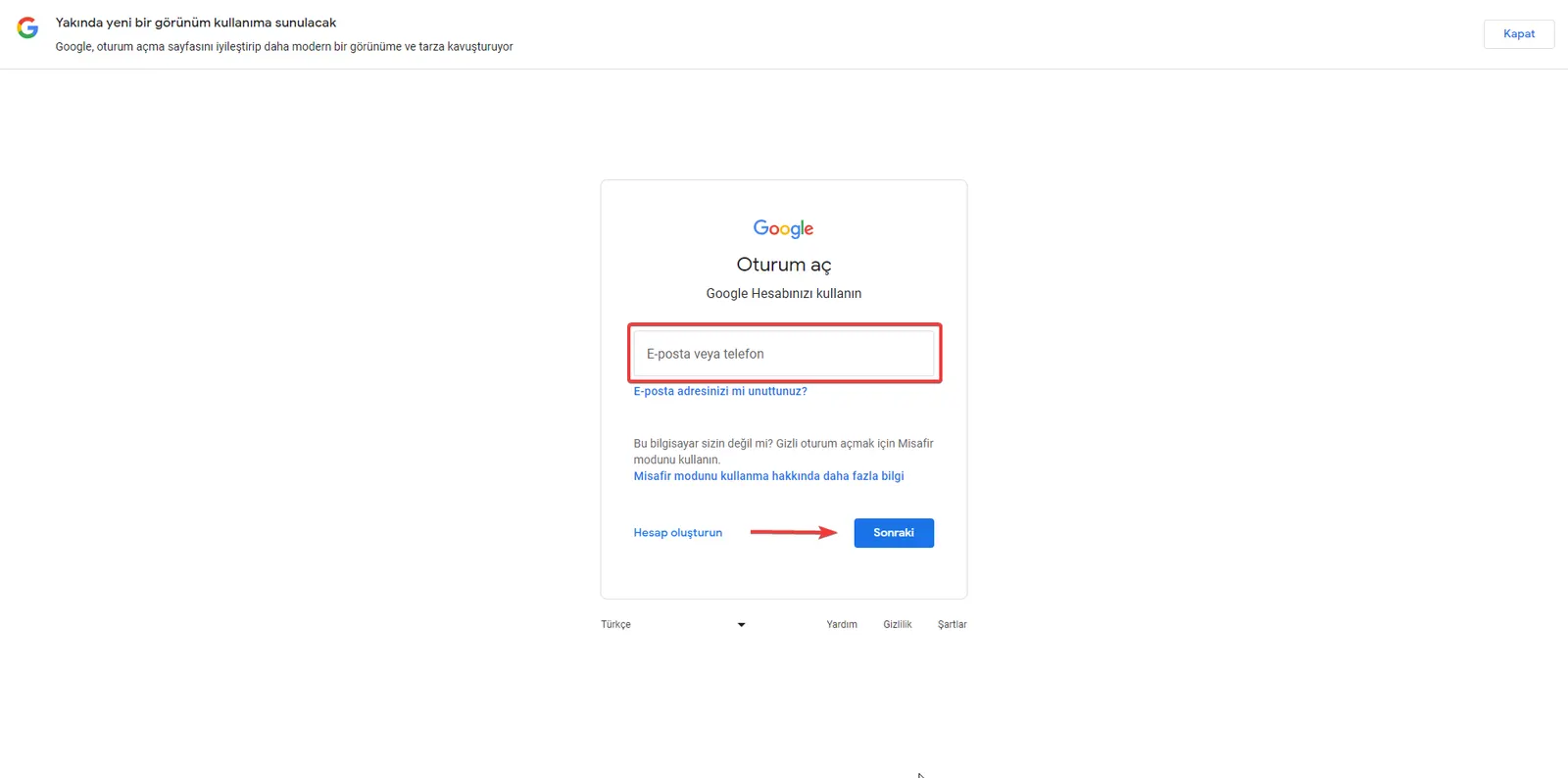
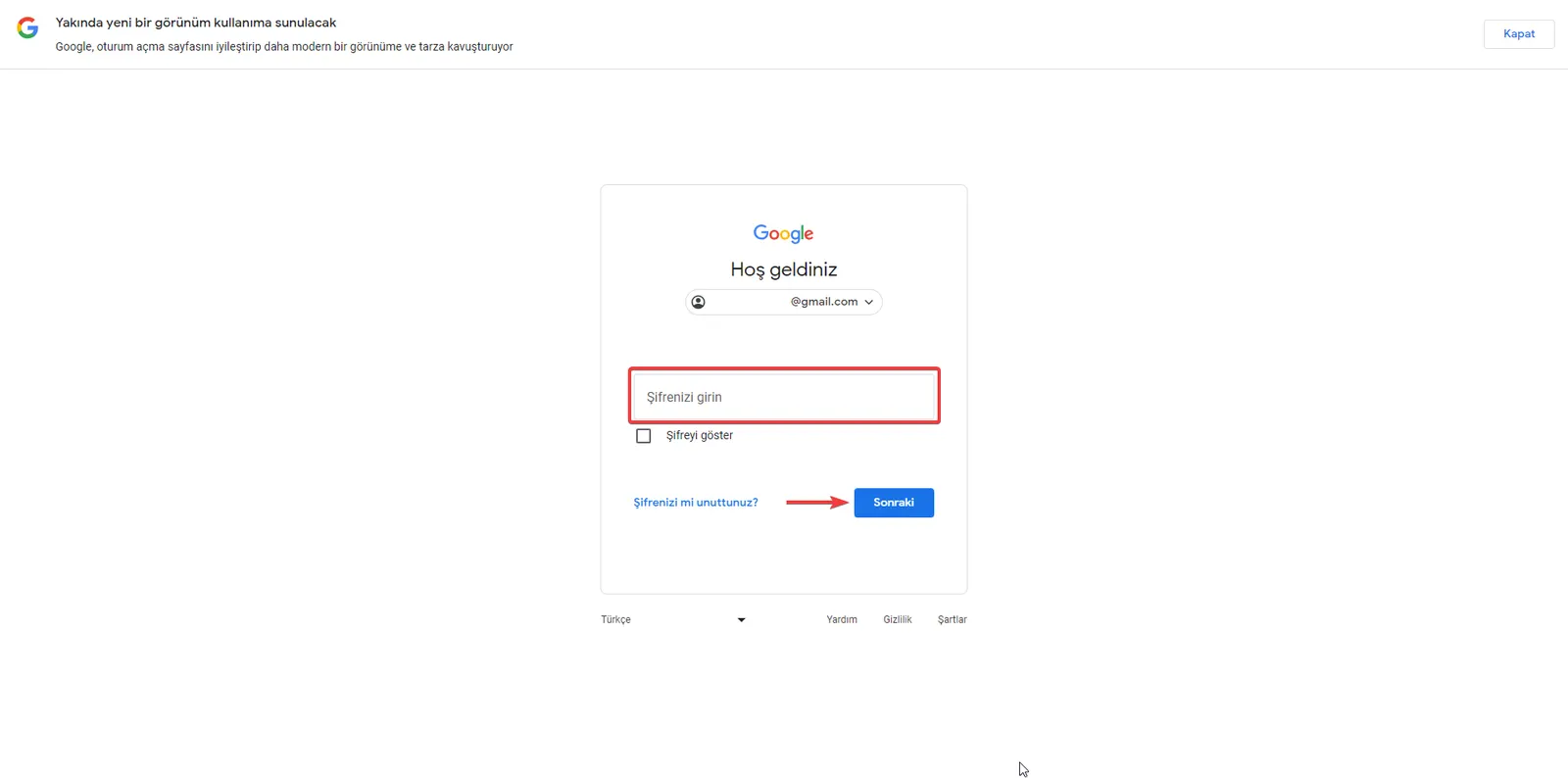
- Sign in with your Google account,
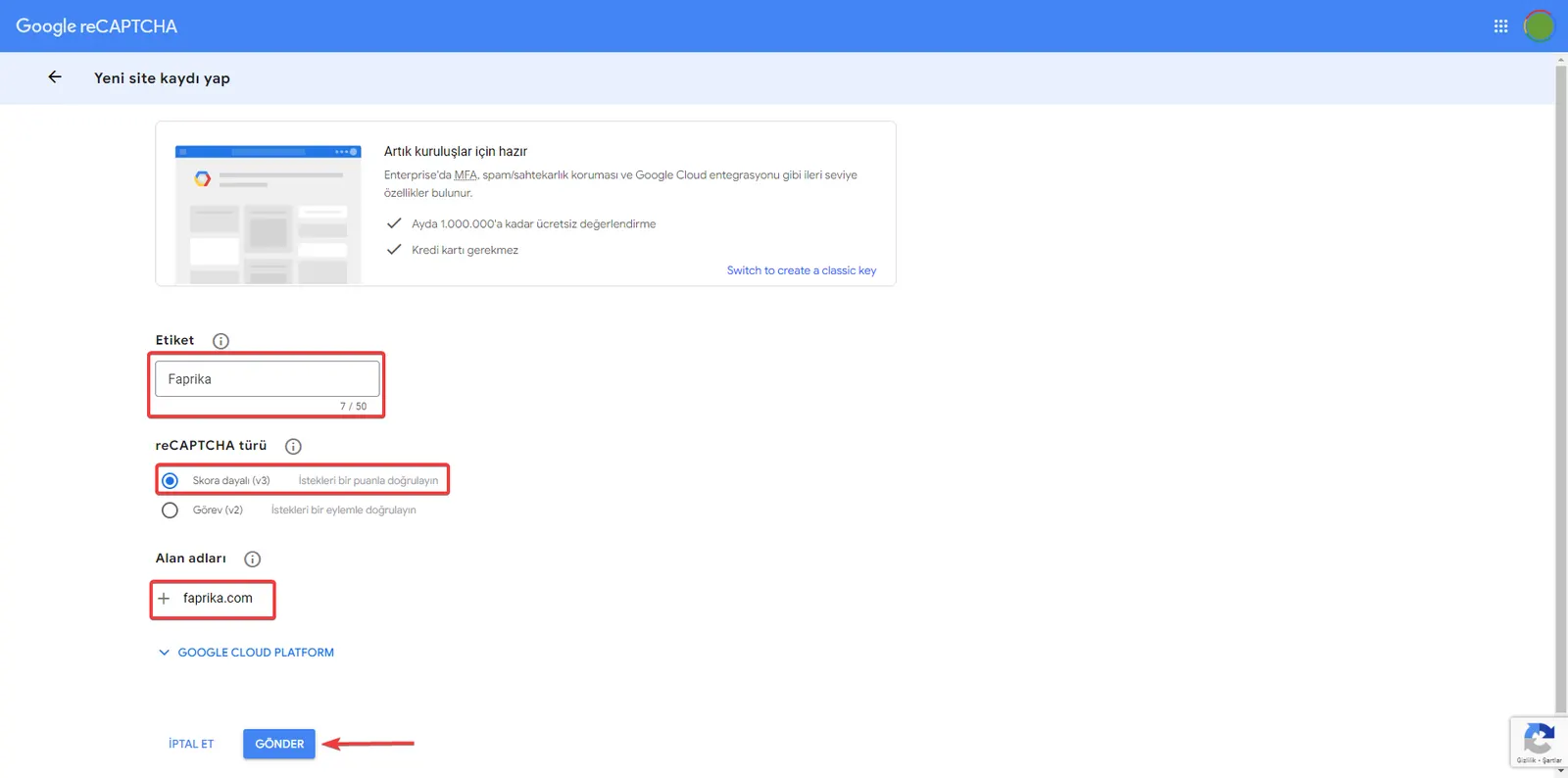
- Create a label for reCAPTCHA; you can also enter your website’s name,
- Select the reCAPTCHA type “Score based (v3)”,
- Enter the address of the web project you want to add reCAPTCHA to and complete the process with the Submit button,
- Make a note of the site key and the secret key.
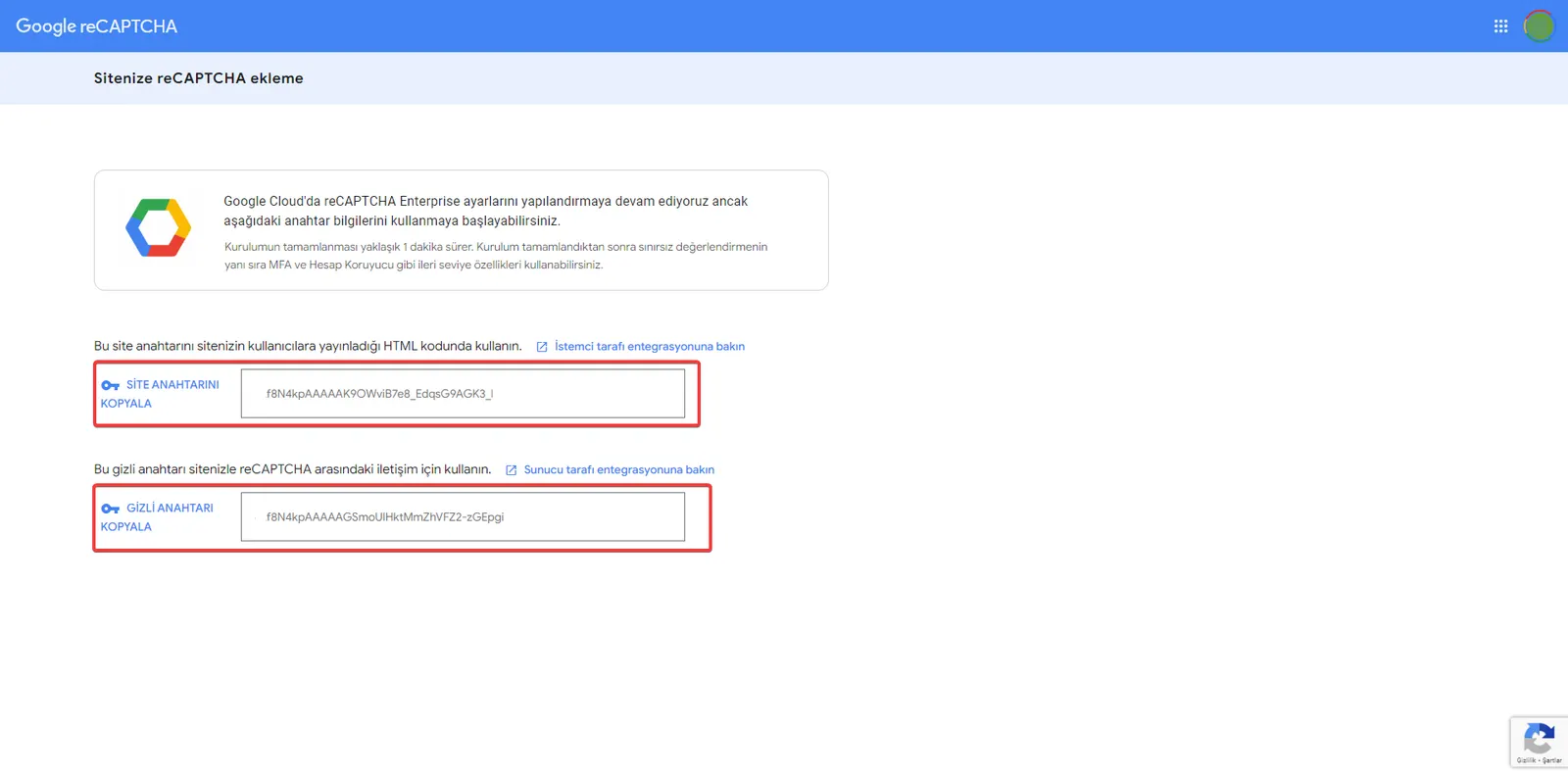
reCaptcha V3 Setup in Faprika
Paste the site key and secret key obtained in the last step of the account creation instructions into the relevant fields at the bottom of the page in the “Configuration >> Settings >> General Settings” tab of the Faprika Panel, select “Active” and save.
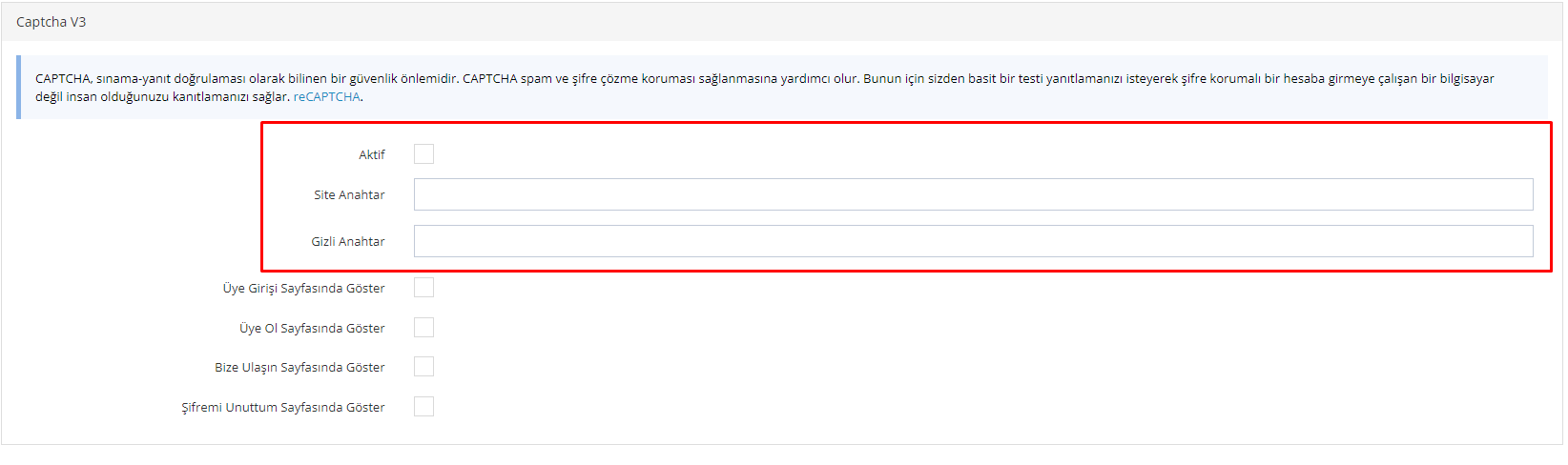
We have completed the reCaptcha V3 integration. Now we can enable protection against bot attacks by reCaptcha V3 for the pages we want by activating the “Show on Login Page”, “Show on Sign-Up Page” and “Show on Contact Us Page” options in the same panel. The reCaptcha V3 logo will then also appear at the bottom left of the relevant page.
The importance of increasing your website’s security and protecting it against malicious bot attacks is growing every day. In this article, we covered in detail what reCAPTCHA v3 is, why it should be used, and how to integrate it with e-commerce infrastructure providers such as Faprika. reCAPTCHA v3 protects your site without disrupting the user experience, allowing you to prevent the damage malicious visitors can cause.
We also explained step by step how easily reCAPTCHA v3 can be set up for Faprika users. The importance of using reCAPTCHA v3 for a secure e-commerce experience is undeniable. If you too want to protect your website from bot attacks, improve the user experience and provide a secure e-commerce environment, complete your reCAPTCHA v3 integration today. Remember, a secure website helps protect not only you and your customers, but also your brand reputation.
Frequently Asked Questions (FAQ)
1. What Is reCAPTCHA v3?
reCAPTCHA v3 is a security technology developed by Google to protect websites from automated software attacks. It can distinguish humans from bots by analyzing user behavior, thus providing security without negatively affecting the user experience.
2. How Does reCAPTCHA v3 Work?
reCAPTCHA v3 discreetly analyzes the behavior of website visitors and gives each of them a score between 0 and 1. This score is used to determine whether the visitor is a human or a bot. Site owners can take customized security measures based on these scores.
3. What Are the Advantages of reCAPTCHA v3?
reCAPTCHA v3 lets users use websites without encountering CAPTCHA tests, which greatly improves the user experience. It also provides effective protection against spam and automated attacks.
4. How Do I Integrate reCAPTCHA v3 into My Website?
To integrate reCAPTCHA v3, you first need to create an account on Google's reCAPTCHA website and obtain an API key for your site. Then, you can complete the integration by adding the reCAPTCHA v3 code provided by Google to the appropriate sections of your website.
5. What Is the Impact of Using reCAPTCHA v3 on My Website?
reCAPTCHA v3 makes your site easier to use by removing the need for users to solve annoying CAPTCHA puzzles. It also increases your website’s security by preventing spam submissions and automated attacks.
6. Does Using reCAPTCHA v3 Affect SEO?
reCAPTCHA v3 has no direct effect on SEO; however, by improving the user experience it can contribute indirectly to site performance. It increases the time users spend interacting with the site and delivers a fast site experience.