Campaign Management
How Do You Use Checkout Offers?
With the Checkout Offers feature, you can improve your customers’ shopping experience by offering them more options and increase your sales. Feel free to contact us for more information or support!
Checkout Offers
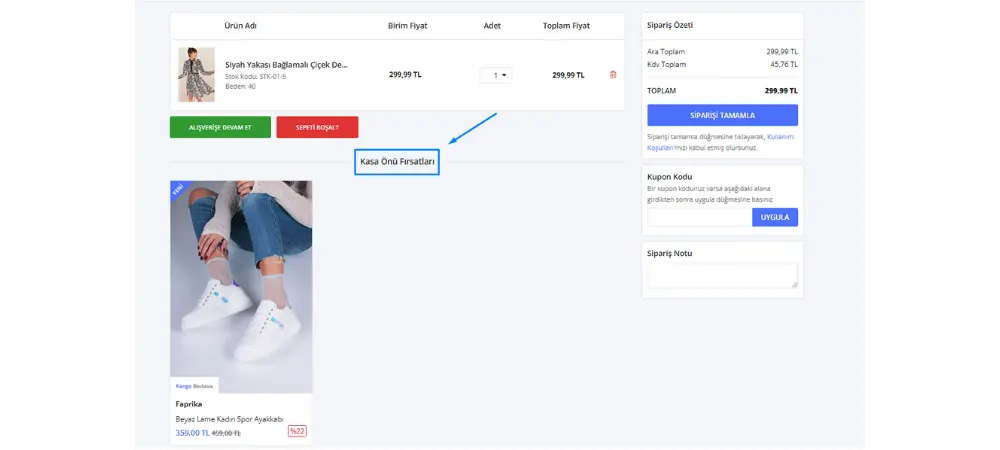
When your customers are considering buying a product, our 'Complementary Products' feature lets them find products in their cart that offer more benefits. This feature is designed to make the shopping experience more attractive and rewarding. For example, while planning to buy a dress, a customer may also want to add a matching pair of shoes. This is exactly where the 'Complementary Products' feature comes into play, offering customers other products that can be purchased together with special discounts.
Here is a brief explanation of how to do it:
With this feature, we offer the option to link the products you have added to each other. When you go from 'Catalog' to 'Product Management', on the product edit page, in the 'Complementary Products' section near 'Product Links', you can select and save the related products. This way, the complementary products that appear in their cart as 'Checkout Offers' will make your customers’ shopping experience more appealing. You can follow the steps in the image below.
Catalog>>Product Management>>Product Links>>Complementary Products
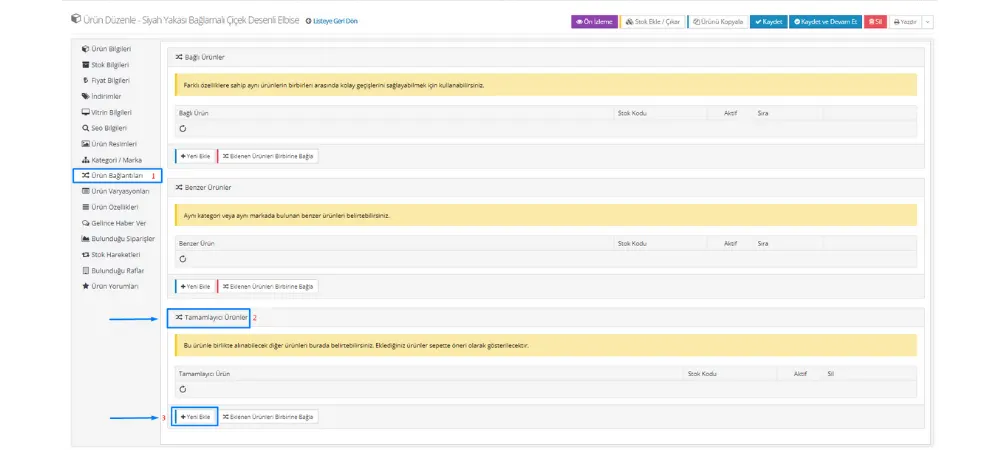
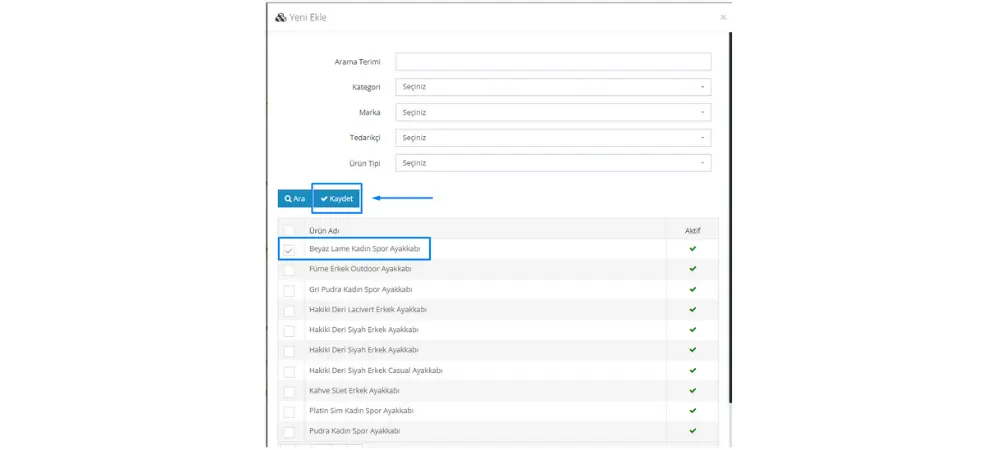
To add complementary products easily, click the 'Add New' button, select the product you want and save. The products you select appear in your customers’ carts as a 'Checkout Offer', providing extra benefits while they shop. While your customers get the chance to buy their chosen products together at better prices, you get the chance to increase sales and customer satisfaction.
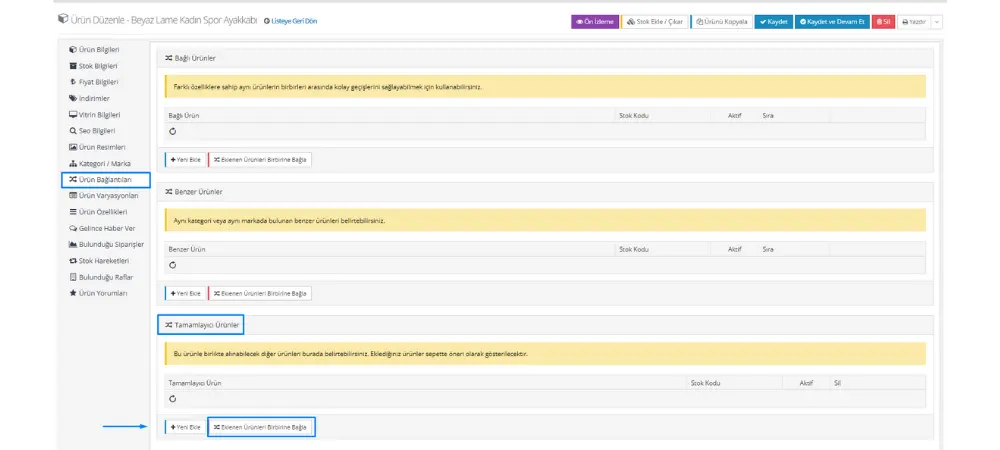
With the Option to Link Complementary Products Together, you can easily link the complementary products you have added to each other. Thanks to this feature, your complementary products come together in the cart, and when the customer goes to the cart, they see these products in the 'Checkout Offers' section.
When you add complementary products to the product your customer has added to the cart, they are offered as checkout offers. This way, your customers can easily buy from your complementary products in addition to the product they added to the cart.
If you haven’t used this feature before or are curious about how to use it, our expert team is always happy to help. If you are thinking about growing your business and improving the customer experience, you can take one more step toward that goal by using the 'Complementary Products' feature.
Remember that as Faprika, our goal is to help you grow your business on online platforms and to offer the best e-commerce solutions. By using the 'Complementary Products' feature to offer your customers a more attractive and rewarding shopping experience, you can take your business even further. Contact us and let your business shine even brighter in the online world! For more information, please click here.