Content Management
Script Management
What Is Script Management? It allows us to add dynamic and interactive areas to the pages of our website. For example, if we want to add an “Order via WhatsApp” button or a “Live Chat (help)” window to our home page when visitors enter our website, the area where we do this is “Script Management”. Of course, to do this kind of work we need sufficient coding knowledge.
What Is Script Management?
It allows us to add dynamic and interactive areas to the pages of our website.
For example, if we want to add an “Order via WhatsApp” button or a “Live Chat (help)” window to our home page when visitors enter our website, the area where we do this is “Script Management”. Of course, to do this kind of work we need sufficient coding knowledge.
Warning: If you do not have sufficient coding knowledge, the changes you make in this area will cause design problems.
How to Use Script Management
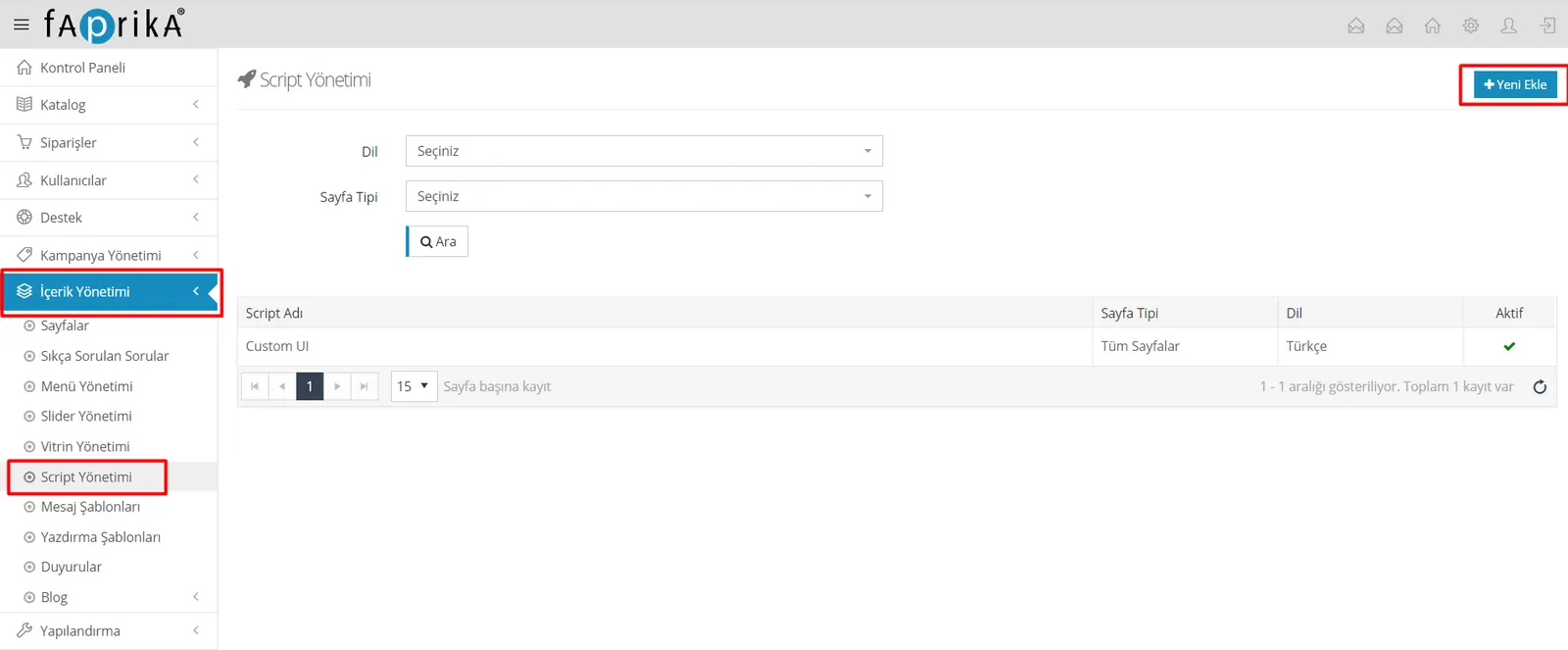
You can access this area by following the steps “Content Management >> Script Management”, then create a script area by clicking Add New.
Script Code: We can integrate our HTML, CSS and jQuery code in this area. Let's not forget to open the ‘<style></style>’ tags for CSS and the ‘<script></script>’ tags for jQuery. HTML code can be placed without wrapping it in any tag.
Language: If we want our script code to apply to only one language or to all languages, we can choose from this field.
Page Position: You can choose from this field which part of your page your code will be placed in. If Header is selected, the code is placed inside the ‘<head>’ tag; if Footer is selected, the code is placed inside the ‘<body>’ tag, at the very end.
Script Name: The name entered so that you can tell your scripts apart. Please enter a unique name that is not repeated.
Parameters Active: If the code you use contains parameters, you can click the “Parameters Active” button at the top and set the parameters you want.
Warning: A parameter can only be used on the page types where it applies. If you are using the product parameter, your page type must be set to product.
Restricted User Group: You can restrict your script code by user group. In the example below, the script code will not be added for non-member users.
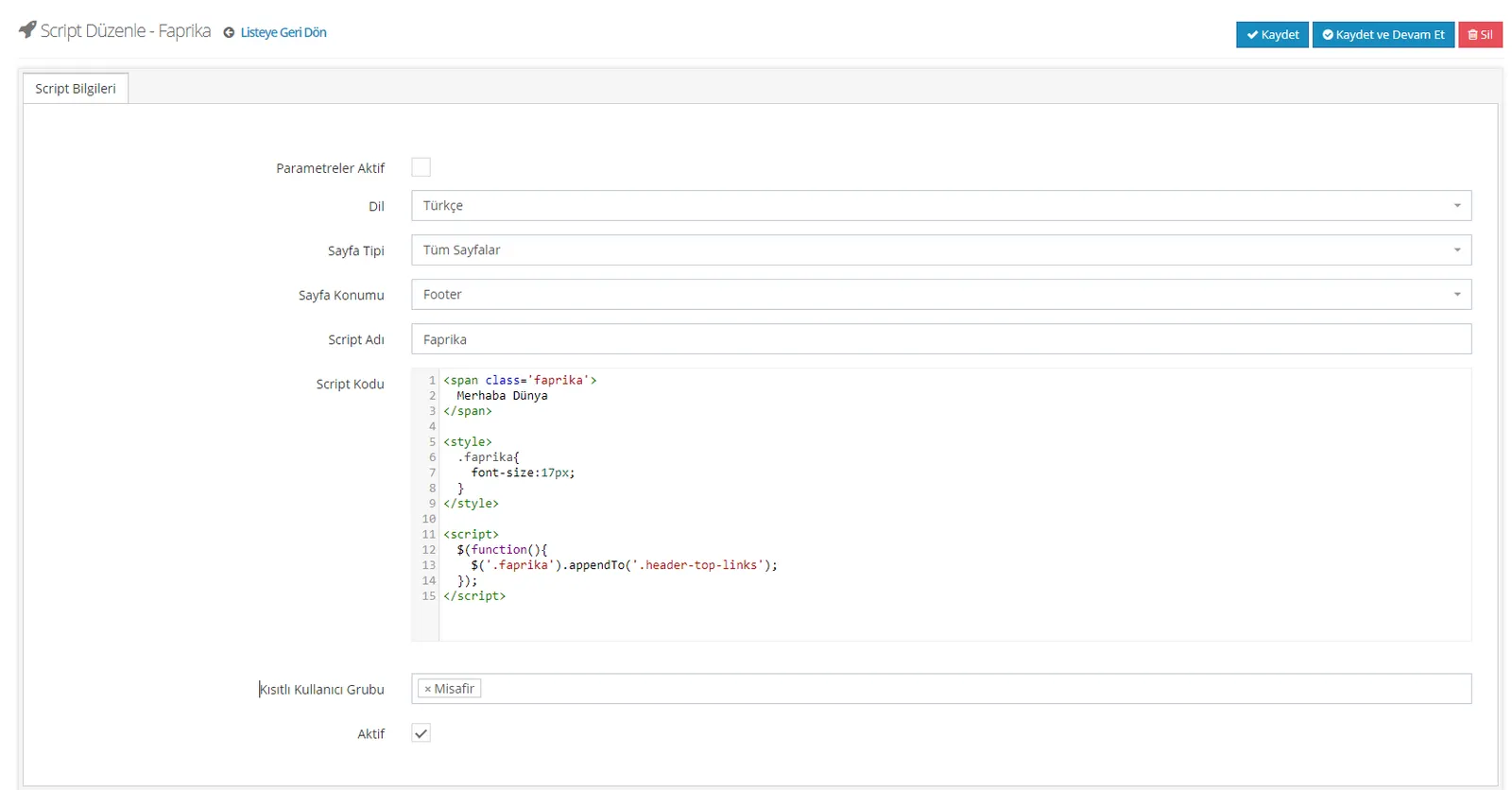
Taking the image above as an example, you can try simple experiments of your own, and if something breaks you can deactivate the script or delete the script entry.