Configuration
Logo Management
What Is a Logo and Where Is It Located? The iconic drawings or symbolic shapes that represent your company are called a logo. It makes your company more memorable. In the “Faprika Theme”, it is located at the top left of the page on the Home Page, in Categories and on the Product Detail Page.
What Is a Logo and Where Is It Located?
The iconic drawings or symbolic shapes that represent your company are called a logo. It makes your company more memorable. In the “Faprika Theme”, it is located at the top left of the page on the Home Page, in Categories and on the Product Detail Page.

How Do I Upload a Logo?
In the Faprika Panel, follow the steps “Configuration >> Settings >> General Settings” and, on the screen that appears, select the relevant image from the “Upload” field next to the Logo label to upload it.
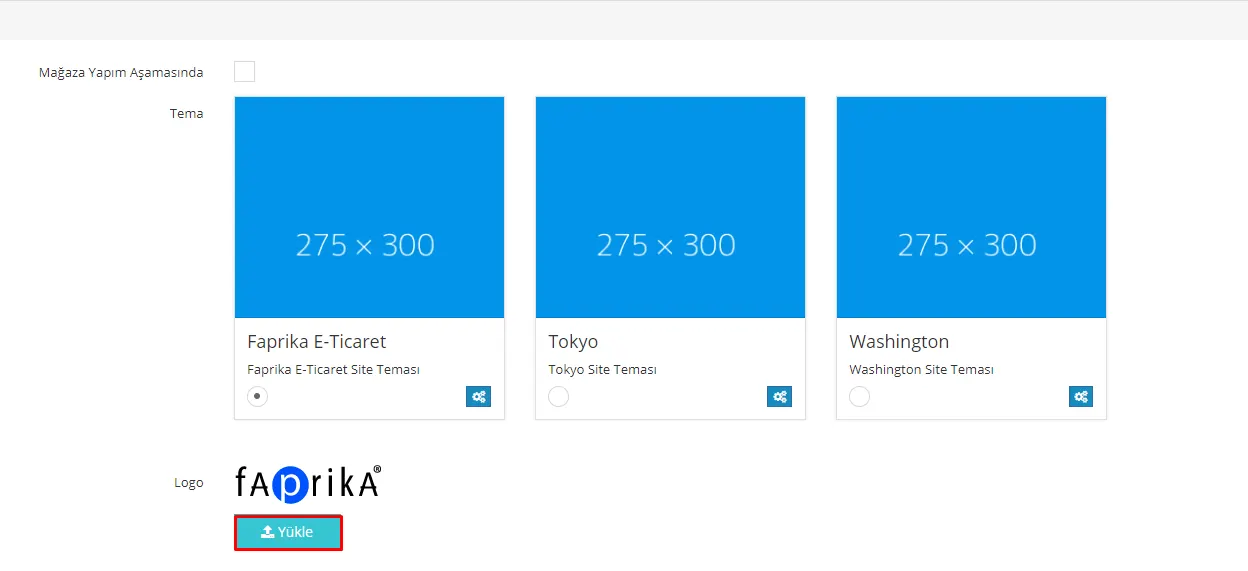
Info: The recommended image size is 135×35 and multiples of it. If you upload a multiple, you can adjust the size from the “Logo maximum width” and “Logo maximum height” fields while preserving the proportions.

Warning: If you want to change your current logo and it does not change, please do not keep repeating the upload. To avoid reloading the logo on every page load, we store logos in a cookie. Therefore, if you clear cookies and cache, you will see your logo change after the first load. For information on clearing cookies, you can get help from our article How Do I Clear the Browser Cache and Cookies?.