Order Management
Reports
Track your e-commerce business's performance daily, weekly and monthly with Faprika Reports. Analyze every detail from customer behavior to product sales and grow your business by making data-driven decisions.
In This Tutorial
- Commercial Order Reports Are an Important Part of E-Commerce
- Daily Sales Report: Keep Track of Your Business
- Weekly Sales Report: Track Your Business Weekly
- Monthly Sales Report: Evaluate Your Business Monthly
- Order Status Report: Keep Your Orders Under Control
- Payment Type Report: Review Your Orders by Payment Method
- City-Based Report: Analyze Your Orders by City
- Country-Based Report: Review Your Orders by Country
- Model Sales Report: Review Products by Model Code
- Product Sales Report: Review the Products Sold
- Category Sales Report: Review Sales by Category
- Brand Sales Report: Brand-Based Product Analysis
- Supplier Sales Report: Supplier Product Analysis
- User Sales Report: Review Your Customer Base
- Discover the Power of Data with Faprika
Commercial Order Reports Are an Important Part of E-Commerce
E-commerce has become an indispensable part of today's business world. This digital trade between businesses and consumers keeps growing as thousands of orders are fulfilled every day. However, this growth and success require decisions based on accurate information. This is where commercial order reports come in.
Faprika E-Commerce Infrastructure Services let you easily obtain your commercial order reports and steer your business processes better. We offer a wide range, from daily, weekly and monthly sales reports to payment types and city- and country-based reports. These reports provide the information you need to manage your business more effectively and in a data-driven way.
In this training, you will learn the critical importance of commercial order reports in the e-commerce world and how to use this valuable tool Faprika offers you. Now, let's look at what difference these reports can make for you.
Daily Sales Report: Keep Track of Your Business
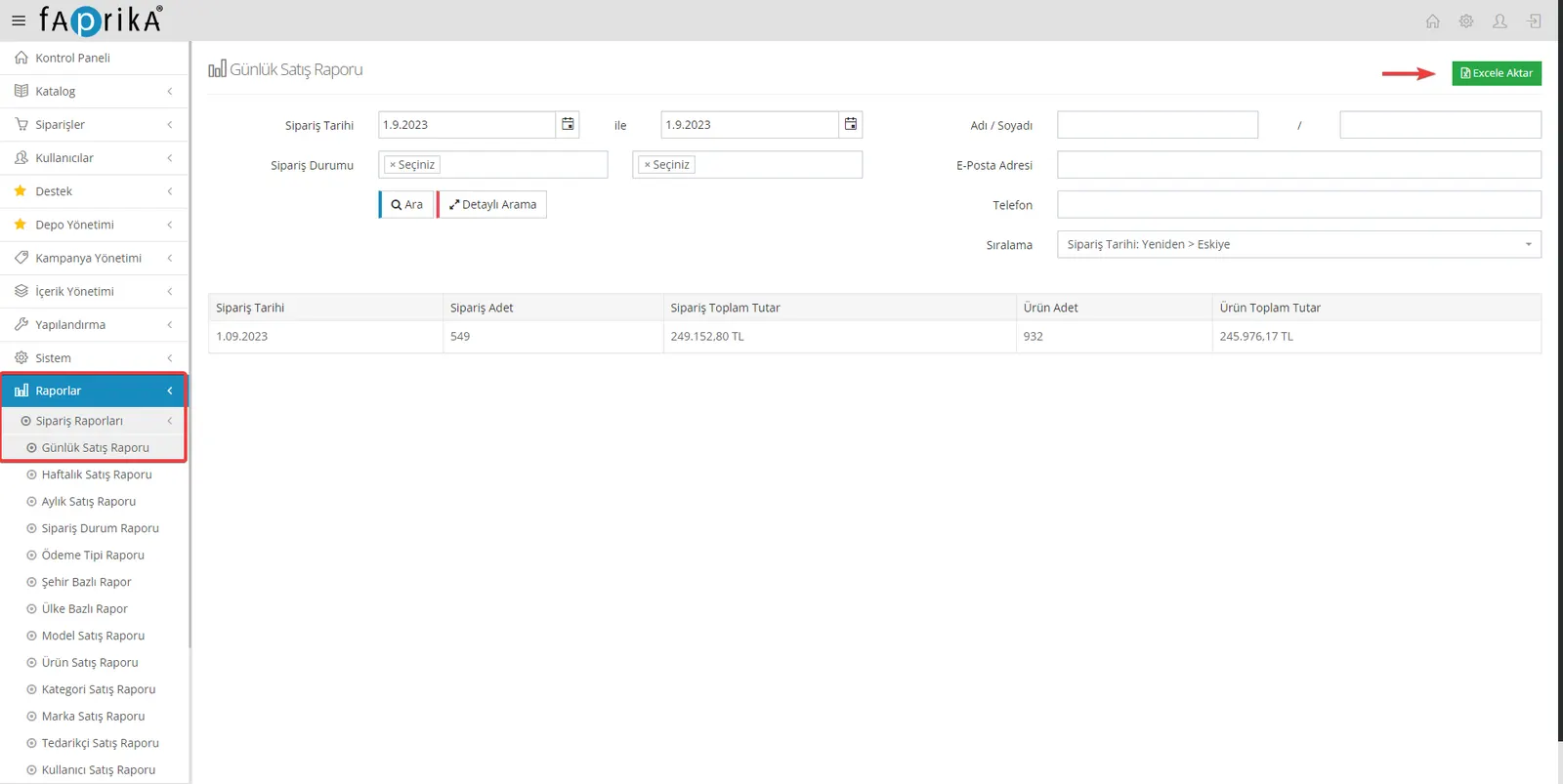
Daily sales reports are critical for tracking your business's daily performance. With Faprika, these reports give you quick access to basic information such as order dates, quantities and total amounts. You can also export this data to Excel for deeper analysis. Start growing by using daily sales reports to better understand and manage your business.
Weekly Sales Report: Track Your Business Weekly
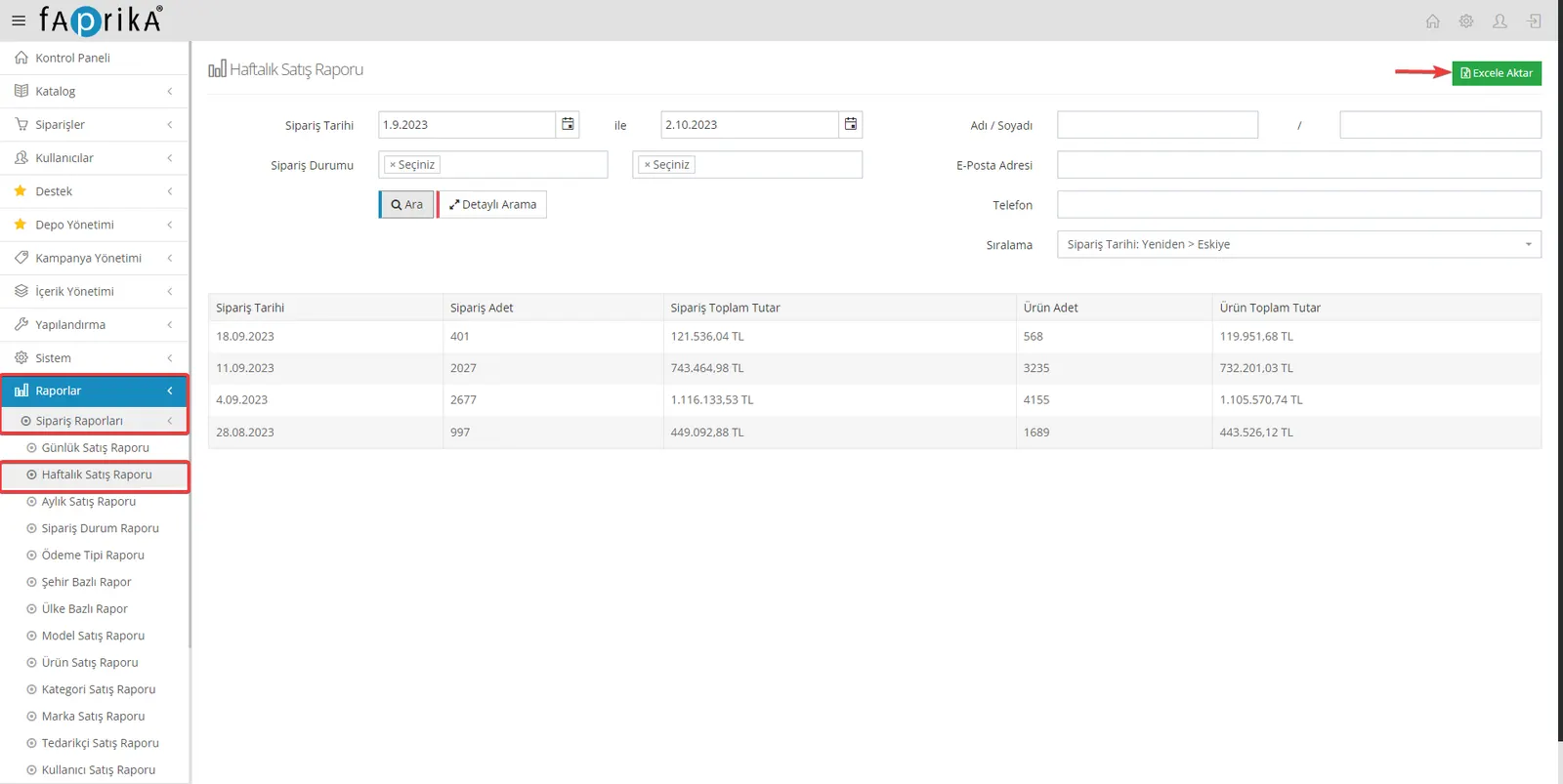
Weekly sales reports are extremely useful for monitoring your business's weekly performance. With Faprika, you can easily access important data such as order dates, order counts, order totals, product counts and product totals. You can also export this data to Excel for more comprehensive analysis. Start using weekly sales reports to follow and improve your business more closely.
Monthly Sales Report: Evaluate Your Business Monthly
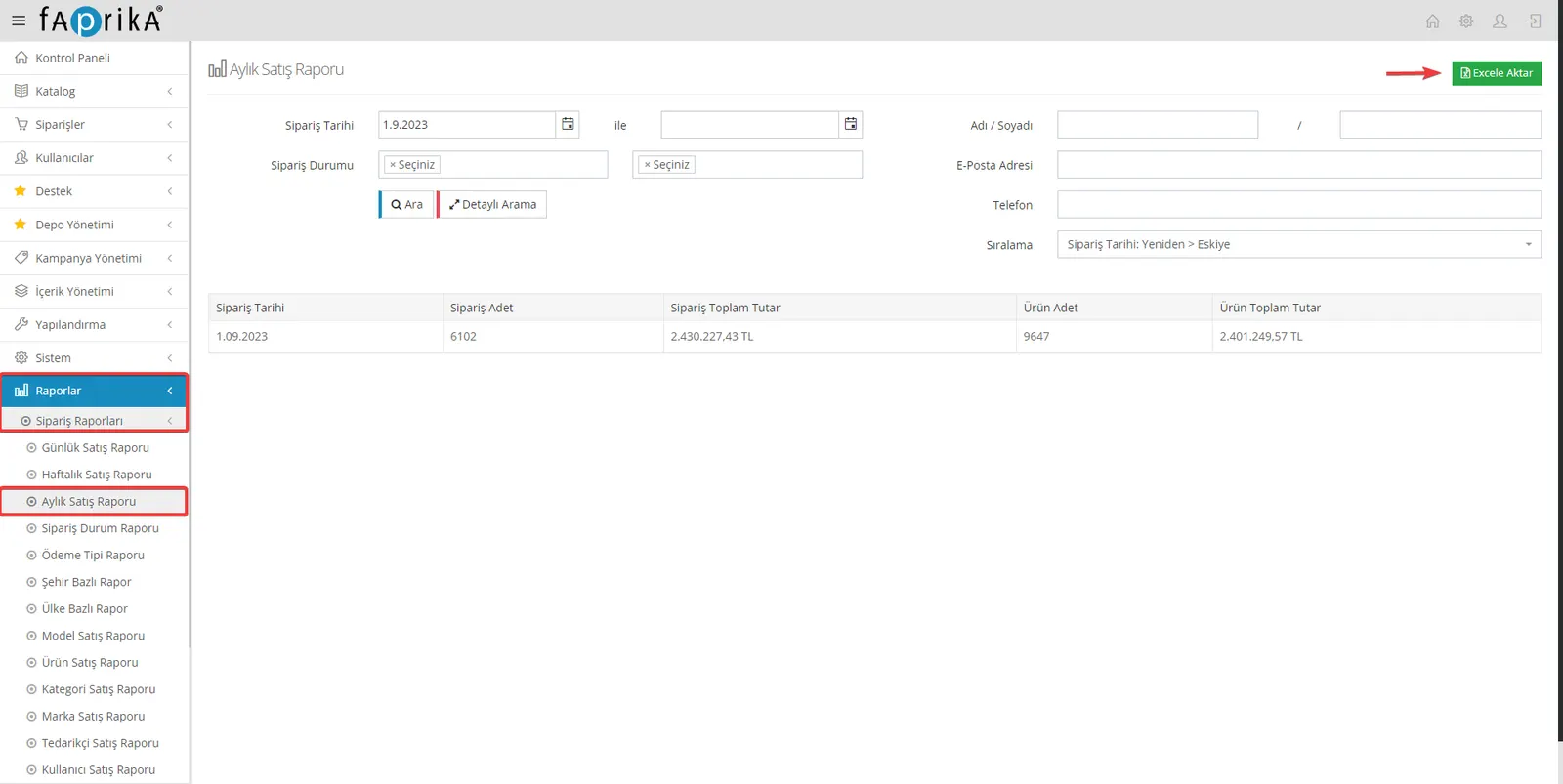
Monthly sales reports are a critical tool for tracking your business's monthly performance. With Faprika, you can easily reach important data such as order dates, order counts, order totals, product counts and product totals through these reports. By exporting this data to Excel, you can run more detailed analyses and contribute to your business's growth.
Order Status Report: Keep Your Orders Under Control
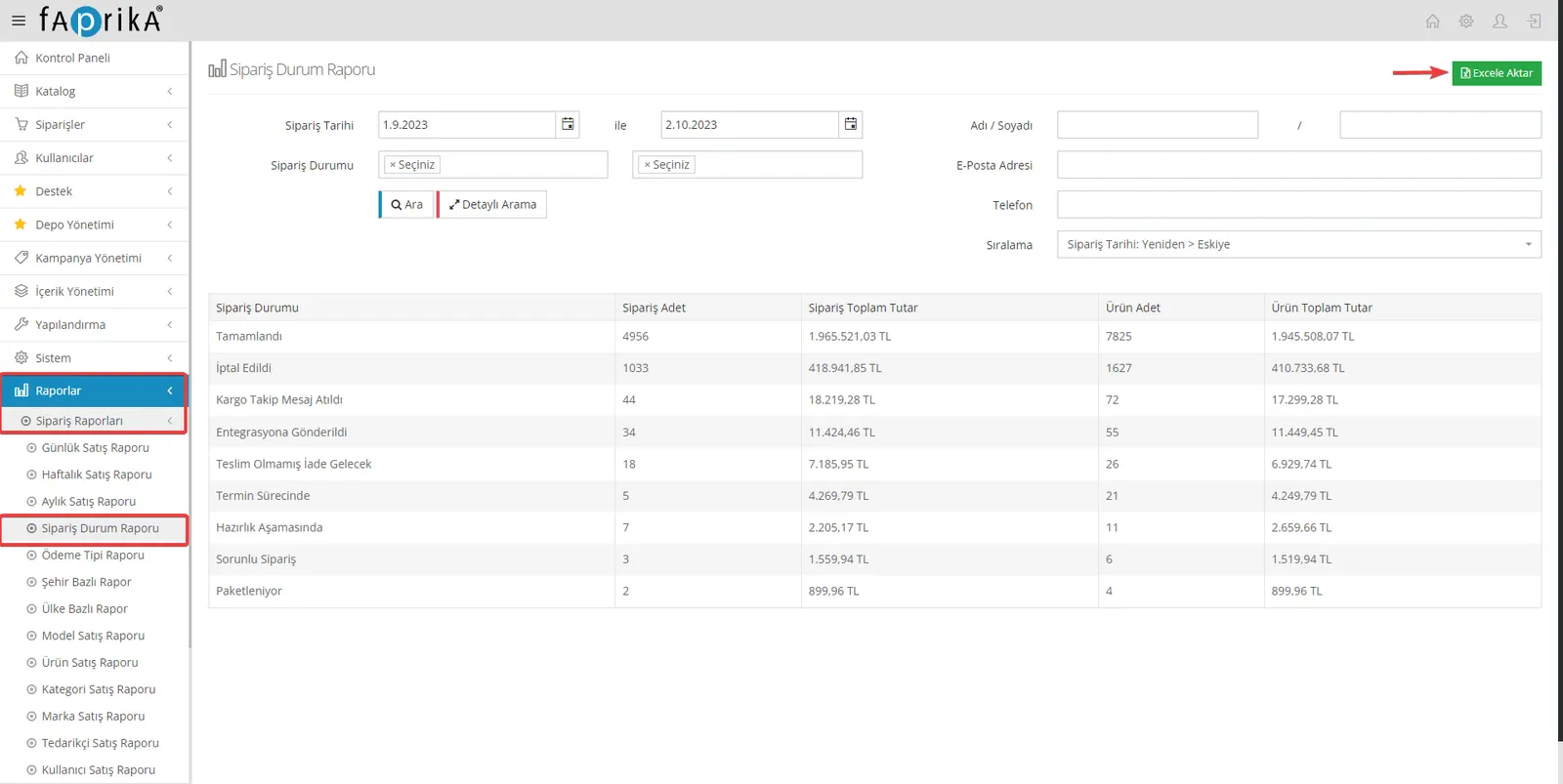
You may need order status reports to manage your orders effectively. With Faprika, these reports let you filter your orders by status. For example, when you want to see only your orders with the "Completed" status, you can use the filter options at the top. This way you can organize your work better and make it easier to track customer orders.
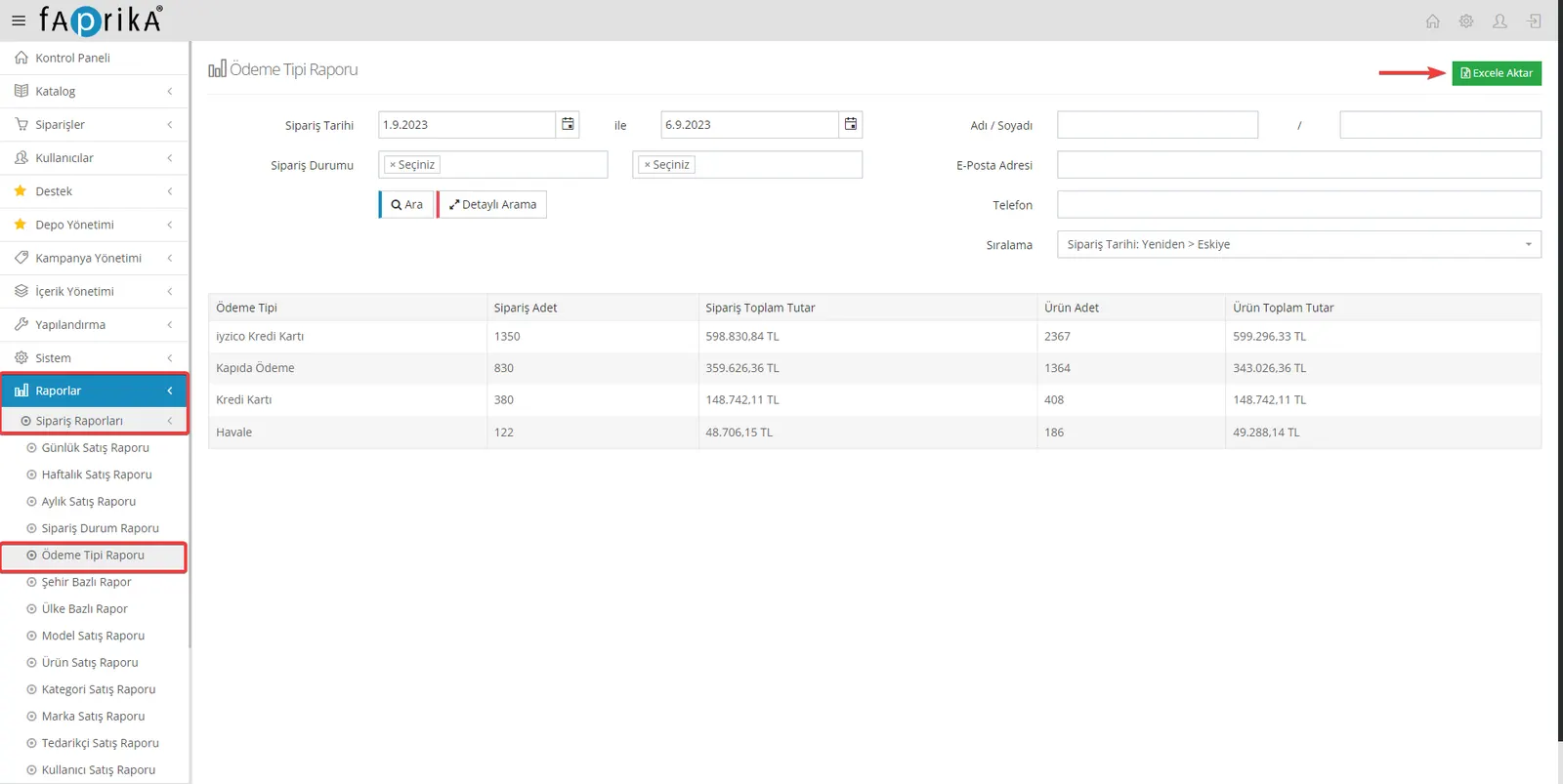
Payment Type Report: Review Your Orders by Payment Method
Analyzing your orders by payment type can help you better understand your financial transactions. With Faprika's payment type report feature, you can filter your orders by payment method. For example, if you want the report for orders paid by "Credit Card" only, you can do it quickly by selecting "Credit Card" in the filter area.
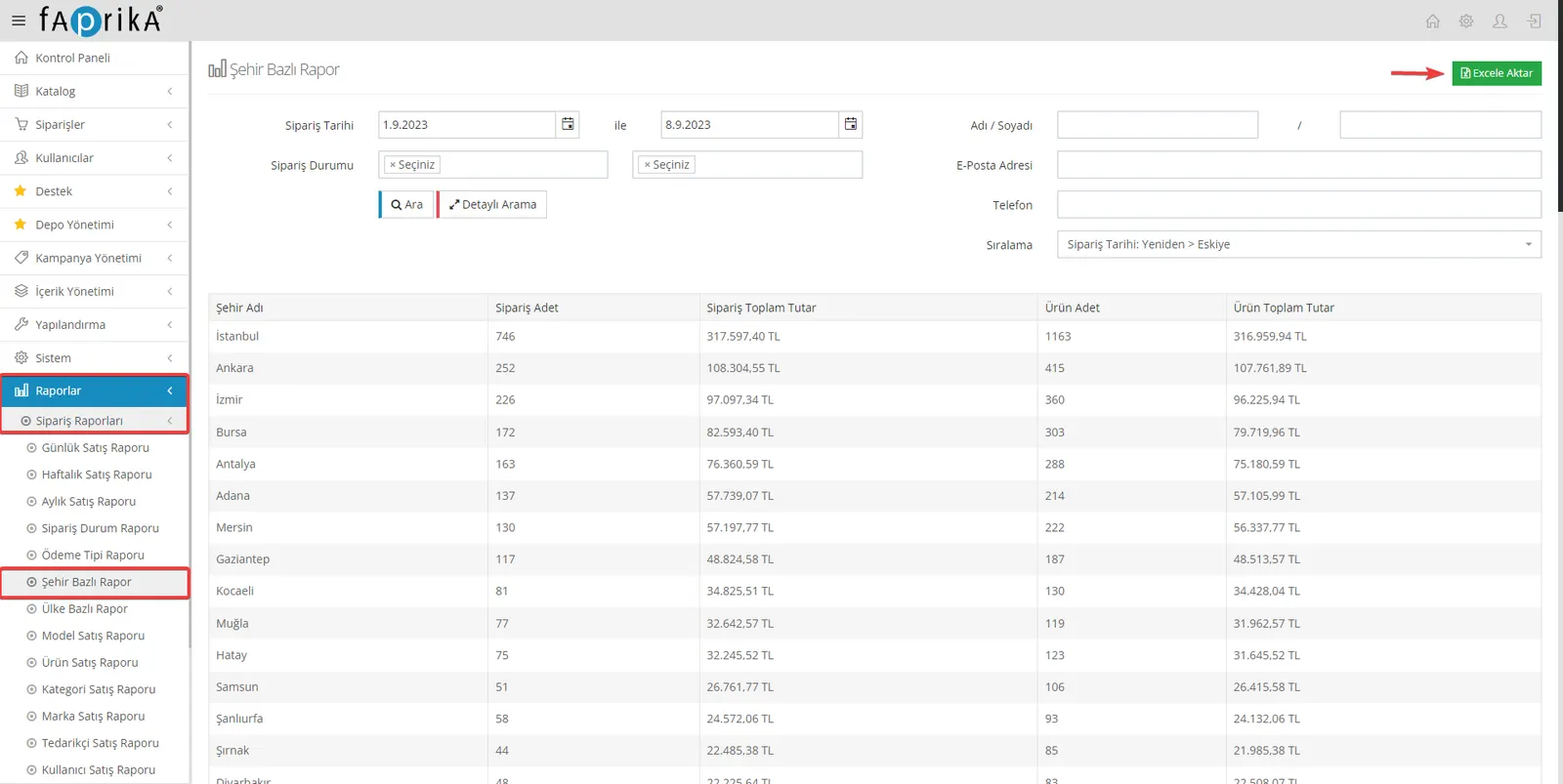
City-Based Report: Analyze Your Orders by City
Reviewing your orders by the cities they come from can help you better understand your target market. With Faprika's city-based report feature, you can easily filter your orders by city and export this information to Excel. Use this report to discover which cities' customers place more orders or which regions offer growth opportunities for potential customers.
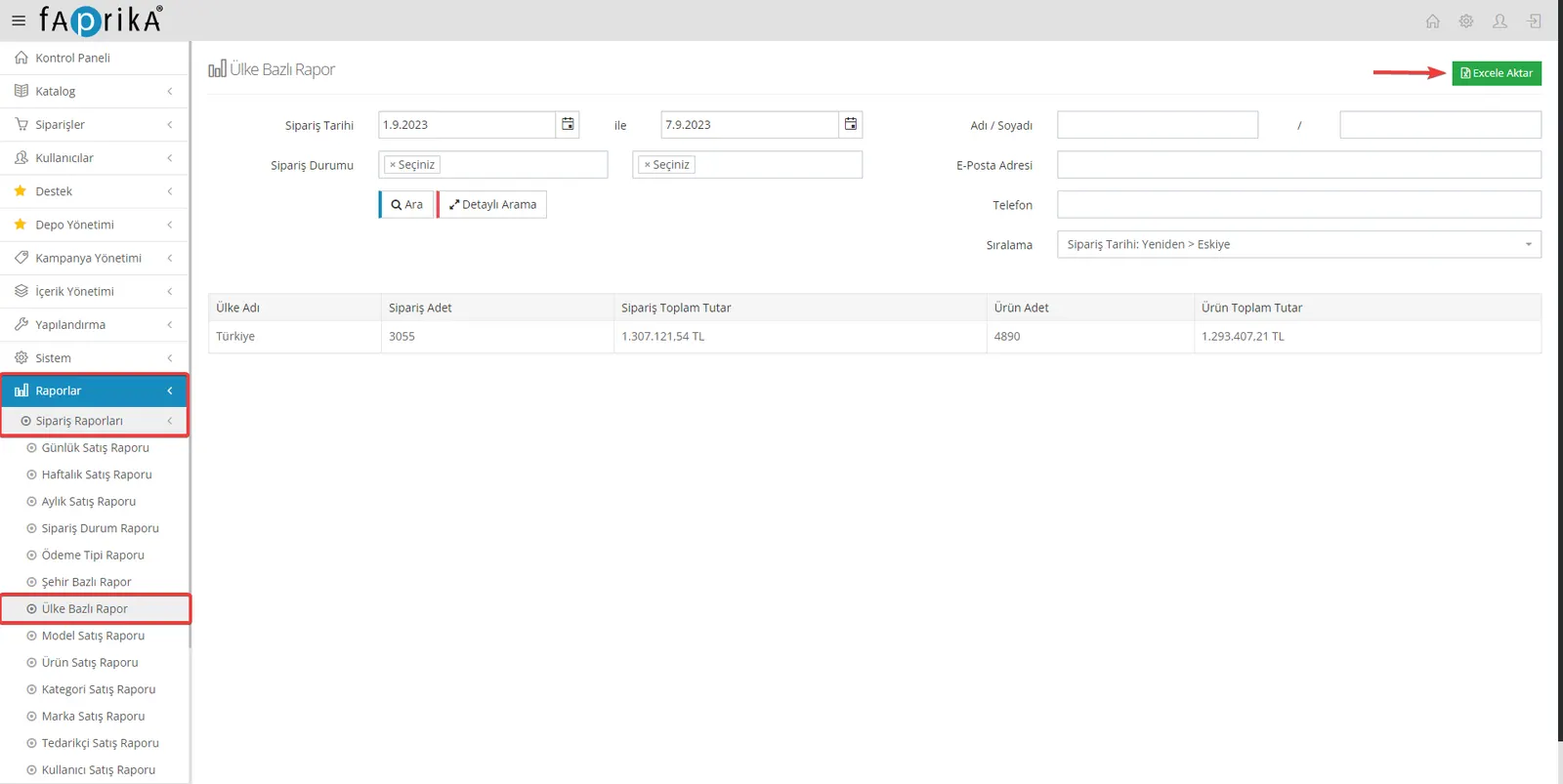
Country-Based Report: Review Your Orders by Country
Analyzing your orders by the countries they come from can help you improve your international sales strategy. With Faprika's country-based report feature, you can easily filter orders by country and export this information to Excel. Use this report to see which countries place the most orders or where there is potential to expand into new markets.
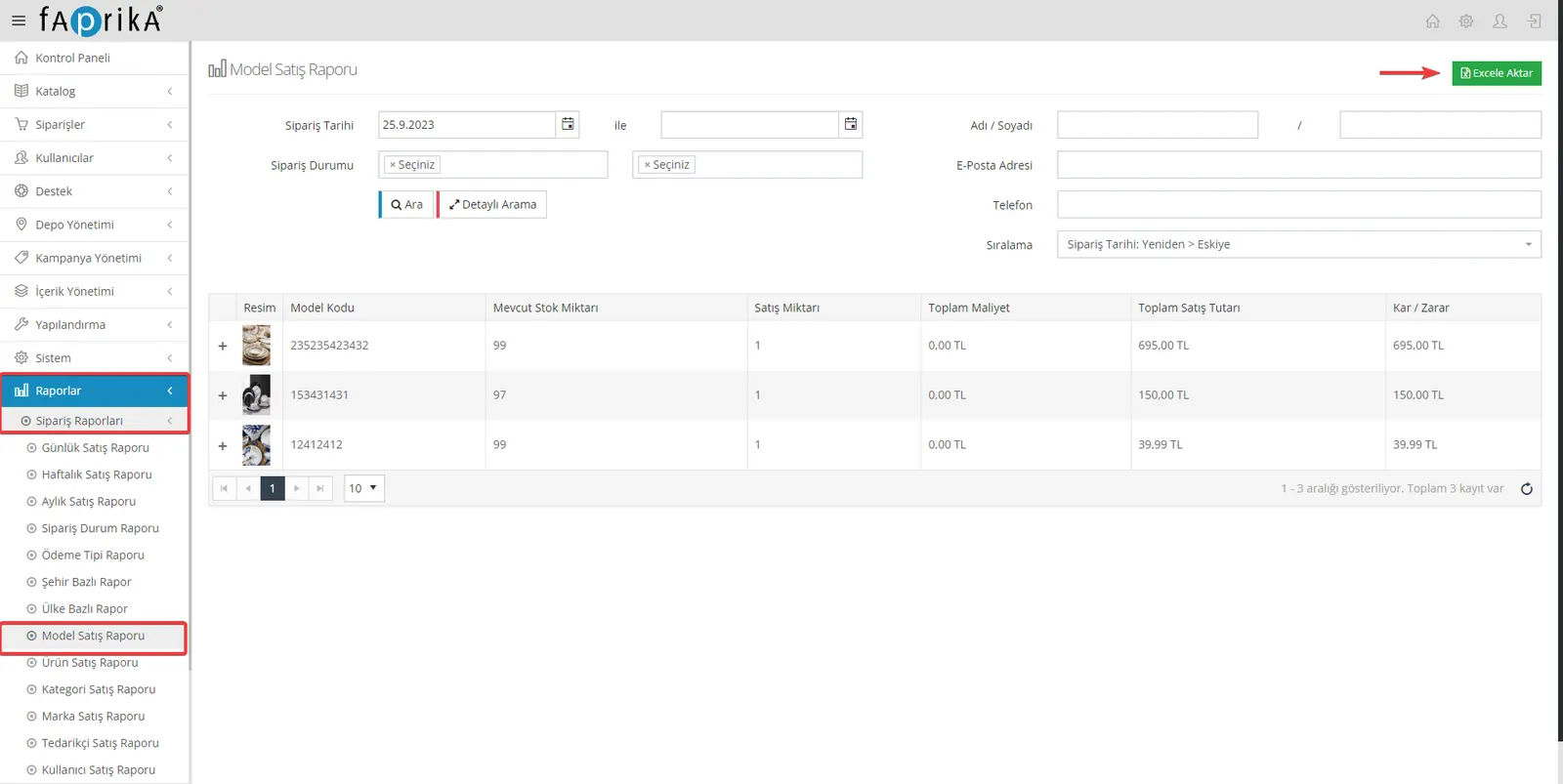
Model Sales Report: Review Products by Model Code
Having different model codes for your products lets you analyze your sales performance in more detail. With Faprika's model-based report feature, you can filter your products by these codes and export this information to Excel. Seeing each model's stock status, sales quantity, total cost and profit/loss information can make your inventory management easier.
Product Sales Report: Review the Products Sold
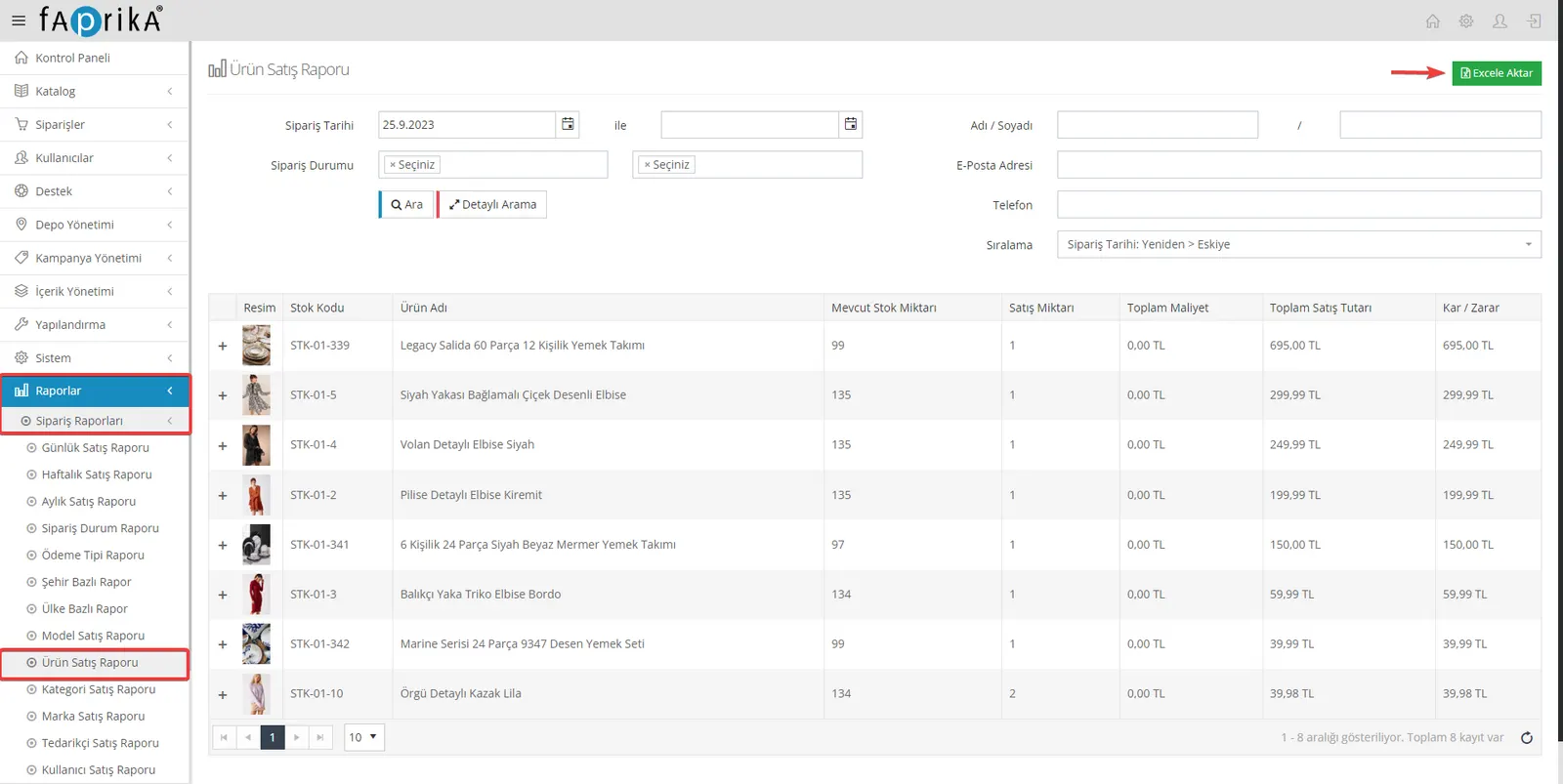
Seeing what kinds of products you sell and how much can help you evaluate your business's success. With Faprika's product-based report feature, you can filter a product of your choice or all your products and export this information to Excel. This helps you better understand which products need more promotion or how to manage your stock.
Category Sales Report: Review Sales by Category
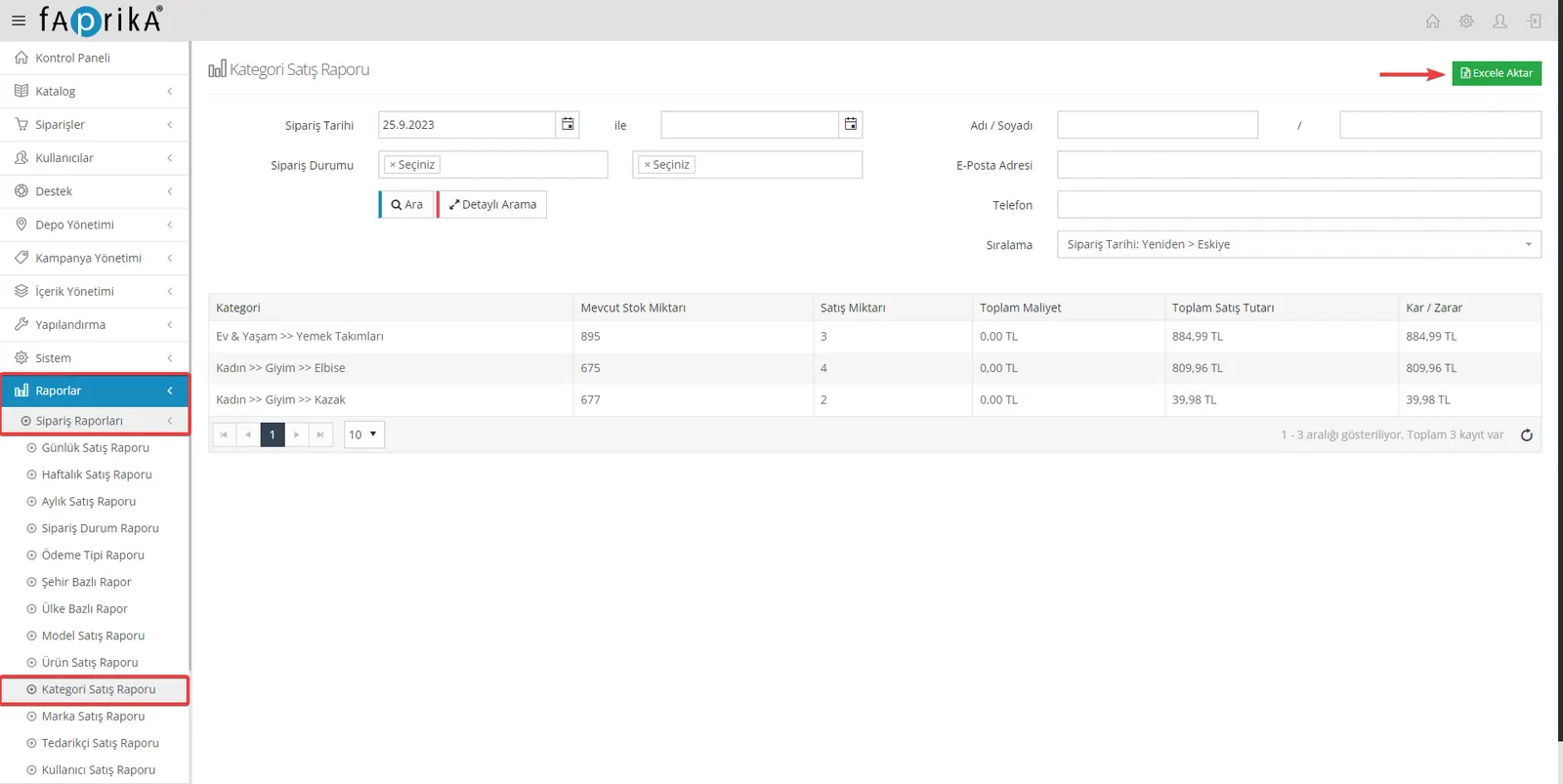
Understanding how you sell your products by category can help you steer your business's marketing strategies better. With Faprika's category-based reporting feature, you can filter your product categories and easily reach order reports. You can also export this information to Excel for more detailed analysis. Use this report to determine which categories bring in more sales and which potentially need more promotion.
Brand Sales Report: Brand-Based Product Analysis
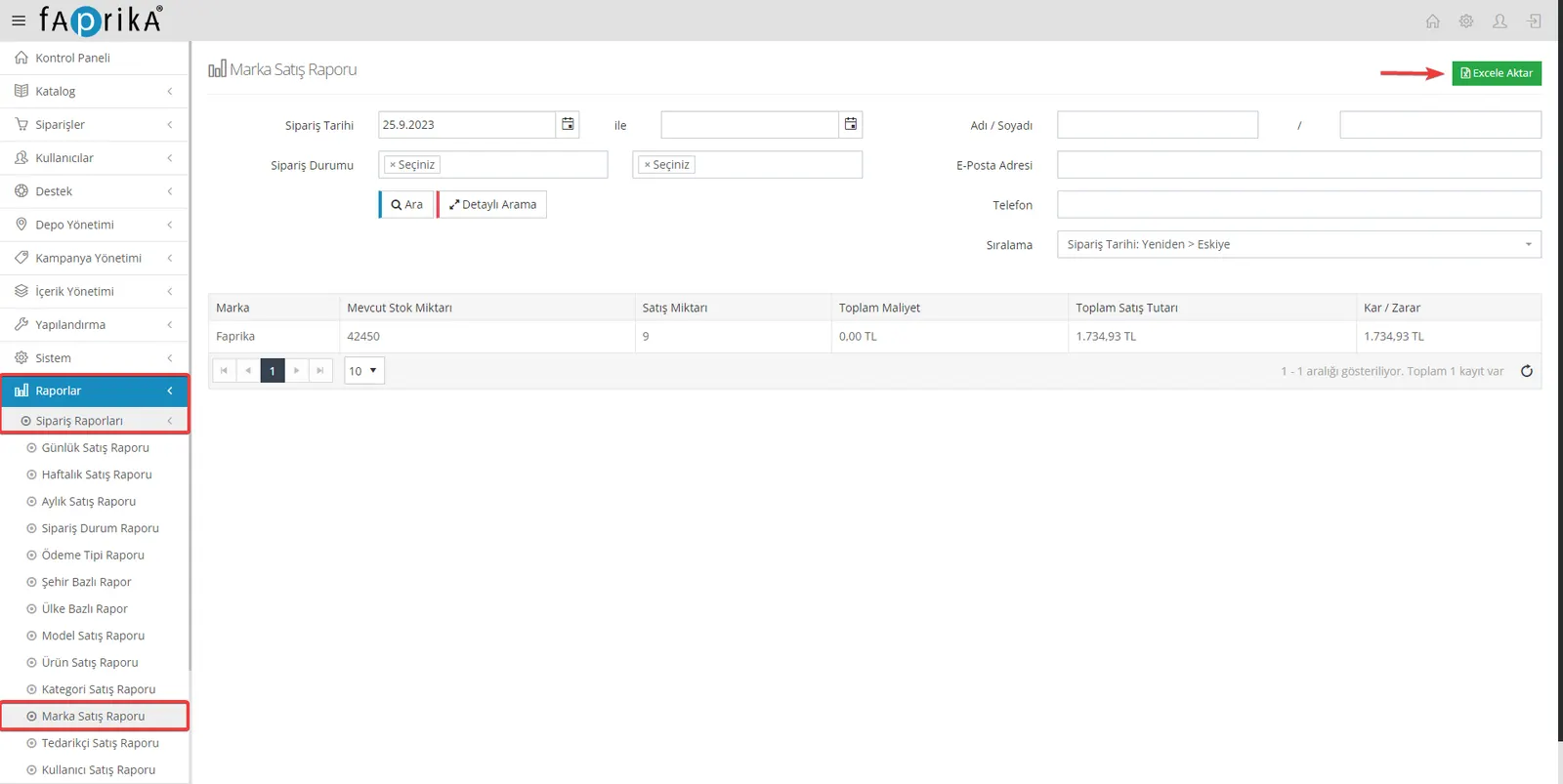
Monitoring the sales performance of brand products on your website can help you understand which brands are more popular and which struggle to get attention. With Faprika's Brand Sales Report feature, you can filter brands and easily reach the sales reports of the related products. You can also export this data to Excel for deeper analysis. Use this report to determine which brands bring in more profit and which can contribute more to growth.
Supplier Sales Report: Supplier Product Analysis
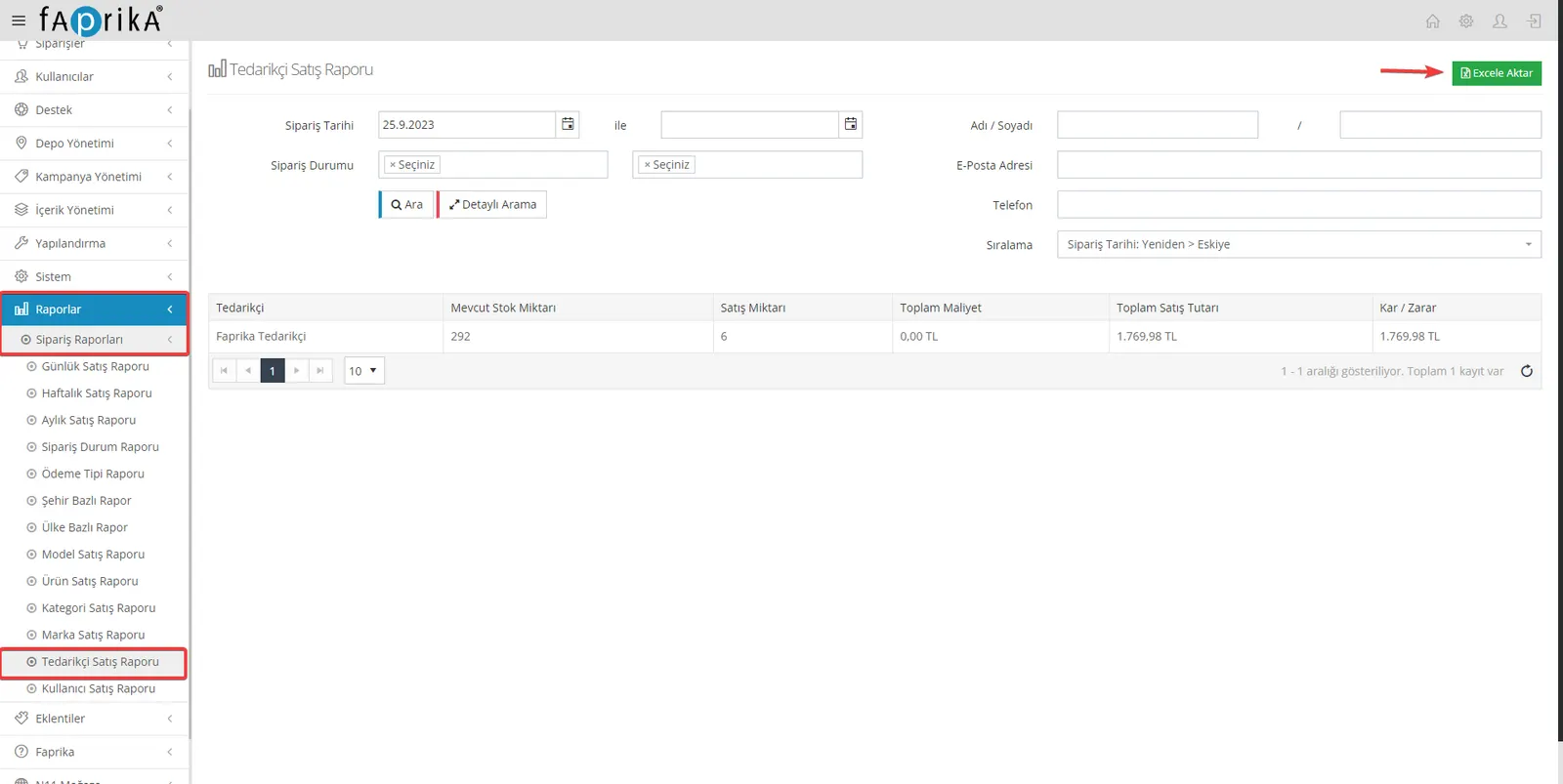
Tracking the order reports of products from suppliers listed on your website is critical for managing your relationships with suppliers. With Faprika's Supplier Sales Report feature, you can monitor the sales performance of supplier products and access this information easily. When you add supplier information to your products, the reports of products that have sales are displayed in this area. This report helps you understand which suppliers add the most value to your business.
User Sales Report: Review Your Customer Base
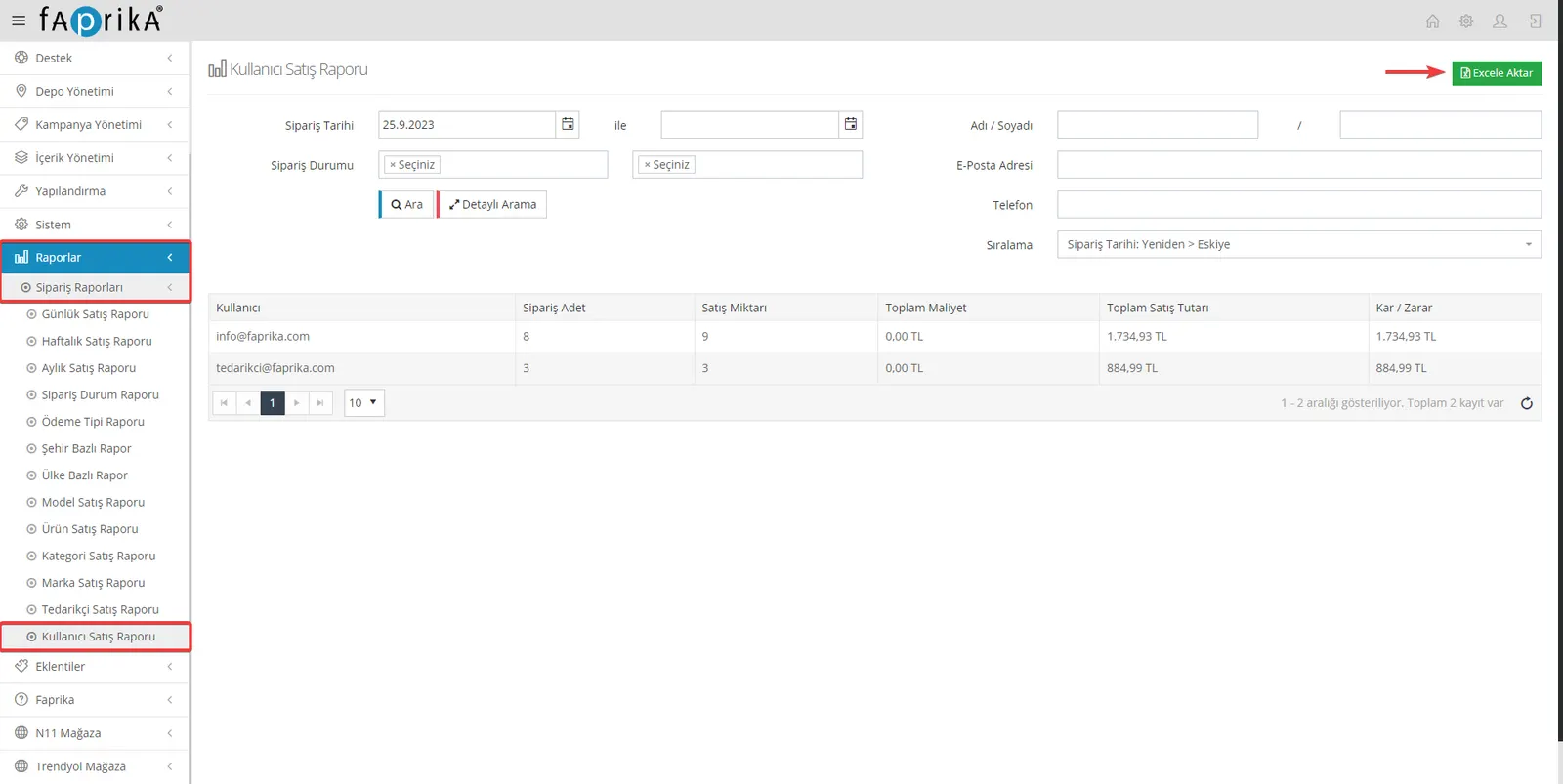
Understanding and managing your customer base is fundamental to the growth of your business. Faprika's User Sales Report feature lets you examine the shopping habits and performance of the users who buy from your website. This report includes key metrics such as Order Count, Sales Quantity, Total Cost, Total Sales Amount, and Profit / Loss, and helps you export this data to Excel. By analyzing customer behavior, you can increase customer satisfaction and improve your sales strategies.
Discover the Power of Data with Faprika
Faprika's Reports feature offers the power of data-driven decision-making for e-commerce businesses. With daily, weekly, monthly reports and more, you can examine and improve your business's performance. You can analyze many details, from customer behavior to order data, from product sales to payment methods. This way, you can take strategic steps to grow your business and stay ahead of the competition. For more information and all of Faprika's features, visit our contact page and take your business to the next level.