Users
Sales Partnership
Grow your business quickly with Faprika's affiliate feature. Earn commissions for your customers by promoting your products through influencers such as YouTubers and Instagrammers. With the custom pricing option, you can also earn commissions on the prices set by your customers. Manage everything easily from the control panel. Get started and start earning!
Affiliate marketing is an important method for growing your business and expanding your customer base in the world of e-commerce. With it, you can introduce your brand and products to a wider audience and enter new markets quickly. Affiliate marketing motivates customers you want to grant a dealership to, or influencers (YouTubers, Instagrammers, etc.), by paying them commission-based fees. This training material explains in detail how you can use the affiliate services offered by Faprika effectively.
Affiliate marketing is an ideal solution if you want to add a dealership to your business model. With this model, customers or your influencers can sell products on behalf of your website. They can earn income from each sale through pre-determined commission rates.
Affiliate marketing and dropshipping are two different business models that are often combined in e-commerce. Both offer low startup costs and operational convenience. Here is some information on how you can work effectively by combining these two models:
Benefits of Dropshipping and Affiliate Marketing
- Product Selection: In the dropshipping model, you ship products directly from the supplier to the customer. The people you select as affiliates advertise these products.
- Commission Rates: The commission rates you set are very important for motivating your affiliates. Higher commission rates help you attract more affiliates.
- Marketing Channels: Social media influencers such as Instagrammers and YouTubers are ideal for introducing your products to large audiences. You can provide them with special promotional links.
- Tracking and Analysis: To track the traffic and sales sent by an affiliate, it is important to have an effective analysis and tracking system. This way, you can see which affiliate is more effective.
- Automation: To simplify the sales process, you can automate many processes such as payment and invoicing.
- Integration: Using a platform that brings together all the tools needed for affiliate and dropshipping management (such as Faprika) makes your work much easier.
These strategies let you effectively combine affiliate marketing and dropshipping as an e-commerce business model. The dealer model can also usually be integrated easily into this kind of structure. Whether you work with dealers or individual affiliates, what matters is building an effective marketing and operations strategy.
Welcome to the training, let's get started!
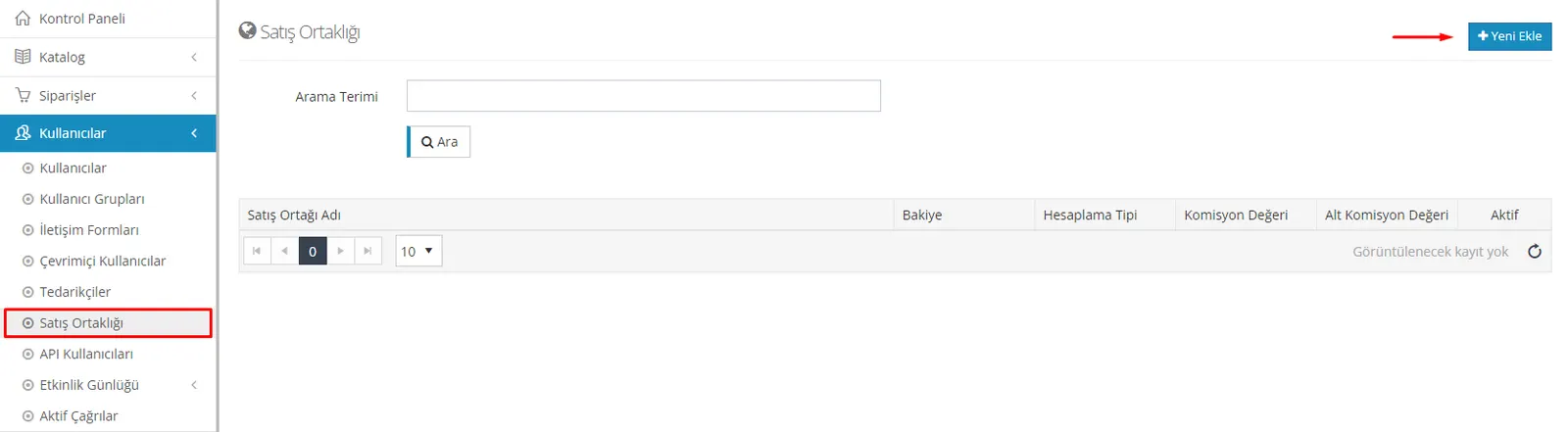
When you go to the control panel and click "Users" and then "Affiliate Program", you will see a page listing your affiliates. Here you can define a new affiliate using the "Add New" button.
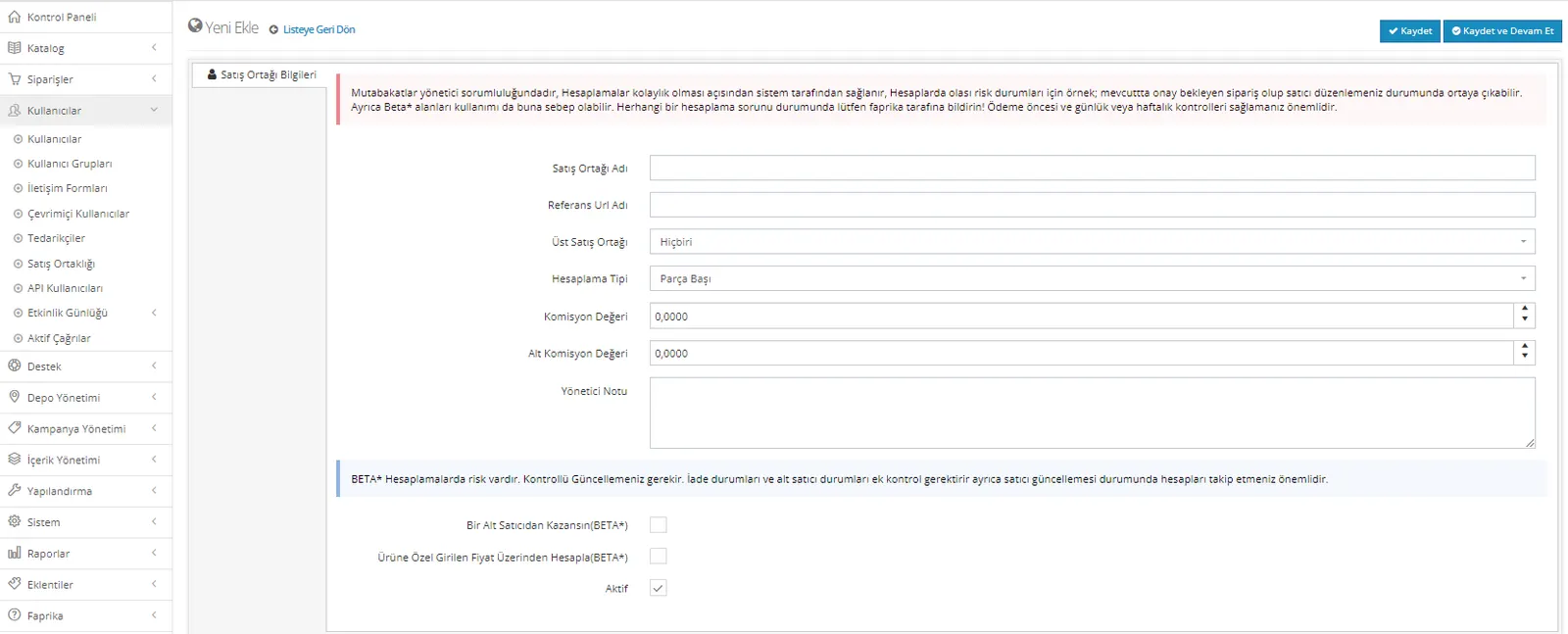
When you click the “Add New” button, the page where the affiliate will be created appears, as shown in the image. On this page, you will need to enter the following information:
- Affiliate Name: Enter the affiliate's name in this field.
- Reference URL Name: If there is a reference, you can record it using this field.
- Parent Affiliate: If the affiliate will be placed under another higher-level affiliate, you can add them by selecting one of the registered affiliates.
- Calculation Type and Commission Value: You must select the commission calculation method. When "Per Piece" is selected, the commission value you set applies to each sale and stays the same regardless of the amount. When "Percentage" is selected, the commission value is calculated based on the specified percentage.
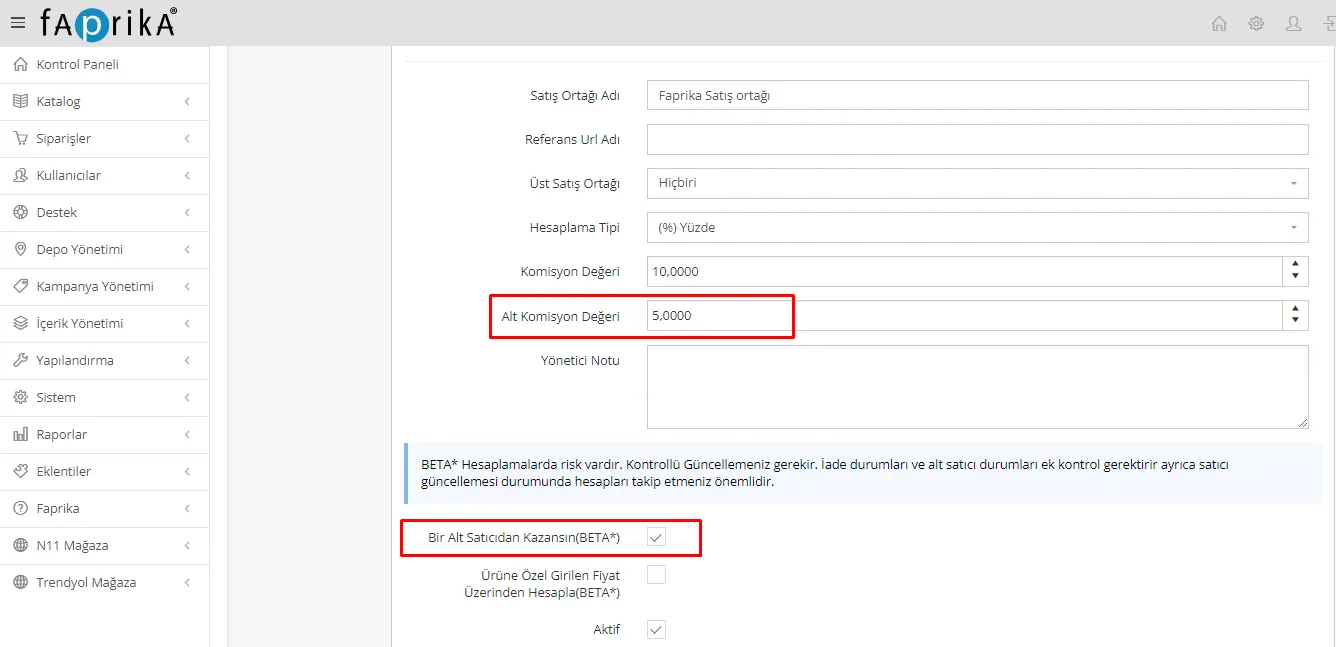
- Sub-Commission Value: If you have specified a parent affiliate, the sub-commission value for sub-affiliates must be entered in this field.
- Admin Note: This field can be used to add special notes or comments about the affiliate.
- Earn from One Sub-Seller: When you enable this option, the affiliate can create only one lower-level affiliate and receive commission from them.
- Calculation Based on Product-Specific Entered Price: If customers are allowed to enter the sale price of products, commission can be taken on the price set by the customer for the orders created.
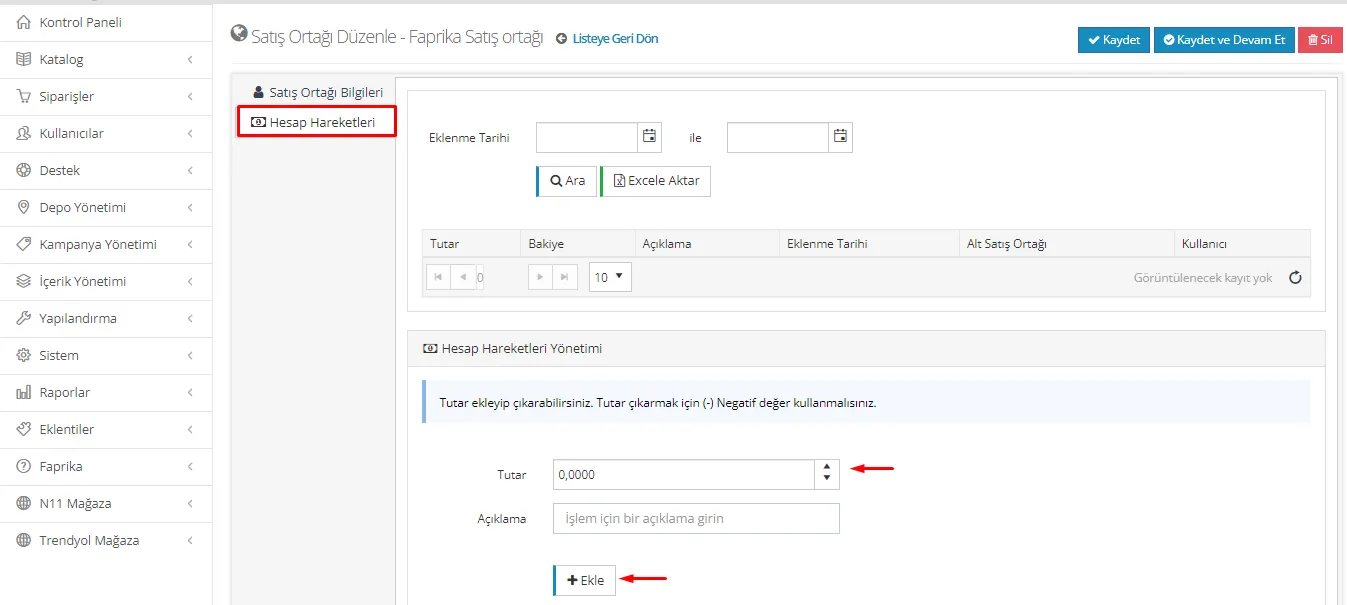
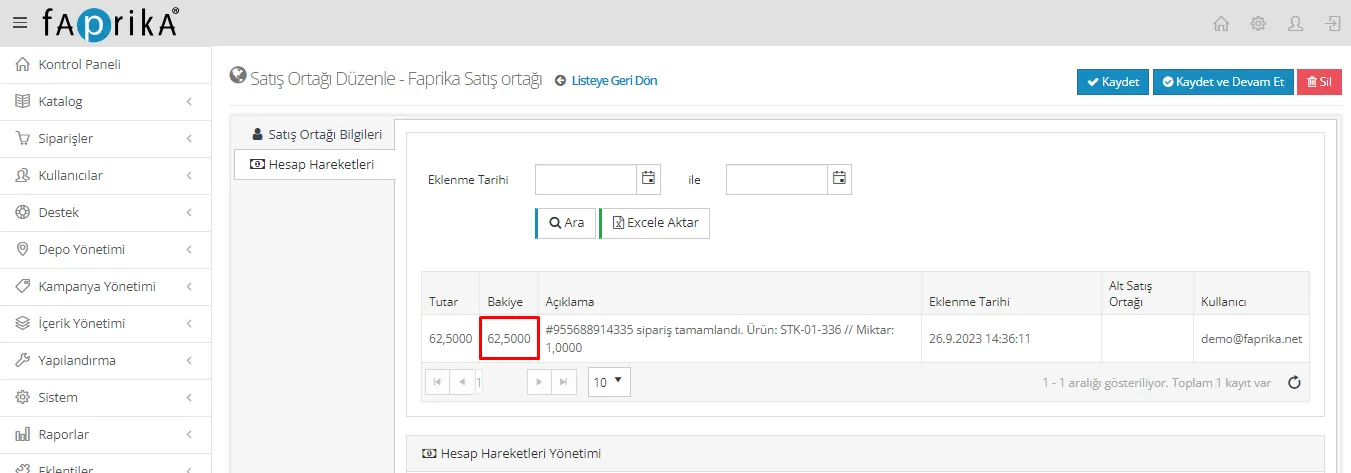
After you edit and save the information, a tab named "Account Transactions" opens under "Affiliate Information" on the page. In this tab, you can view the sales information the affiliate has made. The orders in the account transactions are recorded so that they can be exported to Excel. You can also filter by date added.
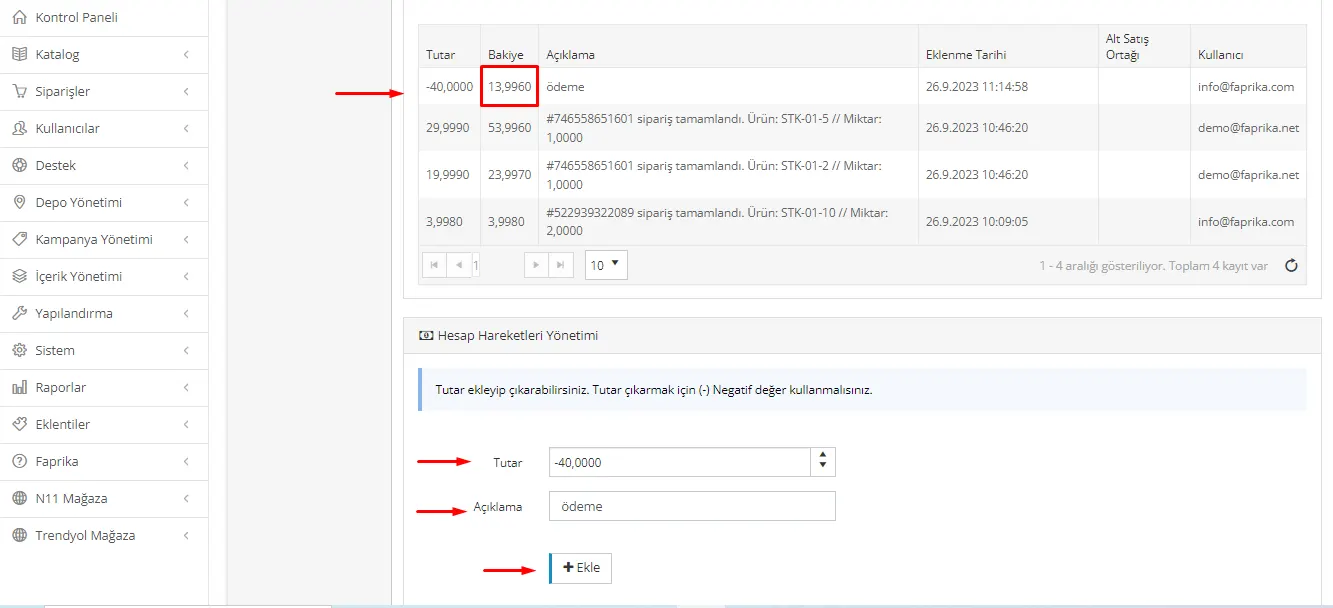
When the affiliate's account cut-off date arrives and part of the customer's earned amount needs to be paid, you can add the payment amount with a "-" sign in the amount field along with a description.
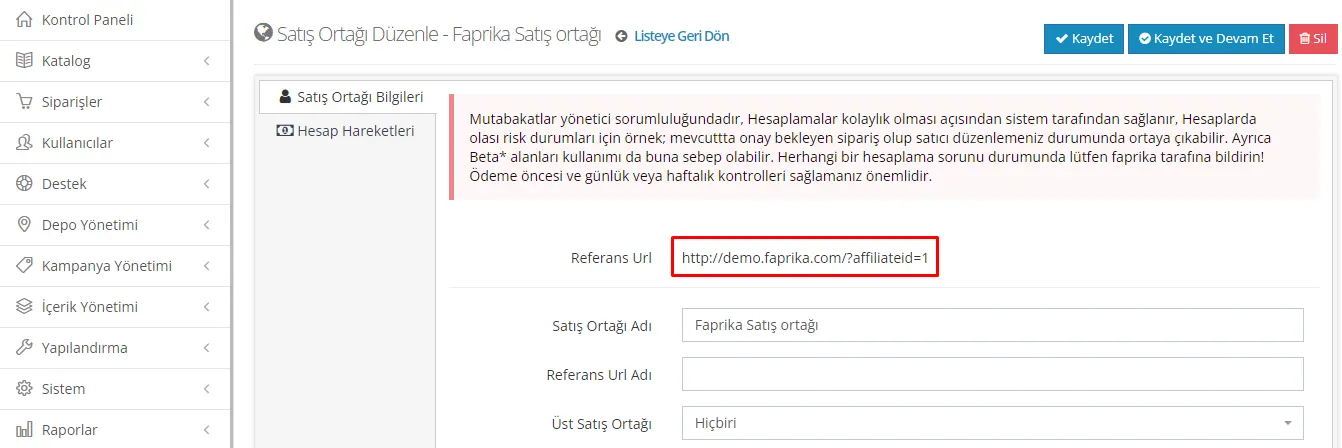
When an affiliate is saved, a link named "Reference URL" is created in the "Affiliate Information" tab. This link can be used by affiliates such as YouTubers and Instagrammers. Purchases made through this link can earn them commission at the specified rate. Thanks to this link, products can be marketed more effectively and those who advertise can receive their percentage commissions.
For orders received through an affiliate to be reflected in the affiliate's account transactions, the shipping status of the orders must be marked as "delivered". After orders are created and delivered, they can review the details of these orders in the affiliate account transactions area.
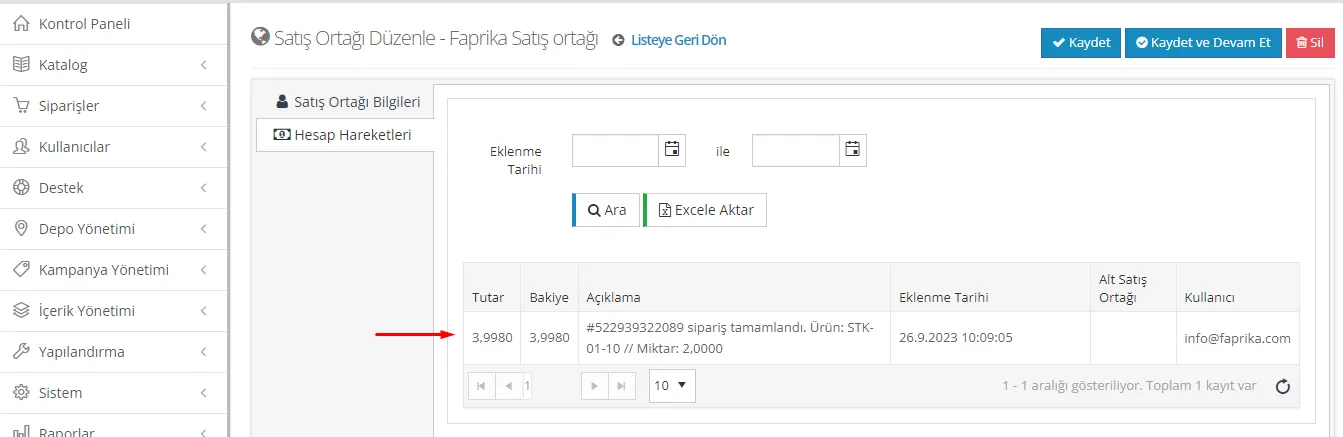
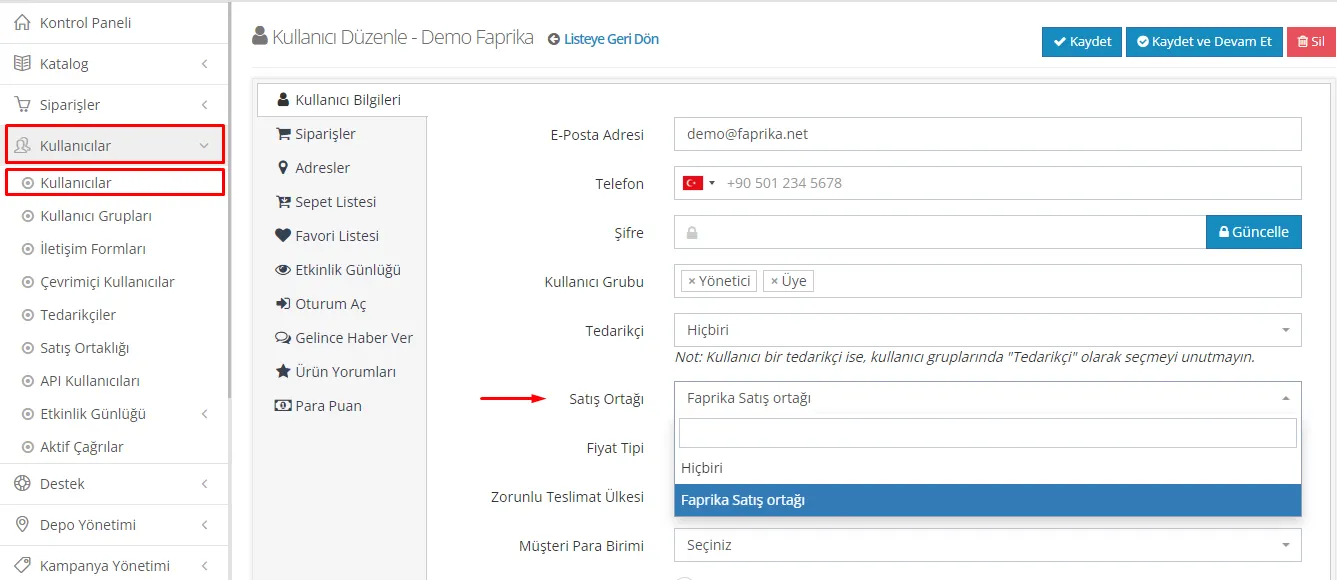
The affiliate earnings system does not work only through generated links; it can also be assigned to specific users. To do this, go to the 'Users' tab, where you can select a specific user or create new users. You can then earn affiliate commission from every order created through these users.
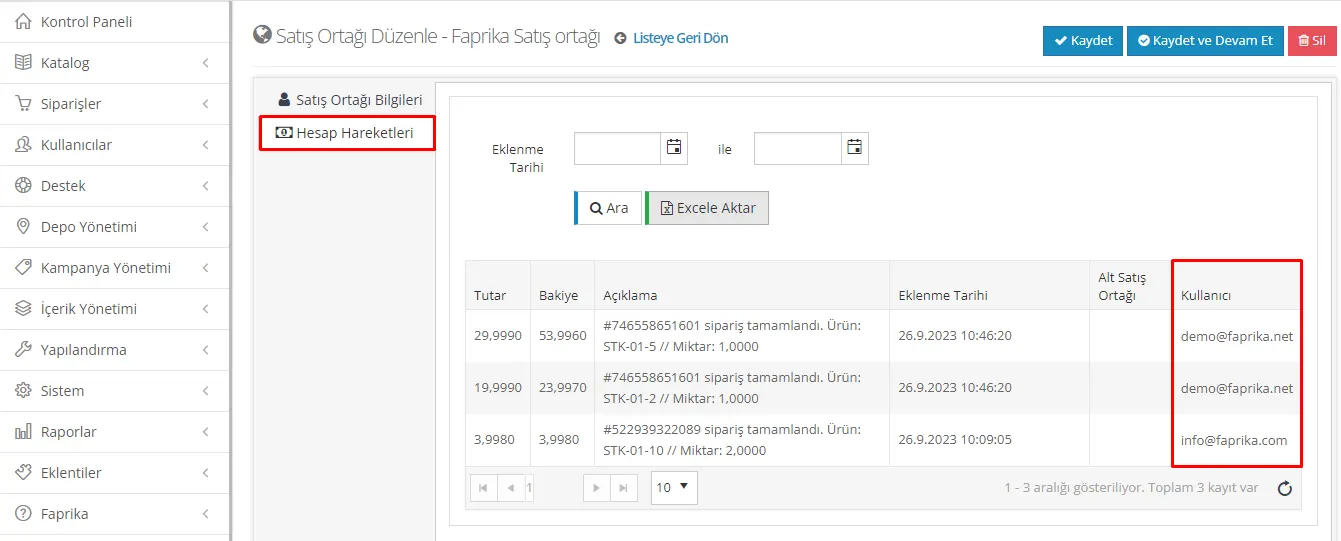
When a user assigned as an affiliate creates an order, after the order is delivered, the user information of the user who created the order appears in the account transactions area.
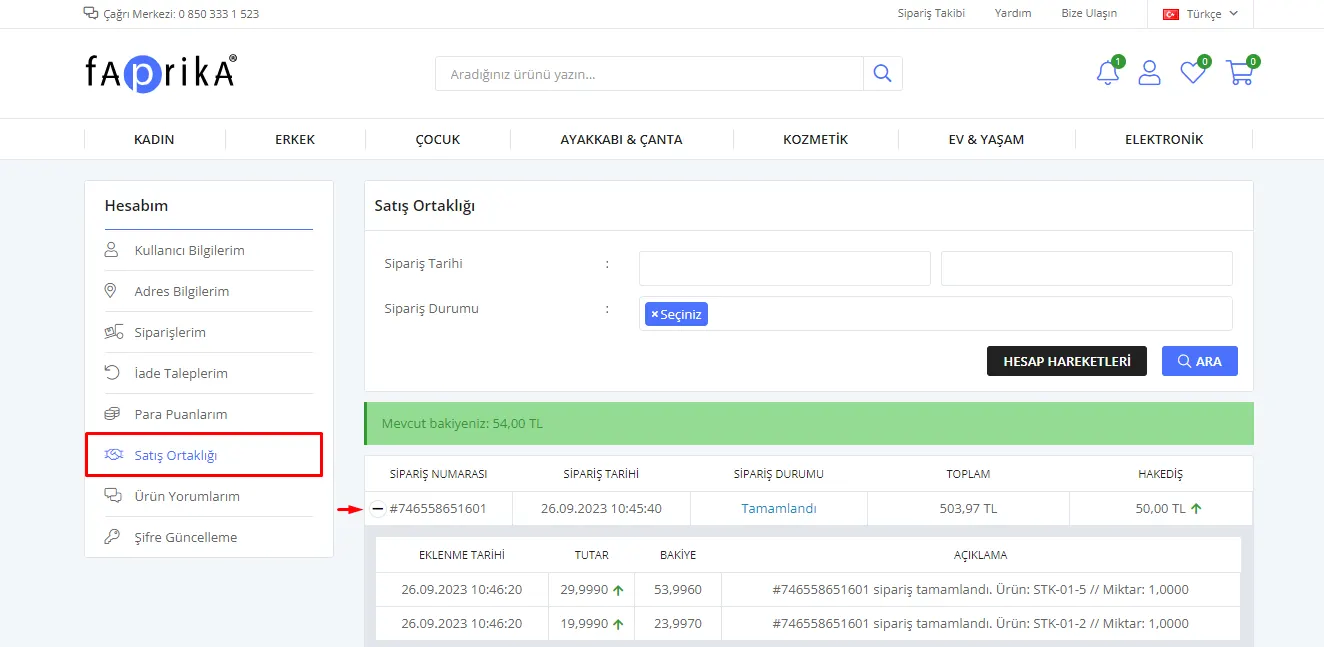
If an affiliate is assigned to a user, when the user logs in with their credentials, they can access the 'Affiliate Program' page from the My Account >> My User Information tab. On this page, the user can view the orders placed through them and the amounts of earnings accrued.
To notify the affiliate that the earnings have been transferred to their account, you must open the Control Panel >> Users >> Affiliate Program page. On this page, there is an 'Account Transactions' tab under the 'Account Transactions Management' heading. If the customer's current balance is ₺54 and a payment of ₺40 will be made to the customer, the value -40 must be entered in the 'Amount' field. After typing the amount -40 and its description and clicking the 'Add' button, the customer can see that the payment has been made and their current balance on the 'My User Information >> Affiliate Program' page.
When the 'Parent Affiliate' option is selected and the 'Earn from One Sub-Seller' button is enabled, a sub-affiliate must be created for the main affiliate. A parent affiliate selection must be made for the created affiliate.
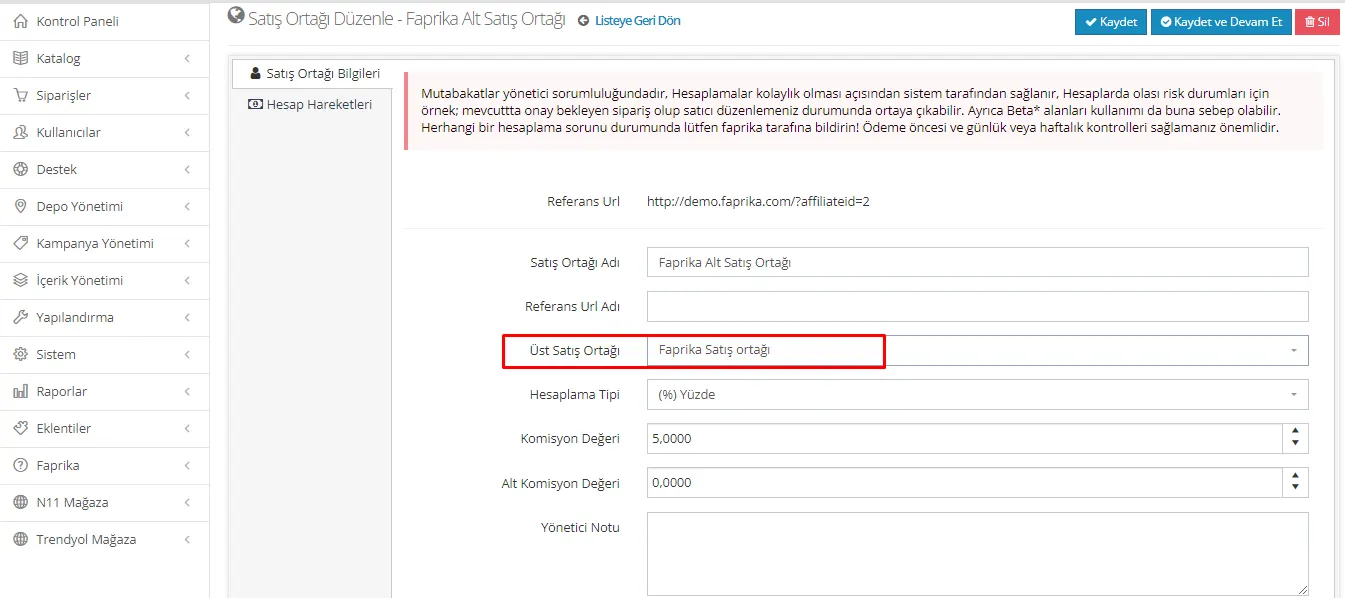
For the parent affiliate, when a sub-commission value is entered, they will earn commission from the orders made by the sub-affiliate.
When the “Earn from one sub-seller” option is selected, earnings are obtained from only one sub-seller. Otherwise, earnings are obtained from all created sub-sellers.
When the "Calculation based on product-specific entered price" button is active, the affiliate must go to the Catalog >> Product Management section and open the specific product whose price they want to change. Then they must reach the 'Price Information' page. On this page, the 'Customer can enter the sale price' option is enabled and the minimum and maximum price range is entered.
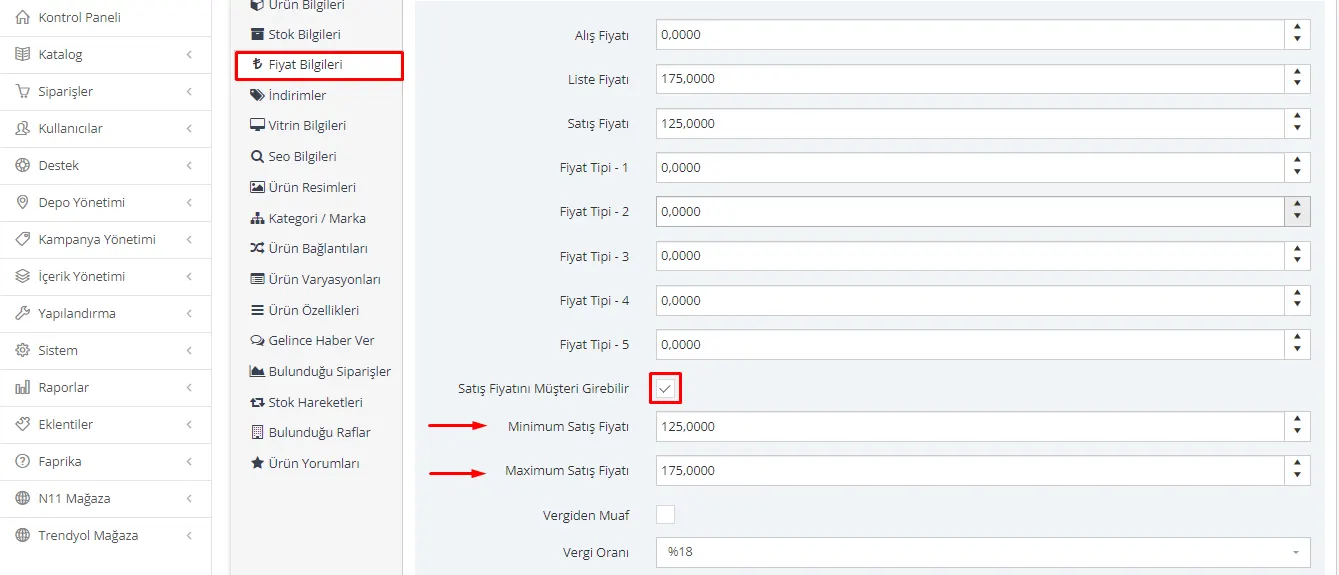
When an order is created for the edited product, if the product's sale price is set as ₺125 and the customer buys this product for ₺175, the process works as follows:
- The customer pays ₺175.
- The affiliate receives their earnings at the specified commission rate on the product's original price of ₺125.
- The remaining ₺50 is calculated automatically through the customer's earnings system and added to the customer's account.
In this way, the difference in sales made at the price set by the customer is calculated automatically and reflected in the earnings system.
Affiliate Marketing: Grow Your Business, Increase Your Earnings!
Affiliate marketing is an indispensable tool for those who want to grow and expand in the world of e-commerce. The affiliate feature provided by Faprika offers an excellent opportunity to grow your business even further. By making commission-based payments to affiliates, we help you introduce your brand to more people.
Thanks to Faprika's user-friendly control panel, you can easily manage your affiliates, set your commission rates, and track your sales. Introduce your products to wider audiences through influencers such as YouTubers and Instagrammers, and increase your commissions.
In addition, thanks to the custom pricing option, you can also earn commissions on the prices set by customers. Make your affiliate program more efficient with all these conveniences.
More customers mean more earnings. Grow your business with Faprika, expand into new markets, and increase your earnings. Get started and discover the power of affiliate marketing!