Tools/Equipment
How to clear the browser cache and cookies?
What Is Cache? The browser cache is a temporary storage area that allows websites to load faster. HTML, CSS, JS and image elements are kept in this area, which speeds up page loading.
What Is Cache?
The browser cache is a temporary storage area that allows websites to load faster. HTML, CSS, JS and image elements are kept in this area, which speeds up page loading.
What Is Clearing the Cache?
It means clearing the data (cache) in temporary memory. After the cache is cleared, pages may load a little slower the first time than before, because data is now fetched from the relevant server instead of local memory.
Why Is the Cache Cleared?
Files that accumulate in the system over time can reach quite large sizes. As a result, pages may not load properly, unnecessary load may be placed on the system, and subsequently old data may appear on your screen as if it were new. The cache should be cleared to prevent these situations.
How Is the Cache Cleared?
The main cache is cleared in Google Chrome by clicking the three vertically stacked dots below the close button on the far right, then going to > History > Clear Browsing Data > All Time. On the screen that opens, the relevant checkbox (checked by default) is enabled and the Clear Data button is clicked.
How to Clear the Cache in the Faprika E-Commerce Panel?
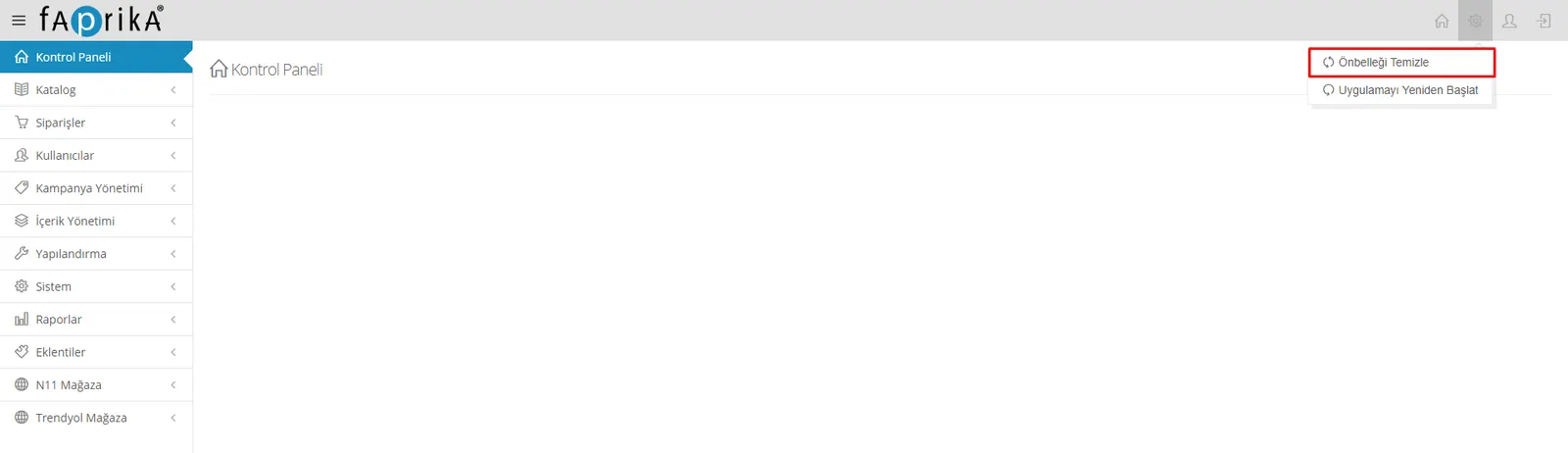
In the Admin panel of your e-commerce site, click the gear icon to the left of the menus at the top right and choose Clear Cache; your site will get relief and return to the speed it should have.